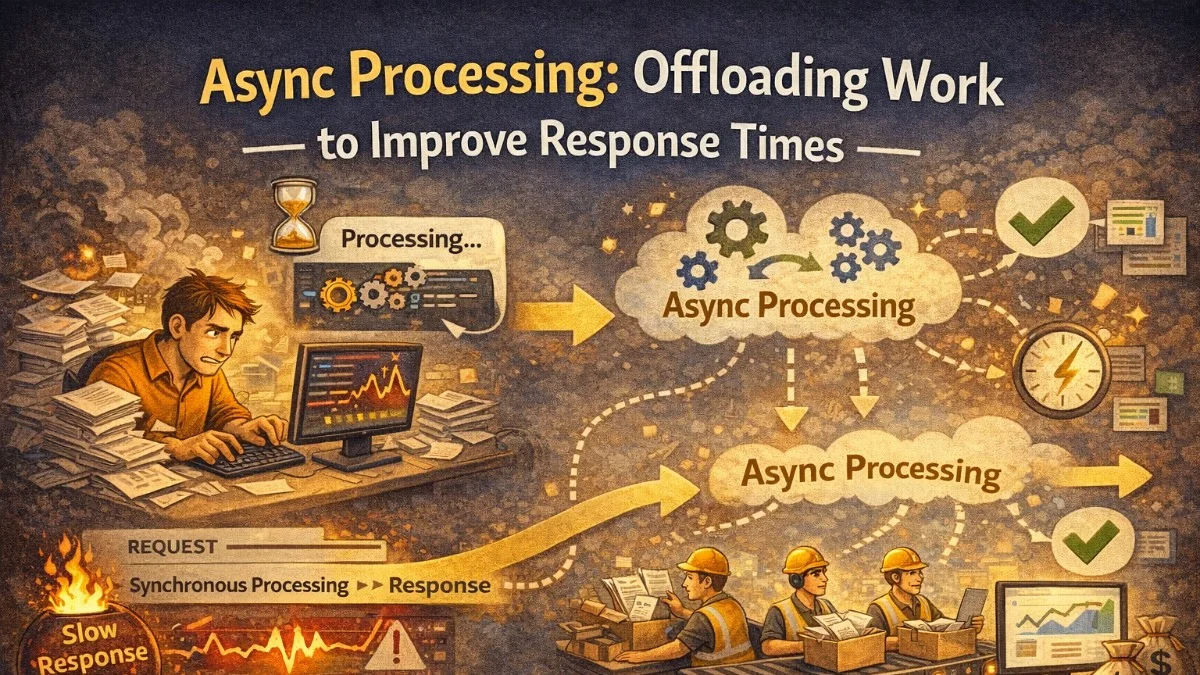
The simplest rule in web performance: don't make users wait for things they don't need to wait for.
When a user submits an order, they need to know the order was received. They don't need to wait for the confirmation email to be sent, the inventory count to be recalculated, the warehouse system to be notified, and the analytics event to be tracked — all before seeing a success page.
Async processing separates the response (immediate) from the work (background). Done well, it makes your application feel fast while doing more.
What Belongs in Async Processing
Good Candidates for Async
Email and notification sending
  - User doesn't need this before seeing a response
  - Network call to SMTP/SES/SendGrid

File processing
  - Image resizing, format conversion, thumbnail generation
  - PDF generation
  - CSV export for large datasets

Third-party webhook calls
  - Notifying downstream systems
  - Analytics events (Mixpanel, Segment)

Report generation
  - Complex aggregations over large datasets
  - Scheduled weekly/monthly reports

Search index updates
  - Elasticsearch document updates
  - Full-text search re-indexing

Cache warming
  - Rebuilding complex caches after data changes

Data synchronization
  - Syncing to CRM, billing system, etc.
What Should Stay Synchronous
Payment processing
  - User needs confirmation before leaving checkout
  - Failure must be communicated immediately

Inventory reservation
  - Must confirm item is available before accepting order

Authentication and authorization
  - Must validate before returning data

Data reads
  - User is waiting for the response content

Validation
  - Must validate input before showing success
Queue Architectures
Redis-Based Queues (Laravel)
Laravel's queue system abstracts several backends. Redis is the most common for production:
// Create a queued job
php artisan make:job SendWelcomeEmail
// app/Jobs/SendWelcomeEmail.php
class SendWelcomeEmail implements ShouldQueue
{
    use Dispatchable, InteractsWithQueue, Queueable, SerializesModels;

    public int $tries = 3;          // Retry 3 times before failing
    public int $backoff = 30;       // Wait 30s between retries
    public int $timeout = 60;       // Kill job after 60 seconds
    public bool $deleteWhenMissingModels = true;  // Don't fail on deleted users

    public function __construct(
        public readonly User $user
    ) {}

    public function handle(Mailer $mailer): void
    {
        $mailer->to($this->user)->send(new WelcomeEmail($this->user));
    }

    public function failed(Throwable $exception): void
    {
        // Notify team of permanent failure
        Log::error('Welcome email failed permanently', [
            'user_id'   => $this->user->id,
            'exception' => $exception->getMessage(),
        ]);
    }
}
// Dispatch from controller — returns immediately
public function store(RegisterRequest $request)
{
    $user = User::create($request->validated());

    // This returns immediately — email sends in background
    SendWelcomeEmail::dispatch($user);

    // You can also delay:
    SendWelcomeEmail::dispatch($user)->delay(now()->addMinutes(5));

    // Or send to specific queue:
    SendWelcomeEmail::dispatch($user)->onQueue('emails');

    return response()->json(['id' => $user->id], 201);
}
Queue Priority with Multiple Queues
Not all jobs are equal. Use separate queues for different priority levels:
// High priority: user-visible operations
ProcessPayment::dispatch($order)->onQueue('critical');

// Normal: user-initiated but not blocking
SendOrderConfirmation::dispatch($order)->onQueue('default');

// Low: background maintenance
RebuildSearchIndex::dispatch()->onQueue('low');
# Worker processes queues in priority order
php artisan queue:work redis \
    --queue=critical,default,low \
    --max-jobs=1000 \
    --max-time=3600
By listing critical first, the worker always checks for critical jobs before processing lower-priority ones. If critical jobs are waiting, they won't be starved by a flood of low-priority work.
Job Design Patterns
Idempotent Jobs
Jobs should be safe to run multiple times. Networks fail, workers restart, queues replay. Design jobs to handle being called twice with the same arguments:
class ChargeSubscription implements ShouldQueue
{
    use InteractsWithQueue;

    public function handle(): void
    {
        // Check if we already charged this period
        $alreadyCharged = Invoice::where('subscription_id', $this->subscription->id)
            ->where('period', $this->billingPeriod)
            ->whereIn('status', ['paid', 'pending'])
            ->exists();

        if ($alreadyCharged) {
            Log::info('Subscription already charged, skipping', [
                'subscription_id' => $this->subscription->id,
                'period'          => $this->billingPeriod,
            ]);
            return;  // Safe to exit — work already done
        }

        // Proceed with charge...
    }
}
Chunking Large Jobs
A job that processes 100,000 records might run for hours, consuming a worker and risking timeouts. Break it into smaller chunks:
class ProcessBulkExport implements ShouldQueue
{
    public function handle(): void
    {
        $totalRecords = Order::where('status', 'completed')->count();
        $chunkSize    = 1000;

        for ($offset = 0; $offset < $totalRecords; $offset += $chunkSize) {
            // Dispatch a child job for each chunk
            ProcessExportChunk::dispatch(
                $this->exportId,
                $offset,
                $chunkSize
            );
        }

        // Dispatch a finalization job
        FinalizeExport::dispatch($this->exportId)
            ->delay(now()->addMinutes(30));  // Allow time for chunks to complete
    }
}
Each chunk job is small, fast, and independently retriable. If chunk 47 fails, only chunk 47 retries.
Job Batching
Laravel's batch feature tracks a group of jobs and fires a callback when they all complete:
use Illuminate\Bus\Batch;
use Illuminate\Support\Facades\Bus;

$batch = Bus::batch([
    new ProcessOrderRegion('north-america'),
    new ProcessOrderRegion('europe'),
    new ProcessOrderRegion('asia-pacific'),
])->then(function (Batch $batch) {
    // All jobs completed successfully
    SendDailyReport::dispatch($batch->id);
})->catch(function (Batch $batch, Throwable $e) {
    // First failure
    Log::error('Batch processing failed', ['exception' => $e->getMessage()]);
})->finally(function (Batch $batch) {
    // Always runs, success or failure
    Cache::forget('daily-processing-lock');
})->dispatch();

// Check batch status later
$status = Bus::findBatch($batchId);
echo $status->progress();  // 0-100
Message Queues: Beyond Job Queues
For high-throughput async processing, dedicated message queue systems offer more capability.
RabbitMQ / SQS for Decoupled Services
When multiple services need to react to an event, a pub/sub model is more appropriate than directly dispatching jobs:
# Producer: order service publishes event
import boto3
import json

sqs = boto3.client('sqs', region_name='us-east-1')

def on_order_completed(order):
    # Publish to SNS topic — all subscribers receive it
    sns = boto3.client('sns')
    sns.publish(
        TopicArn='arn:aws:sns:us-east-1:123456789:order-events',
        Message=json.dumps({
            'event':    'order.completed',
            'order_id': order['id'],
            'user_id':  order['user_id'],
            'total':    order['total'],
            'timestamp': datetime.utcnow().isoformat()
        }),
        MessageAttributes={
            'event_type': {
                'StringValue': 'order.completed',
                'DataType': 'String'
            }
        }
    )
# Consumer 1: email service listens on its own SQS queue
def process_order_event(message):
    event = json.loads(message['Body'])
    if event['event'] == 'order.completed':
        send_order_confirmation_email(event['order_id'], event['user_id'])

# Consumer 2: inventory service listens on its own SQS queue
def process_inventory_event(message):
    event = json.loads(message['Body'])
    if event['event'] == 'order.completed':
        update_inventory_counts(event['order_id'])

# Consumer 3: analytics service listens on its own SQS queue
def process_analytics_event(message):
    event = json.loads(message['Body'])
    track_order_event(event)
Each consumer has its own queue. If the email service is slow, it doesn't affect the inventory service. Each can scale independently.
Dead Letter Queues
When messages fail repeatedly, move them to a dead letter queue (DLQ) rather than dropping them or retrying forever:
// SQS Queue configuration with DLQ
{
  "QueueName": "order-processing",
  "RedrivePolicy": {
    "deadLetterTargetArn": "arn:aws:sqs:us-east-1:123:order-processing-dlq",
    "maxReceiveCount": 5
  }
}
# Monitor DLQ depth
import boto3

def check_dlq_depth():
    sqs = boto3.client('sqs')
    attrs = sqs.get_queue_attributes(
        QueueUrl=DLQ_URL,
        AttributeNames=['ApproximateNumberOfMessages']
    )
    depth = int(attrs['Attributes']['ApproximateNumberOfMessages'])

    if depth > 10:
        notify_oncall(f'DLQ has {depth} failed messages — investigation needed')
Alerts on DLQ depth prevent silent data loss. Messages in the DLQ can be inspected, debugged, and replayed after fixing the underlying issue.
Monitoring Async Processing
Async jobs fail silently unless you watch them. Essential metrics:
Queue depth        → Messages waiting to be processed
Processing lag     → Time between enqueue and completion
Job failure rate   → % of jobs that fail
DLQ depth          → Failed jobs that gave up
Worker utilization → Are workers busy or idle?
Job duration       → How long individual jobs take
// Laravel Horizon: Redis queue monitoring
composer require laravel/horizon
php artisan horizon:install
php artisan horizon

// Provides:
// - Real-time queue metrics dashboard
// - Job failure tracking
// - Throughput per queue
// - Pause and resume individual queues
# Kubernetes: scale workers based on queue depth
apiVersion: keda.sh/v1alpha1
kind: ScaledObject
metadata:
  name: queue-worker-scaler
spec:
  scaleTargetRef:
    name: queue-worker
  minReplicaCount: 1
  maxReplicaCount: 20
  triggers:
    - type: redis
      metadata:
        address: redis:6379
        listName: queues:default
        listLength: "20"  # 1 worker per 20 pending jobs
Patterns for User Feedback
Async processing creates a UX challenge: the user needs to know when their work is done.
Polling
Simple: client polls an endpoint until the job is complete:
async function waitForExport(exportId) {
  const pollInterval = 2000;  // 2 seconds
  const maxAttempts  = 60;    // 2 minutes max

  for (let i = 0; i < maxAttempts; i++) {
    const response = await fetch(`/api/exports/${exportId}`);
    const data     = await response.json();

    if (data.status === 'completed') {
      window.location.href = data.download_url;
      return;
    }

    if (data.status === 'failed') {
      showError('Export failed. Please try again.');
      return;
    }

    await sleep(pollInterval);
    // Exponential backoff for long-running jobs:
    // pollInterval = Math.min(pollInterval * 1.5, 10000);
  }

  showError('Export is taking longer than expected. You\'ll receive an email when ready.');
}
WebSocket Push
For real-time feedback, push the completion event via WebSocket:
// Job fires an event when complete
class GenerateExport implements ShouldQueue
{
    public function handle(): void
    {
        $downloadUrl = $this->buildExport();

        // Broadcast to the user's browser via WebSocket
        broadcast(new ExportReady($this->user, $downloadUrl))->toOthers();
    }
}
// Browser listens for the event
Echo.private(`user.${userId}`)
    .listen('ExportReady', (event) => {
        showSuccess('Your export is ready!');
        window.location.href = event.downloadUrl;
    });
Async processing is one of the most impactful architectural changes you can make to a synchronous application. Identify your longest synchronous operations, measure their impact on response times, and systematically move them to background queues. Users will notice the difference.
Building something that needs to scale? We help teams architect systems that grow with their business. scopeforged.com