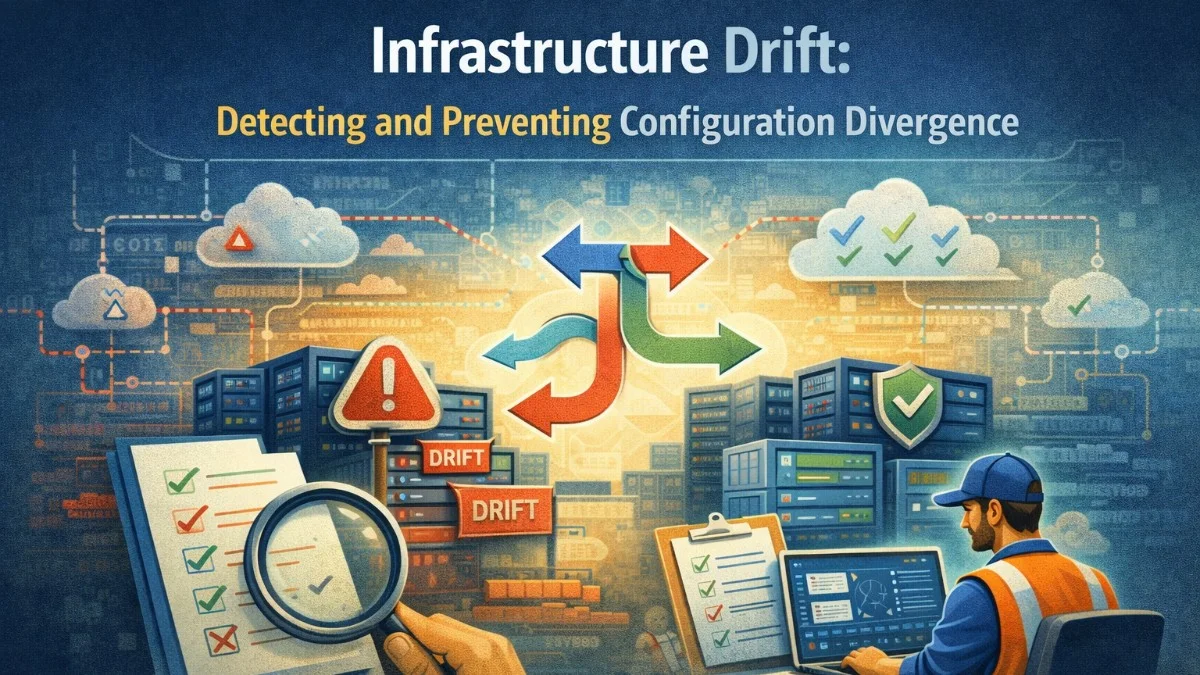
It starts innocently enough. An engineer makes a quick manual change to a security group rule during an incident. A one-off database parameter adjustment. A firewall rule added in the cloud console to unblock a deadline. "I'll update the Terraform later."
Later never comes. And six months later, nobody knows why production behaves differently from staging, why a deployment broke something it shouldn't have touched, or why the security audit is failing.
This is infrastructure drift — and it's endemic to every team that manages infrastructure at scale.
What Is Infrastructure Drift?
Drift is the divergence between your declared infrastructure state (Terraform files, Ansible playbooks, Kubernetes manifests) and the actual state of your running infrastructure.
Types of Drift
Configuration drift: A server parameter, network rule, or service configuration was changed manually and not reflected in code.
Version drift: An application or library version in production doesn't match what's in the deployment manifest. Often caused by auto-update policies or manual patch application.
Structural drift: Resources exist in production that aren't tracked by any IaC tool. Shadow infrastructure, forgotten test environments, resources created by one team and forgotten.
Secret drift: Credentials or environment variables in production differ from what's documented or configured in secret management tooling.
Why Drift Is Dangerous
Problems caused by undetected drift:

- Deployments modify resources unexpectedly (Terraform wants to "fix" drift)
- Environments are not reproducible — can't rebuild production
- Security posture is unknown — what's actually exposed?
- Incident investigations are misleading — docs don't match reality
- Compliance audits fail — you can't prove state was never unauthorized
- Capacity planning is inaccurate — you don't know what you actually have
Detecting Drift in Terraform
Terraform has drift detection built in — but it only works if you use it.
Terraform Plan as Drift Detection
# Run plan against existing state to detect drift
terraform plan -detailed-exitcode

# Exit codes:
# 0: No changes (no drift)
# 1: Error
# 2: Changes detected (drift exists)

echo $?
The problem: terraform plan is only run when someone is about to make a change. Drift can exist for months without anyone running a plan.
Scheduled Drift Detection in CI
Run terraform plan on a schedule, even when nobody is deploying:
# .github/workflows/drift-detection.yml
name: Infrastructure Drift Detection

on:
  schedule:
    - cron: '0 8 * * *'  # 8 AM daily
  workflow_dispatch:

jobs:
  detect-drift:
    runs-on: ubuntu-latest
    steps:
      - uses: actions/checkout@v4

      - uses: hashicorp/setup-terraform@v3
        with:
          terraform_version: 1.7.0

      - name: Configure AWS credentials
        uses: aws-actions/configure-aws-credentials@v4
        with:
          role-to-assume: ${{ secrets.DRIFT_DETECTION_ROLE_ARN }}
          aws-region: us-east-1

      - name: Terraform Init
        run: terraform init -backend-config="key=production/terraform.tfstate"

      - name: Detect Drift
        id: plan
        run: |
          terraform plan \
            -detailed-exitcode \
            -no-color \
            -out=drift.tfplan 2>&1 | tee plan-output.txt
          echo "exitcode=$?" >> $GITHUB_OUTPUT
        continue-on-error: true

      - name: Alert on Drift
        if: steps.plan.outputs.exitcode == '2'
        uses: slackapi/slack-github-action@v1
        with:
          payload: |
            {
              "text": "Infrastructure drift detected in production!",
              "blocks": [{
                "type": "section",
                "text": {
                  "type": "mrkdwn",
                  "text": "*Infrastructure Drift Detected*\nProduction infrastructure has drifted from Terraform state.\n<${{ github.server_url }}/${{ github.repository }}/actions/runs/${{ github.run_id }}|View details>"
                }
              }]
            }
        env:
          SLACK_WEBHOOK_URL: ${{ secrets.SLACK_WEBHOOK }}
This approach gives you daily visibility into drift without requiring human action to trigger it.
Terraform Refresh
When drift is detected, understand what changed:
# Refresh state from actual infrastructure
terraform refresh

# Then plan to see the full diff
terraform plan

# Example output showing drift:
# ~ aws_security_group.web
#   ~ ingress {
#       + cidr_blocks = ["0.0.0.0/0"]  # Someone opened this!
#       ...
#   }
Decide: was this change intentional (update Terraform to match) or unauthorized (revert infrastructure to match Terraform)?
Drift Detection for Kubernetes
Argo CD Drift Detection
If you're using Argo CD, drift detection is continuous and automatic:
apiVersion: argoproj.io/v1alpha1
kind: Application
spec:
  syncPolicy:
    automated:
      selfHeal: true  # Auto-correct drift
    syncOptions:
      - RespectIgnoreDifferences=true
  ignoreDifferences:
    - group: apps
      kind: Deployment
      jsonPointers:
        - /spec/replicas  # Ignore HPA-managed replica count
With selfHeal: true, Argo CD corrects drift automatically. Without it, it reports drift in the UI and Prometheus metrics. You can alert on the metric:
# Prometheus alert for Argo CD sync issues
apiVersion: monitoring.coreos.com/v1
kind: PrometheusRule
metadata:
  name: argocd-alerts
spec:
  groups:
    - name: argocd
      rules:
        - alert: ArgoCDAppOutOfSync
          expr: argocd_app_info{sync_status!="Synced"} == 1
          for: 15m
          labels:
            severity: warning
          annotations:
            summary: "Argo CD application {{ $labels.name }} is out of sync"
            description: "Application has been out of sync for more than 15 minutes"
Kubectl Diff for Manual Drift Checks
For teams not using GitOps tools yet:
# Compare local manifests to cluster state
kubectl diff -f ./k8s/production/

# Output shows what would change:
# diff -u -N /tmp/LIVE/apps.v1.Deployment.production.api
#            /tmp/MERGED/apps.v1.Deployment.production.api
# @@ -30,7 +30,7 @@
#  spec:
#    replicas: 3
#  template:
#    spec:
#      containers:
# -      image: myapp:1.2.2  # Currently running
# +      image: myapp:1.2.3  # In manifest
Conftest for Policy Drift
Drift isn't just resource configuration — it's also policy drift. Are your security contexts still being enforced?
# policy/deployment.rego
package kubernetes.deployment

deny[msg] {
  input.kind == "Deployment"
  container := input.spec.template.spec.containers[_]
  not container.securityContext.runAsNonRoot
  msg := sprintf("Container '%s' must not run as root", [container.name])
}

deny[msg] {
  input.kind == "Deployment"
  container := input.spec.template.spec.containers[_]
  not container.securityContext.readOnlyRootFilesystem
  msg := sprintf("Container '%s' must have read-only root filesystem", [container.name])
}
# Check all running deployments against policy
kubectl get deployments -A -o json | \
  jq '.items[]' | \
  conftest test - --policy policy/
Drift Prevention Strategies
Detection is necessary but not sufficient. Prevention keeps drift from accumulating in the first place.
Break-Glass Access with Audit Logging
Most manual changes happen because engineers need to move fast during incidents. Give them a controlled way to do this that automatically creates an audit trail:
# break-glass-access.py
import boto3
import subprocess
from datetime import datetime

def request_break_glass_access(reason: str, duration_minutes: int = 60):
    """
    Grants temporary elevated access and creates an audit ticket.
    Access is revoked automatically after duration.
    """
    user = get_current_user()
    ticket_id = create_jira_ticket(
        summary=f"Break-glass access: {user}",
        description=f"Reason: {reason}\nExpires: {duration_minutes}m",
        labels=["break-glass", "infrastructure-drift"]
    )

    # Grant time-limited IAM role
    assume_elevated_role(duration_seconds=duration_minutes * 60)

    # Send Slack notification
    notify_slack(
        channel="#security-alerts",
        message=f"Break-glass access granted to {user}\nReason: {reason}\nTicket: {ticket_id}"
    )

    print(f"Access granted. Ticket: {ticket_id}")
    print(f"IMPORTANT: Document all changes in {ticket_id} and update IaC within 24h")
When break-glass access is used, a ticket is automatically created, the security team is notified, and a follow-up task is created to update the IaC.
Enforce IaC-Only Changes via IAM
In AWS, restrict direct console modifications by limiting what humans can do and what only your CI role can do:
// IAM policy for human engineers: read-only on sensitive resources
{
  "Version": "2012-10-17",
  "Statement": [
    {
      "Effect": "Deny",
      "Action": [
        "ec2:ModifySecurityGroupRules",
        "ec2:AuthorizeSecurityGroupIngress",
        "rds:ModifyDBParameterGroup",
        "elasticloadbalancing:ModifyListener"
      ],
      "Resource": "*",
      "Condition": {
        "StringNotEquals": {
          "aws:PrincipalTag/Role": "terraform-executor"
        }
      }
    }
  ]
}
Only the terraform-executor IAM role (used by CI) can make these changes. Humans can view but not modify.
Immutable Infrastructure Pattern
The ultimate drift prevention: don't allow in-place changes at all. Treat infrastructure as immutable:
Old approach (mutable):
  Server exists → apply changes in place → server drifts over time

Immutable approach:
  New configuration → build new image/AMI → deploy new servers → terminate old ones
With immutable infrastructure:
- Servers are never patched in place (replaced with new AMI)
- Configuration is never modified (new deployment with new config)
- Drift is impossible because nothing persists between deployments
This is the approach Kubernetes encourages: update a deployment, and Kubernetes creates new pods and terminates old ones. The old pods cannot drift — they no longer exist.
Drift Reporting and Governance
Drift Dashboard
Build a dashboard that gives leadership visibility into infrastructure health:
# drift-report.py — generates weekly drift summary
import subprocess
import json
from collections import defaultdict

def generate_drift_report():
    # Run terraform plan for each environment
    environments = ["staging", "production", "dr"]
    drift_summary = defaultdict(list)

    for env in environments:
        result = subprocess.run(
            ["terraform", "plan", "-json", "-detailed-exitcode",
             f"-var-file=environments/{env}.tfvars"],
            capture_output=True,
            text=True
        )

        if result.returncode == 2:  # Changes detected
            changes = parse_plan_json(result.stdout)
            drift_summary[env] = changes

    return {
        "report_date": datetime.now().isoformat(),
        "environments_with_drift": len(drift_summary),
        "details": drift_summary
    }
Mean Time to Remediate Drift
Track how long it takes to fix drift once detected. This is a process health metric:
Good: < 24 hours for security-relevant drift
      < 1 week for operational drift
      < 1 sprint cycle for cosmetic drift

Concerning: Any CRITICAL drift over 24 hours unresolved
            Any security group drift not investigated immediately
Practical Remediation Workflow
When drift is detected, follow a consistent process:
1. Triage: Is this drift security-relevant? (network rules, IAM, secrets)
   → Yes: Treat as incident, immediate investigation
   → No: Schedule for next sprint

2. Identify source: Who made the change, when, and why?
   → Check CloudTrail / audit logs
   → Check incident timeline

3. Assess correctness: Should production match code, or should code match production?
   → Unauthorized change: revert infrastructure
   → Intentional change: update IaC to reflect reality

4. Remediate:
   → Update Terraform/manifests
   → Run terraform apply or kubectl apply
   → Verify plan shows no further changes

5. Prevent recurrence:
   → Add IAM restriction if applicable
   → Add monitoring for this specific resource
   → Update runbooks to use IaC path
Drift is a symptom of process, not just tooling. The root cause is usually engineers under pressure choosing the fast path over the right path. Make the right path fast enough, and drift stops being the default.
Building something that needs to scale? We help teams architect systems that grow with their business. scopeforged.com