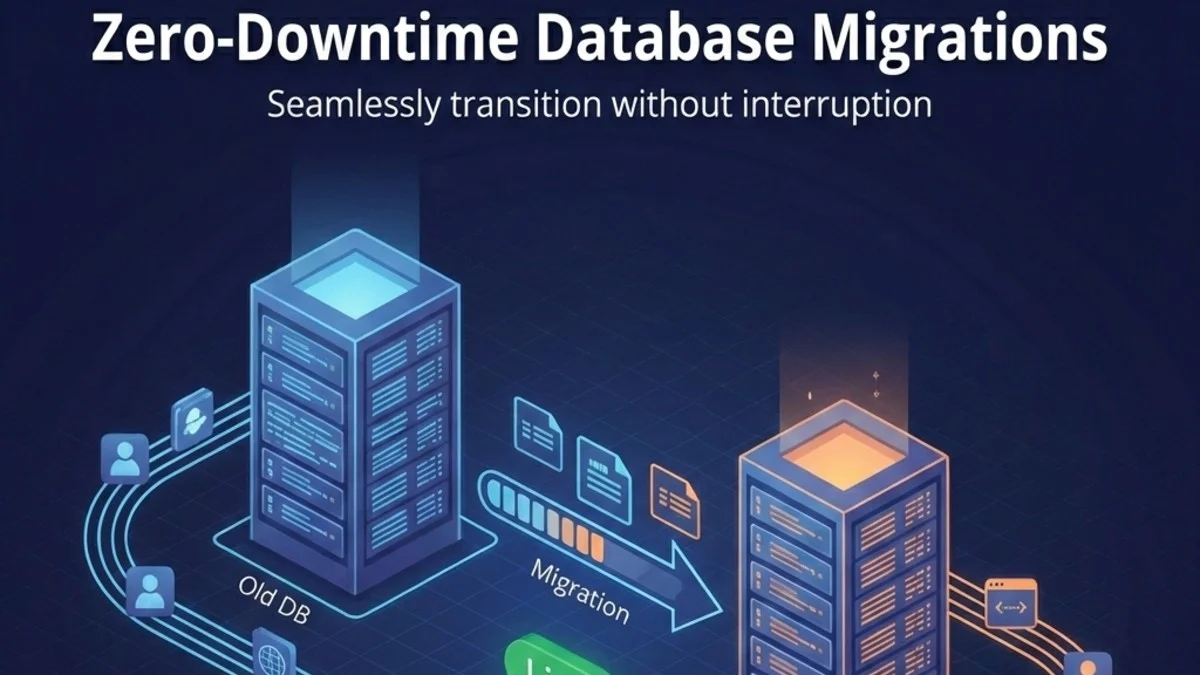
Database migrations are one of the riskiest parts of deployment. A poorly planned migration can lock tables, corrupt data, or bring down your entire application. This guide covers strategies for making schema changes without downtime.
The Challenge
When you deploy code and run migrations simultaneously, you face a timing problem:
Scenario 1: Migration first
- New schema deployed
- Old code still running
- Old code fails on new schema
Scenario 2: Code first
- New code deployed
- Old schema still active
- New code fails on old schema
The Expand-Contract Pattern
The solution is a multi-phase approach:
- Expand: Add new things (columns, tables)
- Migrate: Move data, update code
- Contract: Remove old things
Each phase is backward-compatible.
Adding a New Column
Wrong Way (Causes Downtime)
The following example demonstrates a common mistake where a new required column is added and used immediately. This approach fails because existing application instances don't know about the new column yet.
// Single migration + deploy
Schema::table('users', function (Blueprint $table) {
    $table->string('full_name'); // NOT NULL by default!
});

// Code immediately uses it
$user->full_name = $request->name;
Problem: Old code fails because it doesn't set full_name.
Right Way (Zero Downtime)
Phase 1: Add nullable column
Start by adding the new column as nullable. This ensures the migration can run without affecting existing records or application code that doesn't know about this column yet.
// Migration 1
Schema::table('users', function (Blueprint $table) {
    $table->string('full_name')->nullable();
});
Deploy migration. Old code still works;it ignores the new column.
Phase 2: Update code to write to both
Next, update your model to populate the new column automatically. The booted method with a saving listener ensures every save operation keeps both columns in sync during the transition period.
// Update User model
protected static function booted()
{
    static::saving(function (User $user) {
        // Write to both during transition
        $user->full_name = $user->full_name ?? $user->first_name . ' ' . $user->last_name;
    });
}
This approach uses the null coalescing operator to preserve any explicitly set full_name while providing a fallback for records that haven't been migrated yet.
Phase 3: Backfill existing data
With the dual-write in place, you need to populate the new column for all existing records. Using chunkById prevents memory exhaustion on large tables and processes records in manageable batches.
// Run as job or command
User::whereNull('full_name')->chunkById(1000, function ($users) {
    foreach ($users as $user) {
        $user->update([
            'full_name' => $user->first_name . ' ' . $user->last_name
        ]);
    }
});
The whereNull filter ensures you only process records that haven't already been populated, making this operation idempotent and safe to re-run if interrupted.
Phase 4: Make column required
Once all data has been backfilled and verified, you can safely add the NOT NULL constraint. This migration should only be run after confirming zero null values exist in the column.
// After all data backfilled
Schema::table('users', function (Blueprint $table) {
    $table->string('full_name')->nullable(false)->change();
});
Phase 5: Clean up old columns (later)
Finally, after all application code has been updated to use only the new column, you can remove the legacy columns. Schedule this cleanup migration for a future deployment cycle to allow for rollback if issues arise.
Schema::table('users', function (Blueprint $table) {
    $table->dropColumn(['first_name', 'last_name']);
});
Renaming a Column
Never use renameColumn in production. It's a single atomic change that requires code to be updated simultaneously.
Safe Rename Process
Phase 1: Add new column
Create the new column alongside the existing one. This is identical to the expand phase of adding a new column.
Schema::table('users', function (Blueprint $table) {
    $table->string('email_address')->nullable();
});
Phase 2: Dual-write
Implement accessors and mutators to keep both columns synchronized. The setter writes to both columns, while the getter falls back to the old column for records that haven't been migrated.
// Model accessor/mutator
public function setEmailAttribute($value)
{
    $this->attributes['email'] = $value;
    $this->attributes['email_address'] = $value;
}

public function getEmailAddressAttribute()
{
    return $this->email_address ?? $this->email;
}
Phase 3: Backfill
For simple column copies, a direct SQL statement is faster than Eloquent iteration. This single query updates all records atomically.
DB::statement('UPDATE users SET email_address = email WHERE email_address IS NULL');
Phase 4: Switch code to new column
After backfilling, update all application code to reference the new column name exclusively. Search your codebase thoroughly for all usages.
// Update all code to use email_address
$user->email_address;
Phase 5: Drop old column
Once the new column is fully integrated and tested, remove the old column in a subsequent deployment.
Schema::table('users', function (Blueprint $table) {
    $table->dropColumn('email');
});
Changing Column Type
String to Integer
When converting between data types, you need to handle the transformation carefully. This example shows converting a decimal amount to integer cents, which is a common pattern for handling currency without floating-point precision issues.
// Phase 1: Add new column
Schema::table('orders', function (Blueprint $table) {
    $table->integer('amount_cents')->nullable();
});

// Phase 2: Dual-write in code
public function setAmountAttribute($value)
{
    $this->attributes['amount'] = $value;
    $this->attributes['amount_cents'] = (int) ($value * 100);
}

// Phase 3: Backfill
DB::statement('UPDATE orders SET amount_cents = CAST(amount * 100 AS INTEGER)');

// Phase 4: Update code to use amount_cents
// Phase 5: Drop amount column
The multiplication by 100 converts dollars to cents, and the CAST ensures proper integer conversion in the database. Verify the conversion is accurate for all edge cases before proceeding.
Adding an Index
Large table indexes can lock the table for extended periods.
PostgreSQL Concurrent Indexes
PostgreSQL supports creating indexes without locking the table for writes. The CONCURRENTLY keyword allows reads and writes to continue during index creation, though it takes longer to complete.
public function up()
{
    DB::statement('CREATE INDEX CONCURRENTLY users_email_index ON users (email)');
}

public function down()
{
    DB::statement('DROP INDEX CONCURRENTLY users_email_index');
}
Note: CONCURRENTLY can't run in a transaction. Disable Laravel's transaction wrapper for this migration.
class AddUsersEmailIndex extends Migration
{
    public $withinTransaction = false;

    public function up()
    {
        DB::statement('CREATE INDEX CONCURRENTLY users_email_index ON users (email)');
    }
}
Setting $withinTransaction to false is essential here. Without it, Laravel wraps migrations in a transaction, which is incompatible with concurrent index creation in PostgreSQL.
MySQL Online DDL
MySQL 5.6 and later support online DDL operations for index creation. For most index operations, you can use Laravel's schema builder directly.
// MySQL 5.6+ supports online index creation
Schema::table('users', function (Blueprint $table) {
    $table->index('email', 'users_email_index');
});
For very large tables, consider pt-online-schema-change or gh-ost. These tools create a shadow table, copy data, and swap tables atomically.
Dropping Tables or Columns
Safe Drop Process
Phase 1: Stop writing
Update code to stop using the column/table.
Phase 2: Stop reading
Remove all reads from codebase.
Phase 3: Verify no usage
Before dropping a column, add temporary logging to catch any code paths that still access it. This defensive measure helps identify overlooked usages in production.
// Temporary: log any access to deprecated column
public function getOldColumnAttribute($value)
{
    Log::warning('Deprecated column accessed', [
        'column' => 'old_column',
        'trace' => debug_backtrace(DEBUG_BACKTRACE_IGNORE_ARGS, 5)
    ]);
    return $value;
}
Monitor your logs for a release cycle. If no warnings appear, you can safely proceed to the drop phase. The stack trace helps you identify exactly where the access is happening.
Phase 4: Drop
Schema::table('users', function (Blueprint $table) {
    $table->dropColumn('old_column');
});
Large Data Migrations
Batch Processing
When migrating data in large tables, memory management is critical. The following comparison shows why chunking is essential for production data.
// Don't do this - loads all records into memory
User::all()->each(fn($user) => $user->update(['status' => 'active']));

// Do this - processes in chunks
User::chunkById(1000, function ($users) {
    foreach ($users as $user) {
        $user->update(['status' => 'active']);
    }
});
The chunkById method processes records in batches of 1000, keeping memory usage constant regardless of table size. It also handles ID-based pagination correctly when records are modified during iteration.
Background Jobs
For migrations that can run asynchronously, offload the work to queued jobs. This approach prevents web request timeouts and allows for parallel processing.
// Command to dispatch jobs
class MigrateUserDataCommand extends Command
{
    protected $signature = 'migrate:user-data';

    public function handle()
    {
        User::whereNull('migrated_at')
            ->chunkById(100, function ($users) {
                foreach ($users as $user) {
                    MigrateUserDataJob::dispatch($user);
                }
            });
    }
}

// Job processes individual user
class MigrateUserDataJob implements ShouldQueue
{
    public function handle()
    {
        $this->user->update([
            'full_name' => $this->user->first_name . ' ' . $this->user->last_name,
            'migrated_at' => now(),
        ]);
    }
}
The migrated_at timestamp serves dual purposes: it tracks progress and allows the command to be safely re-run if interrupted. You can also use it to report progress to stakeholders.
Progress Tracking
For long-running migrations executed from the command line, visual feedback helps operators monitor progress and estimate completion time.
class DataMigrationCommand extends Command
{
    public function handle()
    {
        $total = User::whereNull('migrated_at')->count();
        $bar = $this->output->createProgressBar($total);

        User::whereNull('migrated_at')
            ->chunkById(100, function ($users) use ($bar) {
                foreach ($users as $user) {
                    $this->migrateUser($user);
                    $bar->advance();
                }
            });

        $bar->finish();
    }
}
Laravel's progress bar automatically calculates elapsed time and estimated remaining time, making it invaluable for migrations that take hours to complete. The visual feedback also helps detect if the migration has stalled.
Rollback Strategies
Design for Rollback
Every migration should be reversible. Write your down method before your up method to ensure you think through the rollback process.
public function up()
{
    Schema::table('users', function (Blueprint $table) {
        $table->string('nickname')->nullable();
    });
}

public function down()
{
    Schema::table('users', function (Blueprint $table) {
        $table->dropColumn('nickname');
    });
}
Always test your down method before deploying. A broken rollback can turn a recoverable situation into a crisis.
Feature Flags for Data Migrations
Feature flags allow you to switch between old and new schemas without deploying code. This decouples your schema migration from your code deployment.
// Code can handle both states
if (Feature::active('use-new-schema')) {
    return $user->full_name;
}
return $user->first_name . ' ' . $user->last_name;
Blue-Green Database Strategy
For major changes, maintain two database versions:
- Run old and new databases in parallel
- Dual-write to both
- Switch reads to new database
- Stop writes to old database
- Decommission old database
Testing Migrations
Test Against Production Data
Never test migrations against an empty database or minimal seed data. Export your production schema and test against realistic volumes. Edge cases only appear with real data.
# Dump production schema (not data)
pg_dump --schema-only production > schema.sql

# Test migration locally
psql test < schema.sql
php artisan migrate
Dry Run
For critical migrations, add precondition checks that run in production to verify assumptions before making changes.
class SafeMigration extends Migration
{
    public function up()
    {
        if (app()->environment('production')) {
            $this->validatePreConditions();
        }

        // Actual migration
    }

    private function validatePreConditions()
    {
        $count = DB::table('users')->whereNull('email')->count();
        if ($count > 0) {
            throw new Exception("Found {$count} users without email");
        }
    }
}
This pattern prevents migrations from starting if the database state doesn't match expectations, avoiding partial migrations that are difficult to recover from. Fail fast rather than corrupting data.
Checklist
Before deploying migrations:
- Migration is backward-compatible
- Down migration is implemented and tested
- Large data changes use chunking
- Indexes use CONCURRENTLY (PostgreSQL)
- No table locks during peak hours
- Rollback plan documented
- Tested against production-like data volume
Conclusion
Zero-downtime migrations require planning and discipline. Use the expand-contract pattern, never make breaking changes atomically, and always test with production-like data. The extra deployment steps are worth it;your users won't experience downtime, and you can roll back safely if problems arise.