There are only two hard things in computer science: cache invalidation, naming things, and off-by-one errors.
The joke exists because caching is powerful and treacherous in equal measure. Done well, caching is how you serve millions of requests with modest infrastructure. Done carelessly, it's how users see stale data for hours and debugging becomes a nightmare.
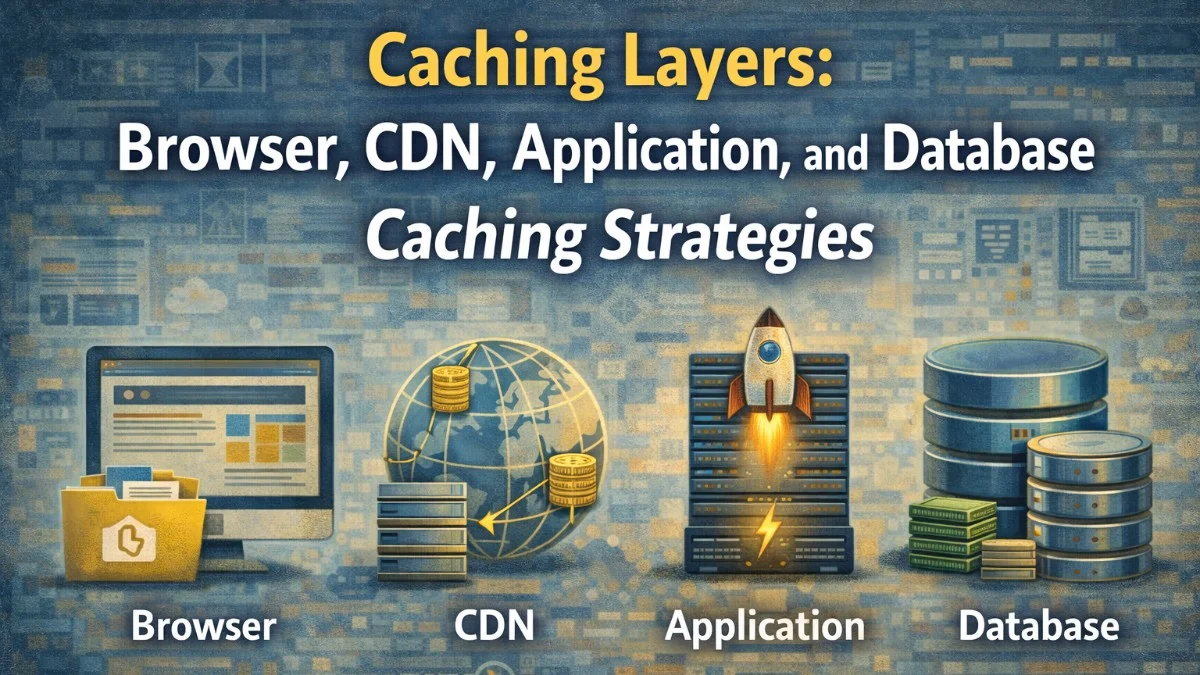
Let's walk through each caching layer, what it's good for, and how to configure it correctly.
Layer 1: Browser Cache
The browser cache is the fastest cache possible — zero network requests. Headers you set on your HTTP responses control it.
Cache-Control Header
Cache-Control: max-age=31536000, immutable
max-age: Seconds the browser should use its cached copy without revalidating.
immutable: Tells the browser not to revalidate on page refresh. If the URL is the same, the content is guaranteed unchanged (use only for cache-busted URLs).
no-cache: Browser must revalidate with the server before using cached copy (not the same as disabling cache).
no-store: Don't cache at all. Use for truly sensitive responses.
stale-while-revalidate: Serve stale content immediately while fetching fresh content in the background.
A Practical Browser Cache Strategy
Asset Type              Cache-Control Header
─────────────────────────────────────────────────────────────
HTML pages              no-cache (always check for fresh version)
Versioned CSS/JS        max-age=31536000, immutable
Versioned images        max-age=31536000, immutable
Unversioned images      max-age=86400 (1 day)
API responses (public)  max-age=300, stale-while-revalidate=3600
API responses (private) no-store (user-specific, never shared)
Fonts                   max-age=31536000, immutable
The key to long browser cache times is cache-busting via versioned URLs:
<!-- Bad: URL unchanged when file changes, cache never invalidates -->
<link rel="stylesheet" href="/styles.css">

<!-- Good: content hash in URL, new URL when file changes -->
<link rel="stylesheet" href="/styles.a3f2b1.css">
Modern build tools (Vite, webpack, esbuild) handle content-hash filenames automatically.
ETag for Revalidation
For content that changes occasionally, use ETags for efficient revalidation:
Initial request:
  → GET /api/products
  ← 200 OK
  ← ETag: "abc123"
  ← Cache-Control: max-age=0, must-revalidate

Subsequent request (after max-age expires):
  → GET /api/products
  → If-None-Match: "abc123"
  ← 304 Not Modified  (no body, just headers)
  [Browser uses its cached response]

If data changed:
  ← 200 OK
  ← ETag: "def456"
  ← [new response body]
In Laravel:
// Return 304 if content hasn't changed
return response()->json($products)
    ->setEtag(md5($products->toJson()))
    ->isNotModified($request)
    ? response('', 304)
    : response()->json($products);
Layer 2: CDN Cache
A CDN (Content Delivery Network) caches responses at globally distributed PoPs. The user gets a response from a nearby server instead of your origin.
What Belongs in CDN Cache
Cache at CDN:
  ✓ Static assets (JS, CSS, images, fonts)
  ✓ Public API responses with reasonable TTL
  ✓ Marketing pages (low change frequency)
  ✓ Product listings (short TTL, stale-while-revalidate)

Do NOT cache at CDN:
  ✗ Authenticated responses (user-specific)
  ✗ Checkout and payment flows
  ✗ Admin pages
  ✗ Real-time data
CDN Cache Configuration (Cloudflare Example)
# Page rule: Cache API responses for public product listing
URL pattern: /api/products*
Cache Level: Cache Everything
Edge Cache TTL: 5 minutes
Browser Cache TTL: 30 seconds
# Or control from origin headers
location /api/products {
    # CDN caches for 5 minutes, browser caches for 30 seconds
    add_header Cache-Control "public, max-age=30, s-maxage=300, stale-while-revalidate=600";
}
s-maxage controls the CDN TTL specifically (different from max-age which controls browsers). This lets you give CDNs longer TTLs than browsers.
Cache Purging Strategy
When data changes, you often need to purge CDN caches immediately:
// Laravel: purge CDN on product update
class ProductController extends Controller
{
    public function update(UpdateProductRequest $request, Product $product)
    {
        $product->update($request->validated());

        // Purge specific CDN paths
        dispatch(new PurgeCdnCache([
            "/api/products/{$product->id}",
            '/api/products',                    // Listing pages
            "/products/{$product->slug}",       // HTML page
        ]));

        return response()->json($product);
    }
}
// PurgeCdnCache job
class PurgeCdnCache implements ShouldQueue
{
    public function handle()
    {
        $client = new \GuzzleHttp\Client();

        // Cloudflare Cache Purge API
        $client->post(
            "https://api.cloudflare.com/client/v4/zones/{$zoneId}/purge_cache",
            [
                'headers' => [
                    'Authorization' => 'Bearer ' . config('services.cloudflare.token'),
                ],
                'json' => ['files' => $this->urls]
            ]
        );
    }
}
Layer 3: Application Cache
Application cache (Redis, Memcached) sits between your application code and your database. Use it for expensive computations and frequent database queries.
Redis Cache Patterns
Cache-Aside (Lazy Loading):
// In Laravel: cache-aside pattern
public function getProductAnalytics(int $productId): array
{
    $cacheKey = "product:analytics:{$productId}";

    return Cache::remember($cacheKey, now()->addMinutes(15), function () use ($productId) {
        // Only runs on cache miss
        return [
            'views_30d'    => ProductView::where('product_id', $productId)
                                 ->where('created_at', '>=', now()->subDays(30))
                                 ->count(),
            'avg_rating'   => Review::where('product_id', $productId)->avg('rating'),
            'order_count'  => OrderItem::where('product_id', $productId)->count(),
            'revenue_30d'  => OrderItem::where('product_id', $productId)
                                 ->where('created_at', '>=', now()->subDays(30))
                                 ->sum('total'),
        ];
    });
}
Write-Through (Keep Cache in Sync on Writes):
public function updateProduct(Product $product, array $data): Product
{
    $product->update($data);

    // Update cache immediately, don't wait for cache miss
    Cache::put(
        "product:{$product->id}",
        $product->fresh()->toArray(),
        now()->addHour()
    );

    // Invalidate related caches
    Cache::forget("product:listing:page:*");
    Cache::tags(["category:{$product->category_id}"])->flush();

    return $product;
}
Read-Through (Transparent Caching via Repository):
class CachedProductRepository
{
    public function __construct(
        private ProductRepository $inner,
        private CacheInterface $cache
    ) {}

    public function find(int $id): ?Product
    {
        $key = "product:{$id}";

        if ($cached = $this->cache->get($key)) {
            return Product::fromArray($cached);
        }

        $product = $this->inner->find($id);

        if ($product) {
            $this->cache->set($key, $product->toArray(), 3600);
        }

        return $product;
    }
}
Cache Tags for Group Invalidation
// Store with tags
Cache::tags(['products', "category:{$categoryId}"])->put(
    "product:{$productId}",
    $productData,
    3600
);

// Invalidate all products in a category
Cache::tags("category:{$categoryId}")->flush();

// Invalidate all product caches
Cache::tags('products')->flush();
Cache Stampede Prevention
When a popular cache entry expires, many concurrent requests may all miss the cache and simultaneously hit the database. This is a cache stampede:
// Atomic locking prevents stampede
public function getPopularProducts(): array
{
    $cacheKey = 'products:popular';
    $lockKey = 'lock:products:popular';

    // Check cache first (fast path)
    if ($cached = Cache::get($cacheKey)) {
        return $cached;
    }

    // Only one process rebuilds the cache
    return Cache::lock($lockKey, 10)->block(5, function () use ($cacheKey) {
        // Double-check after acquiring lock (another process may have rebuilt)
        if ($cached = Cache::get($cacheKey)) {
            return $cached;
        }

        $data = $this->buildPopularProducts();
        Cache::put($cacheKey, $data, now()->addMinutes(10));
        return $data;
    });
}
Layer 4: Database Cache
Query Result Cache
Most database systems cache frequently executed queries internally (MySQL query cache, though deprecated; PostgreSQL's buffer pool). You can also cache at the ORM level:
// Laravel: cache a specific query
$result = DB::table('orders')
    ->where('status', 'completed')
    ->where('created_at', '>=', now()->startOfMonth())
    ->sum('total');

// With caching
$monthlyRevenue = Cache::remember('revenue:monthly:' . now()->format('Y-m'), 3600, function () {
    return DB::table('orders')
        ->where('status', 'completed')
        ->whereMonth('created_at', now()->month)
        ->sum('total');
});
Materialized Views
For complex aggregations that are expensive to compute but queried frequently:
-- PostgreSQL materialized view
CREATE MATERIALIZED VIEW product_stats AS
SELECT
    p.id,
    p.name,
    COUNT(DISTINCT oi.order_id)  AS order_count,
    SUM(oi.quantity)             AS units_sold,
    AVG(r.rating)                AS avg_rating,
    COUNT(DISTINCT r.id)         AS review_count
FROM products p
LEFT JOIN order_items oi ON oi.product_id = p.id
LEFT JOIN reviews r ON r.product_id = p.id
GROUP BY p.id, p.name;

-- Create index for fast lookups
CREATE INDEX ON product_stats (id);

-- Refresh periodically (or on demand)
REFRESH MATERIALIZED VIEW CONCURRENTLY product_stats;
-- Query is now instant — reads from precomputed table
SELECT * FROM product_stats WHERE id = 42;
CONCURRENTLY allows reads during refresh — critical for production.
Database Connection-Level Caching with ProxySQL
For MySQL, ProxySQL provides query routing and caching at the connection proxy level:
# ProxySQL config: cache specific query patterns
INSERT INTO mysql_query_rules (rule_id, match_pattern, cache_ttl, active)
VALUES
  (10, '^SELECT .* FROM product_stats', 60000, 1),
  (20, '^SELECT .* FROM categories WHERE', 300000, 1);
Queries matching these patterns are served from ProxySQL's memory cache without touching MySQL.
Cache Key Design
Good cache keys prevent collisions and enable predictable invalidation:
Convention: {namespace}:{entity}:{id}:{variant}

Examples:
  user:profile:12345
  user:profile:12345:avatar
  product:listing:page:1:sort:price
  product:listing:category:electronics:page:2
  api:v2:products:popular:limit:10

Avoid:
  product_12345            (no namespace, collision-prone)
  cache_key               (meaningless)
  products_sorted_by_price_page_2  (hard to invalidate by pattern)
In PHP:
private function buildCacheKey(string ...$parts): string
{
    return implode(':', array_filter($parts));
}

$key = $this->buildCacheKey('product', 'listing', "category:{$categoryId}", "page:{$page}");
// product:listing:category:42:page:3
Observing Cache Performance
Track cache health with metrics:
Key metrics:
  Hit rate       → Should be > 85% for application cache
  Miss rate      → 1 - hit rate
  Eviction rate  → High eviction suggests cache is too small
  Latency        → Redis get should be < 1ms
  Memory usage   → Alert at 70-80% of max memory
# Redis cache stats
redis-cli info stats | grep -E 'keyspace_hits|keyspace_misses|evicted'

# keyspace_hits:10000
# keyspace_misses:500
# evicted_keys:0

# Hit rate: 10000 / (10000 + 500) = 95.2%
Caching is a spectrum, not a binary. Start with the highest-leverage layer for your bottleneck. Usually that's application-level caching of expensive queries, then CDN caching for public content, then fine-tuning browser cache headers. Add complexity only when simpler layers aren't sufficient.
Building something that needs to scale? We help teams architect systems that grow with their business. scopeforged.com