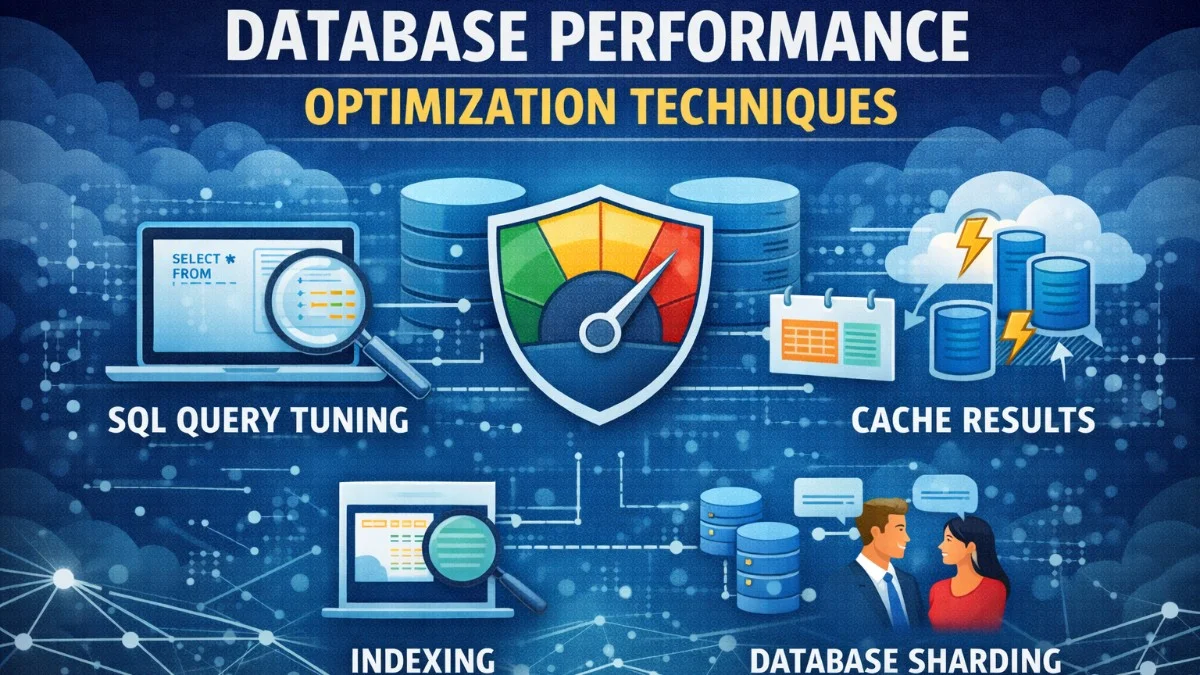
Database queries are the most common source of performance problems in web applications. A single slow query can make an entire page feel sluggish. A thousand unnecessary queries can bring a server to its knees. Here's how to identify and fix database performance issues.
Identifying Performance Bottlenecks
Before optimizing, you need to know what's slow. Don't guess;measure.
Enable Query Logging
In development, log all queries to see what your application actually executes. This listener captures every query along with its execution time, making it easy to spot slow operations. Add this to your AppServiceProvider:
// In AppServiceProvider boot method (development only)
if (app()->environment('local')) {
    DB::listen(function ($query) {
        Log::info($query->sql, [
            'bindings' => $query->bindings,
            'time' => $query->time,
        ]);
    });
}
You'll quickly see patterns emerge: the same query running dozens of times, queries taking hundreds of milliseconds, or unexpected queries from eager relationships.
Laravel Debugbar is even better;it shows queries, timing, and memory usage in a toolbar.
Slow Query Logs
Configure your database to log slow queries. In MySQL, add these settings to your configuration file to capture any query exceeding one second:
slow_query_log = 1
slow_query_log_file = /var/log/mysql/slow.log
long_query_time = 1
This logs any query taking more than 1 second. Review this log regularly in production. You can lower the threshold to 0.5 or even 0.1 seconds to catch more borderline queries.
Monitoring Tools
For production, use monitoring tools that track query performance over time. Services like Scout APM, New Relic, or Laravel Telescope show you which queries are slow and how often they run.
Query Optimization Fundamentals
Understanding EXPLAIN
Before optimizing a query, understand what the database is doing. Use EXPLAIN to see the query execution plan. This reveals how MySQL intends to execute your query:
EXPLAIN SELECT * FROM projects WHERE client_id = 123 AND status = 'active';
Key things to look for:
- type: "ALL" means a full table scan (bad for large tables)
- rows: Estimated rows examined (lower is better)
- key: Which index is being used (NULL means none)
- Extra: "Using filesort" or "Using temporary" indicate potential issues
Learning to read EXPLAIN output is one of the most valuable skills for database optimization.
Index Strategies
Indexes are the most important optimization tool. They let the database find rows without scanning the entire table.
Create indexes on columns used in:
- WHERE clauses
- JOIN conditions
- ORDER BY clauses
Here's how to add indexes in a Laravel migration. Composite indexes are particularly powerful when you frequently filter on multiple columns together:
// In a migration
Schema::table('projects', function (Blueprint $table) {
    $table->index('client_id');
    $table->index(['status', 'created_at']); // Composite index
});
Composite indexes matter for multi-column queries. An index on (status, created_at) helps queries that filter by status or by both status and created_at, but not queries that only filter by created_at. The column order in composite indexes matters.
When Indexes Hurt
Indexes aren't free. They:
- Take up disk space
- Slow down INSERT, UPDATE, and DELETE operations
- Need to be maintained
Don't index everything. Index columns that are frequently queried and have high selectivity (many distinct values).
Avoiding N+1 Queries
The N+1 problem is the most common performance issue in ORM-based applications. It occurs when you load a collection and then access a relationship on each item, triggering a separate query for each. Here's the classic example:
// Bad: N+1 queries (1 for projects, N for clients)
$projects = Project::all();
foreach ($projects as $project) {
    echo $project->client->name; // Query executed for each project
}

// Good: 2 queries total
$projects = Project::with('client')->get();
foreach ($projects as $project) {
    echo $project->client->name; // No additional query
}
The difference is dramatic: with 100 projects, the first approach runs 101 queries while the second runs just 2. At 1000 projects, that's 1001 queries versus 2.
Laravel can detect N+1 queries in development. Enable this check to catch problems early before they reach production:
// In AppServiceProvider
Model::preventLazyLoading(!app()->isProduction());
This throws an exception when lazy loading occurs, forcing you to add eager loading. It's strict, but it prevents performance regressions from sneaking in.
Nested Eager Loading
Load multiple levels of relationships using dot notation. This fetches everything in optimized batch queries rather than triggering cascading lazy loads:
// Load projects with their clients and client's users
$projects = Project::with('client.users')->get();

// Load multiple relationships
$projects = Project::with(['client', 'tasks', 'tasks.assignee'])->get();
Constrained Eager Loading
Load only related records you need. This reduces memory usage and query time when you don't need all related records. You can add conditions to eager loads just like regular queries:
$projects = Project::with(['tasks' => function ($query) {
    $query->where('status', 'pending')
          ->orderBy('due_date');
}])->get();
This loads only pending tasks, ordered by due date, rather than all tasks for each project.
Eloquent-Specific Optimizations
Select Only What You Need
Don't load columns you won't use. The difference matters especially with TEXT or BLOB columns that contain large data:
// Bad: Loads all columns
$projects = Project::all();

// Better: Only loads id and name
$projects = Project::select('id', 'name')->get();
When you have tables with many columns or columns containing large text content, selecting only what you need can dramatically reduce memory usage and query time.
Use Chunking for Large Datasets
Don't load millions of records into memory. Chunking processes records in batches, keeping memory usage constant regardless of total record count:
// Bad: Loads all records at once
Project::all()->each(function ($project) {
    // Process
});

// Good: Processes in chunks of 1000
Project::chunk(1000, function ($projects) {
    foreach ($projects as $project) {
        // Process
    }
});
The first approach might crash with an out-of-memory error on large datasets. The second processes any number of records with predictable memory usage.
For even better memory usage with very large datasets, use cursor to stream records one at a time:
// Lazy loading with cursor
foreach (Project::cursor() as $project) {
    // Process one at a time
}
The cursor approach uses PHP generators to maintain minimal memory footprint, ideal for processing exports or batch operations on millions of records.
Query Scopes for Reusability
Encapsulate common query logic in scopes. This keeps your code DRY and makes queries self-documenting. Define scopes in your model:
// In Project model
public function scopeActive($query)
{
    return $query->where('status', 'active');
}

public function scopeOverdue($query)
{
    return $query->where('due_date', '<', now())
                 ->where('status', '!=', 'completed');
}

// Usage
$projects = Project::active()->overdue()->get();
Scopes chain together naturally, and the method names make the query's intent clear. Anyone reading the code instantly understands what data is being fetched.
Caching Strategies
Query Caching
Cache expensive queries. The remember method checks the cache first and only runs the closure on cache miss. This is perfect for data that doesn't change frequently:
$stats = Cache::remember('dashboard:stats', 3600, function () {
    return [
        'projects' => Project::count(),
        'revenue' => Invoice::paid()->sum('amount'),
        'tasks' => Task::pending()->count(),
    ];
});
This dashboard data is computed once per hour instead of on every page load.
Invalidate caches when underlying data changes. Use model observers to ensure cache stays synchronized with your data:
// In ProjectObserver
public function created(Project $project)
{
    Cache::forget('dashboard:stats');
}
Model Caching
Cache frequently accessed models. This pattern works well for configuration data or slowly-changing reference tables where you access the same records repeatedly:
public function client()
{
    return Cache::remember("client:{$this->client_id}", 3600, function () {
        return $this->getRelation('client') ?? Client::find($this->client_id);
    });
}
Redis for High-Performance Caching
Redis outperforms file or database caching for high-traffic applications. Configure in .env:
CACHE_DRIVER=redis
Redis also supports cache tags for granular invalidation. Tags let you clear related caches without knowing all their keys:
Cache::tags(['projects', 'client:123'])->put('key', $value, 3600);
Cache::tags(['client:123'])->flush(); // Clears all caches for this client
This is particularly useful when a client's data changes and you need to invalidate all cached data related to that client.
Database Architecture Considerations
Read Replicas
For read-heavy applications, direct read queries to replicas. Laravel handles this automatically once configured. Add your replica hosts to the database configuration:
// config/database.php
'mysql' => [
    'read' => [
        'host' => ['replica1.example.com', 'replica2.example.com'],
    ],
    'write' => [
        'host' => 'primary.example.com',
    ],
    // ... other config
],
Laravel automatically uses read connections for SELECT queries. This can dramatically increase your read capacity without changing application code.
Table Partitioning
For very large tables, partitioning can improve query performance by limiting which data the database needs to scan.
Consider partitioning when:
- Tables have millions of rows
- Queries consistently filter by a specific column (like date)
- You regularly delete old data
Denormalization
Sometimes, normalized data isn't the fastest to query. Strategic denormalization trades write complexity for read performance.
Instead of joining to count tasks, store the count directly on the parent record. This avoids a COUNT query or subquery every time you display the project:
// Add tasks_count column to projects table
$project->increment('tasks_count'); // When adding task
$project->decrement('tasks_count'); // When removing task
Laravel's withCount can do this at query time, but a denormalized column is faster when counts are needed frequently. Use model observers to keep the count synchronized.
Monitoring and Profiling Tools
Laravel Telescope
Telescope shows queries, exceptions, and more in a dashboard. Essential for development and useful in production (with appropriate authentication).
Database-Specific Tools
MySQL: Use SHOW PROCESSLIST to see running queries. Use performance_schema for detailed analysis.
PostgreSQL: Use pg_stat_statements to track query statistics over time.
APM Tools
Application Performance Monitoring tools like Scout, New Relic, or Datadog provide production query monitoring with historical trends and alerting.
Conclusion
Database optimization is iterative. Start by measuring to find the actual slow spots;they're often not where you'd expect. Apply the appropriate optimization: usually indexing, eager loading, or caching.
Resist premature optimization. Not every query needs to be optimized. Focus on queries that run frequently or take significant time. A query that runs once a day and takes 2 seconds might be fine. A query that runs on every page load and takes 100ms is worth optimizing.
The goal isn't the fastest possible queries. It's queries fast enough that users don't notice them. Most pages should load in under 200ms of database time. Achieve that, and your database is probably fast enough.