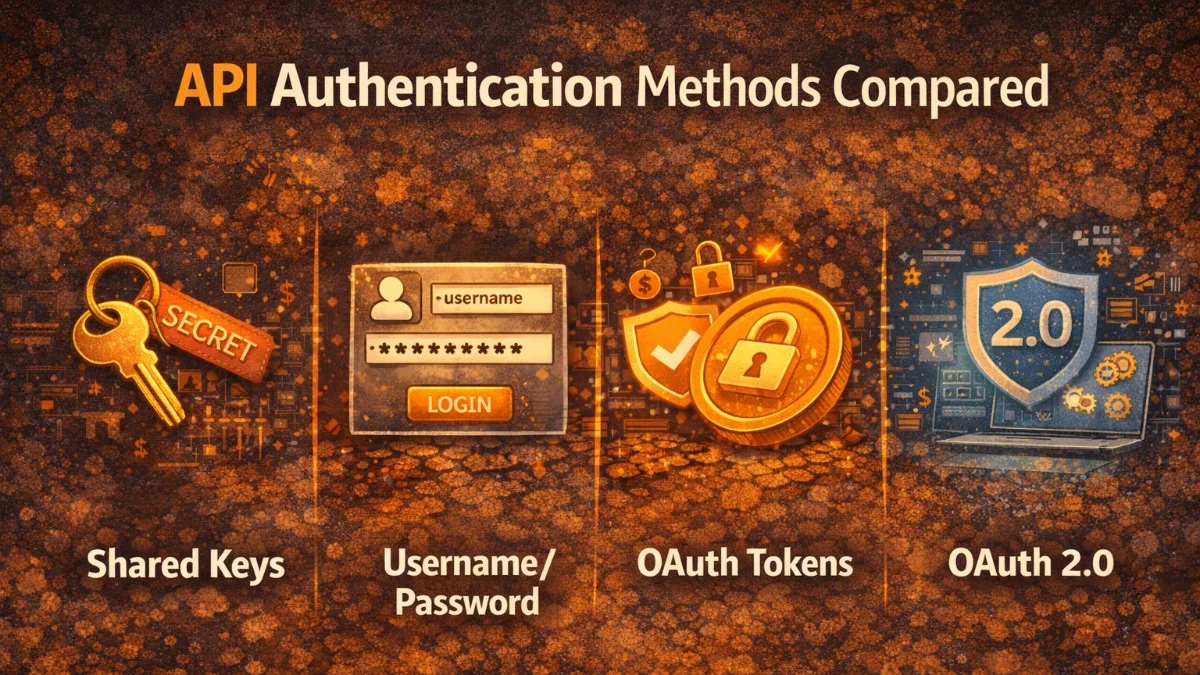
API authentication verifies the identity of clients making requests. Choosing the right authentication method depends on your use case: machine-to-machine communication, user-facing applications, or third-party integrations each have different requirements. Understanding the tradeoffs helps you select appropriate security for your API.
Authentication answers "who are you?" while authorization answers "what can you do?" This article focuses on authentication methods; authorization typically builds on authenticated identity through roles, permissions, or scopes.
API Keys
API keys are simple string tokens that identify the caller. They're easy to implement and understand, making them popular for internal services and developer APIs.
class ApiKeyMiddleware
{
    public function handle(Request $request, Closure $next): Response
    {
        $apiKey = $request->header('X-API-Key');

        if (!$apiKey) {
            return response()->json(['error' => 'API key required'], 401);
        }

        $client = ApiClient::where('api_key', hash('sha256', $apiKey))
            ->where('is_active', true)
            ->first();

        if (!$client) {
            return response()->json(['error' => 'Invalid API key'], 401);
        }

        $request->attributes->set('api_client', $client);

        return $next($request);
    }
}
Store hashed API keys, not plaintext. If your database is compromised, attackers get hashes instead of usable keys. Generate keys with sufficient entropy:
class ApiKeyService
{
    public function generateKey(): array
    {
        $key = bin2hex(random_bytes(32));  // 64 character hex string

        return [
            'key' => $key,  // Return to user once
            'hash' => hash('sha256', $key),  // Store this
        ];
    }
}
API keys have significant limitations. They're typically long-lived, increasing exposure risk. They can't easily be scoped or rotated without client coordination. They don't identify the user making the request, only the application. Use API keys for server-to-server communication where these limitations are acceptable.
JWT (JSON Web Tokens)
JWTs are self-contained tokens that carry claims about the authenticated entity. The server signs tokens, and recipients verify signatures without contacting the issuer. This enables stateless authentication.
class JwtService
{
    public function generateToken(User $user): string
    {
        $header = base64url_encode(json_encode([
            'alg' => 'RS256',
            'typ' => 'JWT',
        ]));

        $payload = base64url_encode(json_encode([
            'sub' => $user->id,
            'email' => $user->email,
            'roles' => $user->roles->pluck('name'),
            'iat' => time(),
            'exp' => time() + 3600,  // 1 hour expiry
            'iss' => config('app.url'),
        ]));

        $signature = $this->sign("$header.$payload");

        return "$header.$payload.$signature";
    }

    public function validateToken(string $token): ?array
    {
        [$header, $payload, $signature] = explode('.', $token);

        if (!$this->verifySignature("$header.$payload", $signature)) {
            return null;
        }

        $claims = json_decode(base64url_decode($payload), true);

        if ($claims['exp'] < time()) {
            return null;  // Token expired
        }

        return $claims;
    }
}
In practice, use established libraries like Firebase JWT or Laravel Passport rather than implementing JWT handling yourself. The specification has subtle requirements that are easy to get wrong.
use Firebase\JWT\JWT;
use Firebase\JWT\Key;

class AuthService
{
    public function createToken(User $user): string
    {
        return JWT::encode([
            'sub' => $user->id,
            'exp' => time() + 3600,
        ], config('jwt.private_key'), 'RS256');
    }

    public function validateToken(string $token): ?object
    {
        try {
            return JWT::decode(
                $token,
                new Key(config('jwt.public_key'), 'RS256')
            );
        } catch (Exception $e) {
            return null;
        }
    }
}
JWTs enable distributed verification but have tradeoffs. They can't be revoked before expiration without maintaining a blocklist, which undermines statelessness. They grow large when carrying many claims. Keep tokens short-lived and use refresh tokens for session extension.
OAuth 2.0
OAuth 2.0 is an authorization framework that enables third-party applications to access resources on behalf of users. It separates authentication from authorization and supports multiple grant types for different scenarios.
The Authorization Code flow is most common for web applications:
// Step 1: Redirect user to authorization server
public function redirectToProvider(): RedirectResponse
{
    $state = bin2hex(random_bytes(16));
    session(['oauth_state' => $state]);

    $params = http_build_query([
        'client_id' => config('services.oauth.client_id'),
        'redirect_uri' => route('oauth.callback'),
        'response_type' => 'code',
        'scope' => 'read write',
        'state' => $state,
    ]);

    return redirect("https://auth.example.com/authorize?$params");
}

// Step 2: Handle callback with authorization code
public function handleCallback(Request $request): RedirectResponse
{
    if ($request->state !== session('oauth_state')) {
        abort(400, 'Invalid state');
    }

    // Exchange code for tokens
    $response = Http::post('https://auth.example.com/token', [
        'grant_type' => 'authorization_code',
        'client_id' => config('services.oauth.client_id'),
        'client_secret' => config('services.oauth.client_secret'),
        'redirect_uri' => route('oauth.callback'),
        'code' => $request->code,
    ]);

    $tokens = $response->json();

    // Store tokens and authenticate user
    session([
        'access_token' => $tokens['access_token'],
        'refresh_token' => $tokens['refresh_token'],
    ]);

    return redirect('/dashboard');
}
For server-to-server communication, the Client Credentials flow is appropriate:
class ApiClient
{
    private ?string $accessToken = null;
    private ?int $tokenExpiry = null;

    public function request(string $method, string $url, array $options = []): Response
    {
        $options['headers']['Authorization'] = 'Bearer ' . $this->getAccessToken();

        return Http::send($method, $url, $options);
    }

    private function getAccessToken(): string
    {
        if ($this->accessToken && $this->tokenExpiry > time()) {
            return $this->accessToken;
        }

        $response = Http::asForm()->post('https://auth.example.com/token', [
            'grant_type' => 'client_credentials',
            'client_id' => config('services.api.client_id'),
            'client_secret' => config('services.api.client_secret'),
            'scope' => 'api:read api:write',
        ]);

        $data = $response->json();
        $this->accessToken = $data['access_token'];
        $this->tokenExpiry = time() + $data['expires_in'] - 60;  // Buffer

        return $this->accessToken;
    }
}
OpenID Connect
OpenID Connect (OIDC) builds on OAuth 2.0 to add authentication. While OAuth 2.0 delegates authorization, OIDC provides identity information through ID tokens.
// OIDC authentication with ID token validation
public function handleOidcCallback(Request $request): RedirectResponse
{
    $tokens = $this->exchangeCode($request->code);

    // Validate ID token
    $idToken = $this->validateIdToken($tokens['id_token']);

    // ID token contains user identity claims
    $user = User::updateOrCreate(
        ['oidc_sub' => $idToken->sub],
        [
            'email' => $idToken->email,
            'name' => $idToken->name,
        ]
    );

    Auth::login($user);

    return redirect('/dashboard');
}

private function validateIdToken(string $token): object
{
    // Fetch OIDC provider's JWKS
    $jwks = Http::get('https://auth.example.com/.well-known/jwks.json')->json();

    // Validate signature and claims
    $decoded = JWT::decode($token, JWK::parseKeySet($jwks));

    // Verify required claims
    if ($decoded->iss !== 'https://auth.example.com') {
        throw new Exception('Invalid issuer');
    }

    if ($decoded->aud !== config('services.oidc.client_id')) {
        throw new Exception('Invalid audience');
    }

    return $decoded;
}
OIDC provides standardized claims (sub, email, name, etc.) and discovery mechanisms. The well-known endpoint provides configuration including token endpoint, JWKS URL, and supported scopes.
Mutual TLS (mTLS)
Mutual TLS authenticates both client and server using certificates. While standard TLS only authenticates the server, mTLS requires clients to present certificates too.
// Configure HTTP client for mTLS
$client = Http::withOptions([
    'cert' => ['/path/to/client-cert.pem', 'password'],
    'ssl_key' => ['/path/to/client-key.pem', 'password'],
    'verify' => '/path/to/ca-cert.pem',
]);

$response = $client->get('https://api.example.com/data');
Server-side validation extracts client identity from the certificate:
class MtlsMiddleware
{
    public function handle(Request $request, Closure $next): Response
    {
        // Client certificate passed by reverse proxy
        $clientCert = $request->header('X-Client-Cert');

        if (!$clientCert) {
            return response()->json(['error' => 'Client certificate required'], 401);
        }

        $cert = openssl_x509_parse(urldecode($clientCert));
        $clientId = $cert['subject']['CN'];

        $client = ApiClient::where('certificate_cn', $clientId)->first();

        if (!$client) {
            return response()->json(['error' => 'Unknown client'], 401);
        }

        $request->attributes->set('api_client', $client);

        return $next($request);
    }
}
mTLS provides strong authentication without transmitting secrets, but certificate management is complex. It's most appropriate for service-to-service communication in controlled environments.
Choosing an Authentication Method
Different scenarios call for different approaches:
Third-party developer APIs: API keys are simple and familiar to developers. Add OAuth 2.0 if you need user-context permissions.
User-facing applications: OAuth 2.0 Authorization Code flow with PKCE for single-page apps. OIDC when you need identity federation.
Internal microservices: mTLS for strong authentication, or JWTs for identity propagation. Service mesh can automate mTLS.
Mobile applications: OAuth 2.0 with PKCE (Proof Key for Code Exchange) to prevent authorization code interception.
Conclusion
API authentication protects your resources from unauthorized access. API keys offer simplicity for trusted clients. JWTs enable stateless verification. OAuth 2.0 provides flexible authorization delegation. OpenID Connect adds standardized identity. mTLS offers certificate-based authentication.
Security requirements, user experience, and operational complexity all factor into the choice. Many systems use multiple methods: OAuth for third-party access, JWTs for session tokens, and mTLS for internal services. Match the authentication method to the specific use case.