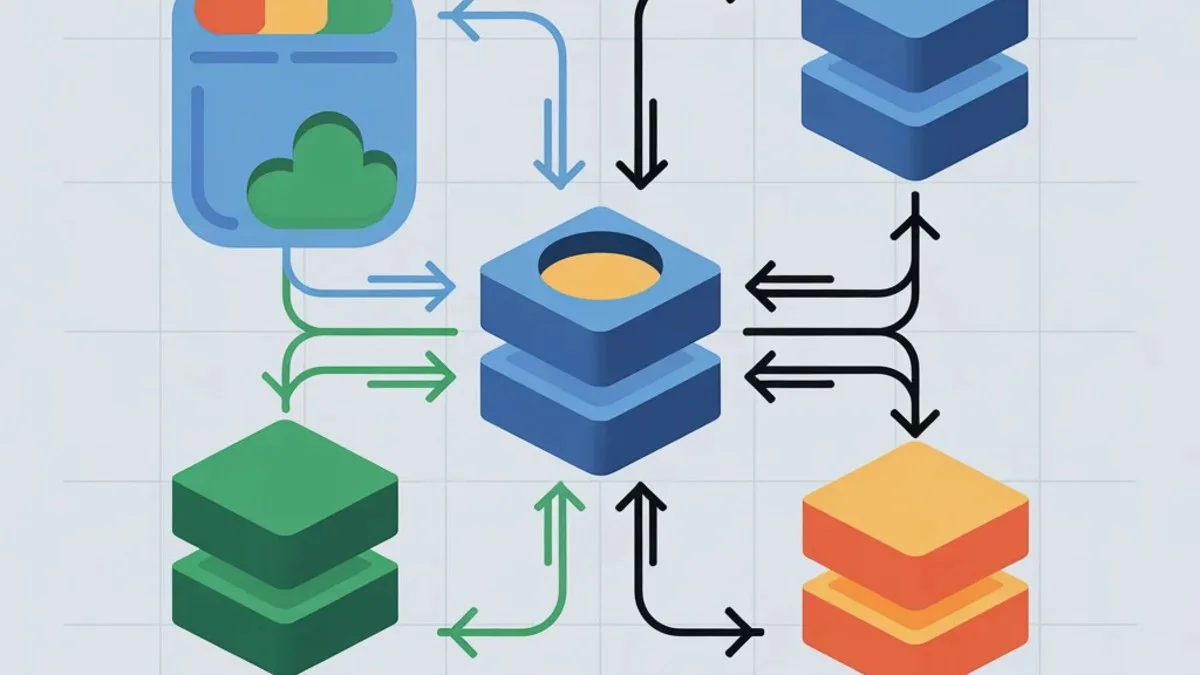
Caching is one of the most effective techniques for improving application performance. By storing computed results or frequently accessed data closer to where it's needed, you can dramatically reduce response times and database load. This guide covers caching strategies at every layer of your application.
The Caching Hierarchy
Think of caching as layers, from closest to the user to closest to the data source:
- Browser cache - On user's device
- CDN cache - Edge servers worldwide
- Application cache - In-memory (Redis, Memcached)
- Database cache - Query results, buffer pools
- Opcode cache - Compiled PHP/Python
Each layer serves different purposes and has different trade-offs.
Browser Caching
The fastest request is one that never leaves the browser.
Cache-Control Headers
The Cache-Control header is your primary tool for instructing browsers how to cache responses. You can specify whether content is public (cacheable by CDNs) or private (user-specific), and how long it should be stored. Here's how you can configure these headers in Laravel to control caching behavior for different types of content.
// Laravel - Cache for 1 hour
return response($content)
    ->header('Cache-Control', 'public, max-age=3600');

// Private content (don't cache in CDN)
return response($content)
    ->header('Cache-Control', 'private, max-age=3600');

// Never cache
return response($content)
    ->header('Cache-Control', 'no-store');
Note the distinction between public and private - use private for user-specific data like dashboards or account pages to prevent CDNs from serving one user's data to another. The no-store directive is appropriate for sensitive data that should never be cached anywhere.
ETag for Conditional Requests
ETags allow browsers to validate whether their cached copy is still fresh without downloading the entire resource. The browser sends the ETag back on subsequent requests, and your server can respond with a lightweight 304 status if nothing has changed. This approach is particularly effective for resources that change unpredictably.
$etag = md5($content);
$response = response($content)
    ->header('ETag', $etag);

// On subsequent requests, browser sends If-None-Match
if (request()->header('If-None-Match') === $etag) {
    return response('', 304); // Not Modified
}
This pattern significantly reduces bandwidth for resources that change infrequently but need freshness validation. You'll notice the ETag is computed from the content itself, ensuring it changes whenever the underlying data changes.
Service Workers for Offline Caching
Service workers give you programmatic control over caching, enabling offline functionality and sophisticated caching strategies. They intercept network requests and can serve cached content when the network is unavailable. This is how you can set up a basic service worker with a cache-first strategy.
// service-worker.js
const CACHE_NAME = 'v1';
const URLS_TO_CACHE = ['/css/app.css', '/js/app.js', '/offline.html'];

self.addEventListener('install', (event) => {
    event.waitUntil(
        caches.open(CACHE_NAME)
            .then(cache => cache.addAll(URLS_TO_CACHE))
    );
});

self.addEventListener('fetch', (event) => {
    event.respondWith(
        caches.match(event.request)
            .then(response => response || fetch(event.request))
    );
});
The install event pre-caches essential assets, while the fetch event implements a cache-first strategy. You'll want to version your cache name (like v1) so you can invalidate old caches when deploying updates. The cache-first approach means users get instant responses for cached assets, falling back to the network only when necessary.
CDN Caching
CDNs cache content at edge locations worldwide, reducing latency for global users.
What to Cache at the CDN
- Static assets (CSS, JS, images, fonts)
- Public pages that change infrequently
- API responses for public data
CDN Cache Headers
CDNs respect standard cache headers, but many also support CDN-specific headers that let you set different TTLs for the CDN versus the browser. The stale-while-revalidate directive is particularly useful - it allows the CDN to serve stale content while fetching a fresh copy in the background. Here's how to configure both browser and CDN caching independently.
// Cache publicly for 1 day, allow CDN to serve stale while revalidating
return response($content)->headers([
    'Cache-Control' => 'public, max-age=86400, stale-while-revalidate=3600',
    'CDN-Cache-Control' => 'max-age=604800', // CDN-specific: 1 week
]);
This configuration tells browsers to cache for one day while allowing the CDN to cache for a full week. The stale-while-revalidate directive provides a 1-hour grace period where the CDN can serve slightly stale content while refreshing in the background.
Cache Invalidation
When content changes, you need to purge it from the CDN. Most CDN providers offer APIs for purging specific URLs or groups of content tagged during caching. Here's how you might purge content using a CDN client library.
// Purge specific URLs (CloudFlare example)
$client->purgeCache([
    'files' => ['https://example.com/css/app.css']
]);

// Purge by tag (if supported)
$client->purgeCache(['tags' => ['products']]);
Purging by tag is more maintainable for large sites - tag your product pages with products and you can invalidate them all with a single API call. This avoids having to track and purge hundreds of individual URLs.
Cache Busting for Assets
For static assets, cache busting through filename versioning is often more reliable than purging. When the file content changes, the filename changes, so browsers and CDNs fetch the new version automatically. You can implement this in several ways.
<!-- Version in filename -->
<link href="/css/app.v1234.css" rel="stylesheet">

<!-- Query string (less reliable) -->
<link href="/css/app.css?v=1234" rel="stylesheet">

<!-- Laravel Mix versioning -->
<link href="{{ mix('css/app.css') }}" rel="stylesheet">
Query string versioning works but some CDNs ignore query strings by default. Filename versioning (handled automatically by build tools like Mix or Vite) is the most reliable approach and ensures cache invalidation works consistently across all CDN providers.
Application-Level Caching
This is where Redis or Memcached shine, storing computed data in memory.
Basic Cache Usage (Laravel)
Laravel provides a clean, unified API for caching regardless of your backend. The remember method is particularly useful - it handles the common pattern of checking the cache, computing on miss, and storing the result. Here are the fundamental cache operations you'll use most frequently.
// Store value
Cache::put('user:123:profile', $profile, 3600);

// Retrieve value
$profile = Cache::get('user:123:profile');

// Remember pattern (get from cache or compute)
$profile = Cache::remember('user:123:profile', 3600, function () {
    return $this->computeExpensiveProfile(123);
});

// Forever cache (until manually invalidated)
Cache::forever('settings:global', $settings);

// Invalidate
Cache::forget('user:123:profile');
Be thoughtful about TTLs - longer TTLs mean better performance but potentially staler data. Match the TTL to how frequently the underlying data changes. The remember pattern is especially powerful because it eliminates the boilerplate of checking, computing, and storing.
Cache Tags for Group Invalidation
Tags let you group related cache entries so you can invalidate them together. This is invaluable when a change affects multiple cached items - like updating a product that appears on several listing pages. You can apply multiple tags to a single cache entry.
// Cache with tags
Cache::tags(['products', 'featured'])->put('featured-products', $products, 3600);

// Invalidate all caches with tag
Cache::tags(['products'])->flush();
Note that cache tags require a backend that supports them (Redis or Memcached, not the file or database drivers). When you flush a tag, all entries tagged with it are removed, regardless of their other tags.
Distributed Locking
Prevent multiple processes from rebuilding the same cache:
When multiple requests hit an empty cache simultaneously, they might all try to rebuild it at once - a phenomenon called cache stampede. Distributed locking ensures only one process rebuilds while others wait. This is essential for expensive computations that multiple users might request at the same time.
// Atomic cache get/set with lock
$value = Cache::lock('rebuild-report')->block(10, function () {
    return Cache::remember('expensive-report', 3600, function () {
        return $this->generateExpensiveReport();
    });
});
The block(10) call waits up to 10 seconds for the lock. This is essential for expensive computations that multiple users might request simultaneously. Without the lock, you could have dozens of processes all regenerating the same expensive report concurrently.
Common Caching Patterns
Cache-Aside (Lazy Loading):
The cache-aside pattern is the most common approach. Your application checks the cache first, falls back to the database on miss, and populates the cache for future requests. Here's the explicit implementation of this pattern.
public function getProduct($id)
{
    $key = "product:{$id}";

    if ($cached = Cache::get($key)) {
        return $cached;
    }

    $product = Product::find($id);
    Cache::put($key, $product, 3600);

    return $product;
}
This pattern works well when reads vastly outnumber writes, which is the case for most web applications. You can simplify this using Cache::remember, but understanding the explicit flow helps when you need more control over caching logic.
Write-Through:
With write-through caching, you update the cache whenever you update the database. This ensures the cache is always fresh but adds write latency. Use this when cache consistency is more important than write performance.
public function updateProduct($id, $data)
{
    $product = Product::findOrFail($id);
    $product->update($data);

    // Update cache immediately after database
    Cache::put("product:{$id}", $product, 3600);

    return $product;
}
The key advantage here is that readers never see stale data - the cache is always synchronized with the database. The tradeoff is that every write operation now includes a cache update.
Write-Behind (Async):
Write-behind caching prioritizes write speed by updating the cache immediately and queueing the database write for later. Use this carefully - you risk data loss if the queue fails before the database is updated. This pattern trades consistency for performance.
public function updateProduct($id, $data)
{
    // Update cache immediately
    Cache::put("product:{$id}", $data, 3600);

    // Queue database write
    UpdateProductJob::dispatch($id, $data);
}
This pattern is suitable for non-critical data like analytics counters or user preferences where occasional loss is acceptable. Never use write-behind for financial data or anything where data loss would be unacceptable.
Database Query Caching
Query Result Caching
Caching query results is straightforward - wrap your query in Cache::remember and choose an appropriate key and TTL. This approach works well for queries that are expensive but don't need real-time freshness.
// Cache query results
$users = Cache::remember('active-users', 3600, function () {
    return User::where('active', true)->get();
});
Keep in mind that caching entire result sets means the cache entry grows with your data. For large result sets, consider pagination or caching just the IDs.
Avoid Caching Queries Directly
Instead of caching SQL, cache the final result:
Don't use the SQL query itself as a cache key - it couples your cache to implementation details and makes invalidation difficult. Instead, use semantic keys that describe the business concept. This makes cache keys predictable and easier to invalidate.
// Less ideal - coupling to query structure
$key = md5($sql);

// Better - cache by business concept
$key = "user:{$id}:dashboard_stats";
Semantic keys also make debugging easier - when you see user:123:dashboard_stats in Redis, you immediately know what it contains.
Database-Level Caching
MySQL and PostgreSQL have their own caching:
Modern databases handle their own query result caching through buffer pools. Generally, you should let the database manage this layer and focus your caching efforts at the application level where you have more control. Database-level tuning is typically configuration rather than code.
-- MySQL query cache (deprecated in 8.0)
-- Use InnoDB buffer pool instead

-- PostgreSQL shared_buffers
-- Configured in postgresql.conf
Redis Data Structures for Caching
Redis offers more than key-value storage:
Hashes for Objects
Redis hashes let you store and retrieve individual fields of an object without serializing the entire thing. This is efficient when you frequently need just a subset of an object's data. Here's how to work with hashes in Redis.
// Store object fields
Redis::hset('user:123', 'name', 'John');
Redis::hset('user:123', 'email', 'john@example.com');

// Get all fields
$user = Redis::hgetall('user:123');

// Get single field
$name = Redis::hget('user:123', 'name');
Hashes also support atomic field updates, so you can increment a counter or modify one field without touching others. This is more efficient than retrieving, modifying, and re-storing an entire serialized object.
Sorted Sets for Leaderboards
Sorted sets maintain elements ordered by score, making them perfect for leaderboards, ranking systems, or any data you need to retrieve by rank. Redis handles the sorting automatically as you add or update elements.
// Add scores
Redis::zadd('leaderboard', 100, 'user:1');
Redis::zadd('leaderboard', 200, 'user:2');

// Get top 10
$top = Redis::zrevrange('leaderboard', 0, 9, ['WITHSCORES' => true]);
The beauty of sorted sets is that ranking operations are O(log N), making them efficient even with millions of entries. You can also efficiently query for a user's rank or get ranges by score.
Lists for Queues
Redis lists support push and pop operations from both ends, making them suitable for simple queue implementations. This provides a basic FIFO queue pattern.
// Push to queue
Redis::lpush('job-queue', json_encode($job));

// Pop from queue
$job = Redis::rpop('job-queue');
For production job queues, you'll want Laravel's queue system which handles reliability concerns like job retries and failure tracking. Redis lists are better suited for simpler use cases like recent activity feeds.
Cache Invalidation Strategies
Cache invalidation is famously difficult. Here are approaches:
Time-Based Expiration
Simplest approach, works for data where staleness is acceptable:
Time-based expiration is the simplest invalidation strategy. You accept that data might be stale for up to N seconds and let caches expire naturally. Choose your TTL based on how fresh the data needs to be.
Cache::put('stats', $stats, 300); // 5 minutes
This works well for dashboards, analytics, and any data where perfect freshness isn't required. The key is understanding your staleness tolerance and setting TTLs accordingly.
Event-Based Invalidation
Clear cache when related data changes:
For data that must be immediately consistent, invalidate caches when the underlying data changes. Laravel model events are perfect for this - they fire automatically on save, delete, and other operations. Here's how to set up automatic cache invalidation.
// In Product model
protected static function booted()
{
    static::saved(function ($product) {
        Cache::forget("product:{$product->id}");
        Cache::tags(['products'])->flush();
    });
}
Be careful with tag flushing in high-write scenarios - you might invalidate more caches than necessary, reducing your hit ratio. Consider whether you really need to flush all product caches or just the specific one that changed.
Version-Based Keys
Include version in cache key:
Version-based keys offer a middle ground - instead of deleting cache entries, you change the key so old entries naturally expire. This is useful when you can't easily enumerate all cache keys that need invalidation. Here's the implementation pattern.
$version = Cache::get('products:version', 1);
$key = "products:list:v{$version}";

// Invalidate by incrementing version
Cache::increment('products:version');
Old cache entries remain until they expire or are evicted, so this approach trades memory for simplicity. It's particularly useful when you have many related cache keys that would be tedious to individually invalidate.
Measuring Cache Effectiveness
Cache Hit Ratio
Tracking your cache hit ratio tells you whether your caching strategy is working. A low hit ratio might indicate keys are expiring too quickly, or you're caching data that's rarely requested. Here's how to retrieve these metrics from Redis.
$hits = Redis::info('stats')['keyspace_hits'];
$misses = Redis::info('stats')['keyspace_misses'];
$hitRatio = $hits / ($hits + $misses);
Monitor this metric over time. If your hit ratio drops, investigate whether your TTLs are appropriate or if your access patterns have changed.
Memory Usage
Monitoring memory usage helps you right-size your cache infrastructure and catch runaway growth before it becomes a problem. Redis provides detailed memory statistics.
$info = Redis::info('memory');
$usedMemory = $info['used_memory_human'];
Target: Hit ratio above 90% for frequently accessed data. If you're significantly below this, review your caching strategy - you might be caching data that varies too much or expires too quickly.
Common Pitfalls
-
Cache stampede: Many requests rebuild same cache simultaneously. Use locks.
-
Stale data: Always have invalidation strategy. Know your staleness tolerance.
-
Memory pressure: Monitor memory usage. Set appropriate eviction policies.
-
Over-caching: Don't cache data that's cheap to compute or rarely accessed.
-
Cache key collisions: Use namespaced, descriptive keys.
Conclusion
Effective caching requires understanding your data access patterns and staleness tolerance. Start with browser and CDN caching for static content, add Redis for frequently accessed dynamic data, and always have a clear invalidation strategy. Monitor your hit ratios and adjust TTLs based on actual usage patterns.