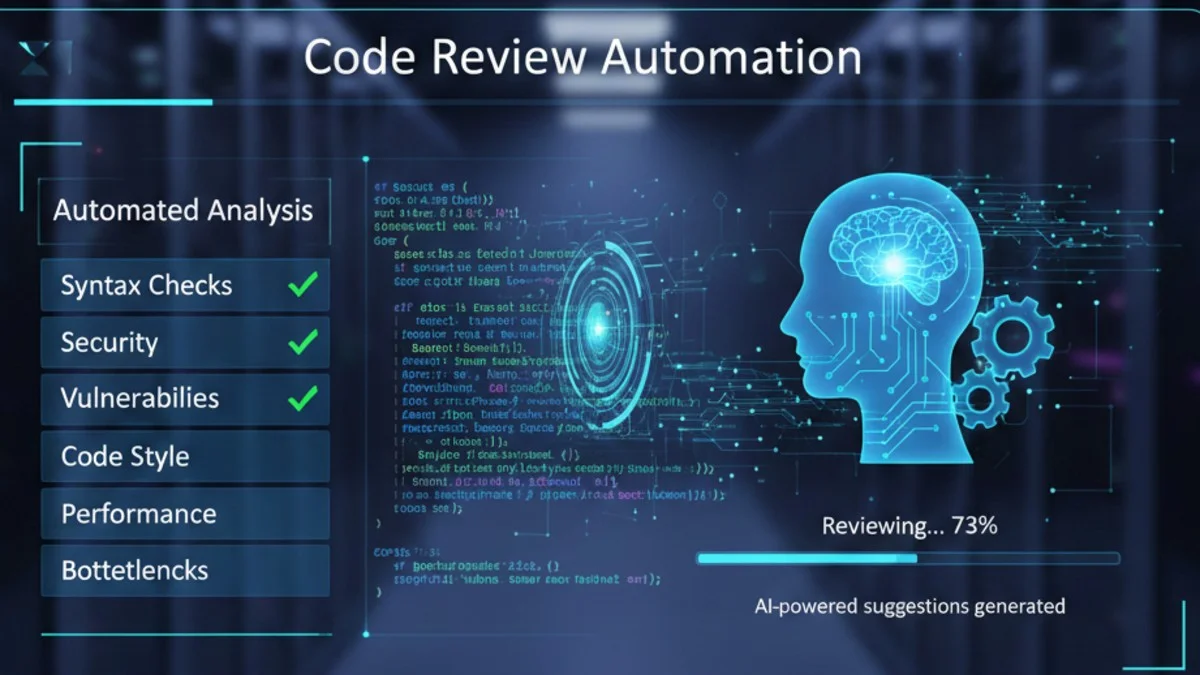
Code review is critical for maintaining quality, but manual review doesn't scale. Automation handles routine checks, freeing reviewers to focus on architecture, logic, and design. This guide covers tools and strategies for automating code review in PHP projects.
The Automation Pyramid
Understanding what to automate helps you allocate review effort effectively. Lower levels should be fully automated, allowing human reviewers to focus on higher-level concerns.
        Manual Review
       (Architecture, design)
          /         \
      Automated Analysis
    (Complexity, patterns)
        /             \
   Static Analysis      Tests
  (Types, bugs)      (Behavior)
      /                   \
    Linting            Formatting
  (Standards)           (Style)
Lower levels should be fully automated. Manual review focuses on what machines can't judge.
Code Formatting
Laravel Pint
Laravel's official code style fixer:
Pint enforces consistent code formatting across your project. By automating formatting, you eliminate style debates in code review and ensure every file follows the same conventions. Here's how to get started with Pint in your project.
# Install
composer require laravel/pint --dev

# Run
./vendor/bin/pint

# Check without fixing
./vendor/bin/pint --test

# Specific files
./vendor/bin/pint app/Models
Customize Pint's behavior with a configuration file. The Laravel preset works well for most projects, but you can override individual rules as needed.
// pint.json
{
    "preset": "laravel",
    "rules": {
        "simplified_null_return": true,
        "blank_line_before_statement": {
            "statements": ["return", "throw", "try"]
        }
    },
    "exclude": [
        "vendor"
    ]
}
The exclude array prevents Pint from modifying third-party code, which you should never format as part of your project.
PHP CS Fixer
More configuration options:
For projects requiring more granular control over formatting rules, PHP CS Fixer offers extensive configuration options beyond what Pint provides. You define rules in a PHP configuration file.
// .php-cs-fixer.php
<?php
return (new PhpCsFixer\Config())
    ->setRules([
        '@PSR12' => true,
        '@PHP82Migration' => true,
        'array_syntax' => ['syntax' => 'short'],
        'ordered_imports' => ['sort_algorithm' => 'alpha'],
        'no_unused_imports' => true,
        'single_quote' => true,
        'trailing_comma_in_multiline' => true,
    ])
    ->setFinder(
        PhpCsFixer\Finder::create()
            ->in(__DIR__)
            ->exclude(['vendor', 'storage', 'bootstrap/cache'])
    );
The @PHP82Migration rule set automatically applies fixes for PHP 8.2 compatibility, helping you adopt new language features consistently.
Static Analysis
PHPStan
Finds bugs without running code:
PHPStan analyzes your code structure to find bugs that would otherwise only appear at runtime. It catches issues like undefined methods, incorrect argument types, and unreachable code. Getting started is straightforward.
# Install
composer require --dev phpstan/phpstan

# Run
./vendor/bin/phpstan analyse app tests --level=8
Configure PHPStan with a neon file to include Laravel-specific rules and customize error handling for your project's needs.
# phpstan.neon
includes:
    - ./vendor/nunomaduro/larastan/extension.neon

parameters:
    level: 8
    paths:
        - app
        - tests
    excludePaths:
        - app/Http/Middleware/TrustProxies.php
    ignoreErrors:
        - '#Call to an undefined method Illuminate\\Database\\Eloquent\\Builder#'
    checkMissingIterableValueType: false
The Larastan extension understands Laravel's magic methods and facades, dramatically reducing false positives. Start at a lower level and gradually increase as you fix existing issues.
Psalm
Alternative with different strengths:
Psalm offers similar functionality to PHPStan with some unique features like more sophisticated generics support and security analysis. Many teams run both tools for comprehensive coverage.
# Install
composer require --dev vimeo/psalm

# Initialize
./vendor/bin/psalm --init

# Run
./vendor/bin/psalm
The XML configuration file controls which directories to analyze and what error level to enforce.
<!-- psalm.xml -->
<?xml version="1.0"?>
<psalm errorLevel="4">
    <projectFiles>
        <directory name="app" />
        <ignoreFiles>
            <directory name="vendor" />
        </ignoreFiles>
    </projectFiles>
    <plugins>
        <pluginClass class="Psalm\LaravelPlugin\Plugin"/>
    </plugins>
</psalm>
The Laravel plugin is essential for accurate analysis. Without it, Psalm won't understand facades, model relationships, or other Laravel conventions.
Complexity Analysis
PHP Mess Detector
Catches complexity and potential issues:
PHPMD identifies code that may be difficult to maintain, such as overly complex methods, unused parameters, and potential bugs. It complements static analysis by focusing on code quality rather than correctness.
./vendor/bin/phpmd app text cleancode,codesize,controversial,design,naming,unusedcode
Customize the rules to match your team's standards. Some defaults may be too strict or too lenient for your codebase.
<!-- phpmd.xml -->
<?xml version="1.0"?>
<ruleset name="Custom Rules">
    <rule ref="rulesets/cleancode.xml">
        <exclude name="StaticAccess"/>
    </rule>
    <rule ref="rulesets/codesize.xml">
        <properties>
            <property name="minimum" value="200"/>
        </properties>
    </rule>
    <rule ref="rulesets/codesize.xml/CyclomaticComplexity">
        <properties>
            <property name="reportLevel" value="15"/>
        </properties>
    </rule>
</ruleset>
Excluding StaticAccess is common in Laravel projects since facades are a core part of the framework.
Cognitive Complexity
Cognitive complexity measures how difficult code is to understand, not just how many paths exist. Compare these two approaches to the same problem - the first has deeply nested conditionals while the second uses early returns.
// Bad: High cognitive complexity
function processOrder($order) {
    if ($order->isPaid()) {                    // +1
        if ($order->hasItems()) {              // +2 (nested)
            foreach ($order->items as $item) { // +3 (nested)
                if ($item->inStock()) {        // +4 (nested)
                    // ...
                } else {                       // +1
                    if ($item->canBackorder()) { // +5 (nested)
                        // ...
                    }
                }
            }
        }
    }
}
// Total: 16+ - hard to understand

// Good: Flat structure with early returns
function processOrder($order) {
    if (!$order->isPaid()) {
        return;                                // +1
    }

    if (!$order->hasItems()) {
        return;                                // +1
    }

    foreach ($order->items as $item) {         // +1
        $this->processItem($item);
    }
}
// Total: 3 - easy to follow
Early returns flatten the code structure and reduce nesting. Each level of nesting multiplies cognitive load.
Security Scanning
Local Security Checker
Composer includes a built-in audit command that checks your dependencies against known vulnerability databases. Run this regularly, ideally as part of your CI pipeline.
# Check for known vulnerabilities in dependencies
composer audit
Automated Security Analysis
Integrate security scanning into your CI pipeline to catch vulnerabilities before they reach production. This workflow step fails the build if any advisories are found.
# Use in CI
- name: Security Check
  run: |
    composer audit --format=json > audit.json
    if [ $(jq '.advisories | length' audit.json) -gt 0 ]; then
      echo "Security vulnerabilities found!"
      exit 1
    fi
SAST Tools
Static Application Security Testing tools scan your own code for security issues, not just dependencies. Semgrep is particularly powerful because you can write custom rules for your project.
# Semgrep for custom rules
semgrep --config=p/php app/

# Example rule for SQL injection
rules:
  - id: raw-sql-injection
    patterns:
      - pattern: DB::raw($USER_INPUT)
    message: "Potential SQL injection"
    severity: ERROR
Custom Semgrep rules let you encode your team's security knowledge and catch project-specific anti-patterns automatically.
Git Hooks
Pre-commit Hooks
Pre-commit hooks run checks before code is committed, catching issues before they enter your repository history. This script formats staged files and runs static analysis.
#!/bin/bash
# .git/hooks/pre-commit

# Run Pint on staged files
STAGED_FILES=$(git diff --cached --name-only --diff-filter=ACM | grep '\.php$')

if [ -n "$STAGED_FILES" ]; then
    ./vendor/bin/pint $STAGED_FILES
    git add $STAGED_FILES
fi

# Run PHPStan
./vendor/bin/phpstan analyse --no-progress

if [ $? -ne 0 ]; then
    echo "PHPStan found issues. Please fix before committing."
    exit 1
fi
This script formats staged PHP files and runs static analysis. If PHPStan finds issues, the commit is blocked until they're resolved.
Husky + lint-staged
For projects using npm, Husky provides a more maintainable way to manage git hooks with version-controlled configuration. The hooks are defined in package.json rather than shell scripts.
// package.json
{
    "husky": {
        "hooks": {
            "pre-commit": "lint-staged"
        }
    },
    "lint-staged": {
        "*.php": [
            "./vendor/bin/pint",
            "./vendor/bin/phpstan analyse --no-progress"
        ]
    }
}
This configuration only runs tools on staged files, making pre-commit hooks fast even in large codebases.
CI/CD Integration
GitHub Actions
GitHub Actions provides a natural home for automated code quality checks. This workflow runs on every push and pull request to catch issues early.
# .github/workflows/code-quality.yml
name: Code Quality

on: [push, pull_request]

jobs:
  quality:
    runs-on: ubuntu-latest
    steps:
      - uses: actions/checkout@v4

      - name: Setup PHP
        uses: shivammathur/setup-php@v2
        with:
          php-version: '8.3'
          tools: composer:v2

      - name: Install dependencies
        run: composer install --prefer-dist --no-progress

      - name: Check code style
        run: ./vendor/bin/pint --test

      - name: Run PHPStan
        run: ./vendor/bin/phpstan analyse --error-format=github

      - name: Run tests
        run: php artisan test --coverage --min=80
The --error-format=github flag makes PHPStan output annotations that appear inline on pull request diffs, making issues immediately visible.
GitLab CI
GitLab CI offers similar capabilities with its own configuration format. The artifacts feature integrates with GitLab's code quality visualization dashboard.
# .gitlab-ci.yml
code_quality:
  stage: test
  script:
    - composer install --prefer-dist --no-progress
    - ./vendor/bin/pint --test
    - ./vendor/bin/phpstan analyse --error-format=gitlab > phpstan.json
  artifacts:
    reports:
      codequality: phpstan.json
Pull Request Automation
Danger PHP
Automate PR feedback:
Danger runs during CI and can comment on pull requests with automated feedback. It's particularly useful for enforcing team conventions that are hard to check with static analysis.
// Dangerfile.php
<?php
use Danger\Danger;

$danger = new Danger();

// Check for tests with new code
$modifiedFiles = $danger->github->pullRequest->changedFiles;
$hasSourceChanges = array_filter($modifiedFiles, fn($f) => str_starts_with($f, 'app/'));
$hasTestChanges = array_filter($modifiedFiles, fn($f) => str_starts_with($f, 'tests/'));

if ($hasSourceChanges && !$hasTestChanges) {
    $danger->warn('This PR modifies source files but has no test changes.');
}

// Check PR size
$additions = $danger->github->pullRequest->additions;
if ($additions > 500) {
    $danger->warn('This PR is quite large. Consider breaking it up.');
}

// Require description
if (strlen($danger->github->pullRequest->body) < 50) {
    $danger->fail('Please provide a detailed description.');
}
These rules codify review expectations. Instead of reviewers repeatedly asking for tests or smaller PRs, the automation handles it.
PR Review Bot
Custom automation can catch issues specific to your project that general tools miss. This workflow checks for common problems like debug statements left in code.
# .github/workflows/pr-review.yml
name: PR Review

on: pull_request

jobs:
  review:
    runs-on: ubuntu-latest
    steps:
      - uses: actions/checkout@v4
        with:
          fetch-depth: 0

      - name: Check file size
        run: |
          LARGE_FILES=$(git diff --stat origin/main...HEAD | grep -E '\|\s+[0-9]{3,}\s+' | wc -l)
          if [ $LARGE_FILES -gt 0 ]; then
            echo "::warning::PR contains large file changes"
          fi

      - name: Check for debugging code
        run: |
          if grep -r "dd(" app/ --include="*.php"; then
            echo "::error::Found dd() statements in code"
            exit 1
          fi
          if grep -r "var_dump\|print_r" app/ --include="*.php"; then
            echo "::error::Found debug statements in code"
            exit 1
          fi
Catching dd() statements before merge prevents accidental debugging code from reaching production.
IDE Integration
VS Code Settings
Configure your IDE to run formatters and analyzers automatically, catching issues as you type rather than at commit time.
// .vscode/settings.json
{
    "editor.formatOnSave": true,
    "[php]": {
        "editor.defaultFormatter": "open-fabrikat.laravel-pint"
    },
    "phpstan.enabled": true,
    "phpstan.level": "8",
    "intelephense.diagnostics.undefinedTypes": false
}
Disabling Intelephense's undefined types check prevents conflicts with PHPStan, which has better Laravel support.
PhpStorm Inspections
PhpStorm's native inspections can be augmented with external tool integration for a comprehensive development experience. Configure inspection profiles to match your project's standards.
<!-- .idea/inspectionProfiles/Project_Default.xml -->
<component name="InspectionProjectProfileManager">
    <profile version="1.0">
        <option name="myName" value="Project Default" />
        <inspection_tool class="PhpCSFixerValidationInspection" enabled="true" level="ERROR" />
        <inspection_tool class="PhpStanInspection" enabled="true" level="WARNING" />
    </profile>
</component>
Custom Rules
PHPStan Custom Rule
When your project has specific patterns to enforce, custom PHPStan rules provide precise detection. This example prevents env() calls outside of config files, enforcing a Laravel best practice.
// src/PHPStan/NoDirectEnvAccessRule.php
<?php
namespace App\PHPStan;

use PhpParser\Node;
use PhpParser\Node\Expr\FuncCall;
use PHPStan\Analyser\Scope;
use PHPStan\Rules\Rule;

class NoDirectEnvAccessRule implements Rule
{
    public function getNodeType(): string
    {
        return FuncCall::class;
    }

    public function processNode(Node $node, Scope $scope): array
    {
        if (!$node->name instanceof Node\Name) {
            return [];
        }

        if ($node->name->toString() !== 'env') {
            return [];
        }

        $file = $scope->getFile();
        if (!str_contains($file, '/config/')) {
            return ['env() should only be called in config files. Use config() instead.'];
        }

        return [];
    }
}
This rule enforces a Laravel best practice automatically. Once it's in your CI pipeline, you'll never need to manually review for this issue again.
Pint Custom Fixer
For custom formatting rules, Pint supports extension through its configuration. You can reference custom rule classes to enforce project-specific style conventions.
// pint.json
{
    "preset": "laravel",
    "rules": {
        "App\\Pint\\NoInlineVarRule": true
    }
}
Metrics Dashboard
PHPMetrics
PHPMetrics generates visual reports showing code quality trends over time. Run it regularly to track improvement and identify areas needing refactoring.
# Generate HTML report
./vendor/bin/phpmetrics --report-html=metrics/ app/

# Key metrics to track:
# - Cyclomatic complexity
# - Maintainability index
# - Coupling between objects
# - Lines of code
The HTML report provides interactive visualizations that make it easy to identify problem areas in your codebase.
SonarQube Integration
For enterprise environments, SonarQube provides a comprehensive quality platform with historical tracking and team dashboards. Configure your project to send analysis results to SonarQube.
# sonar-project.properties
sonar.projectKey=my-laravel-app
sonar.sources=app
sonar.tests=tests
sonar.php.coverage.reportPaths=coverage/clover.xml
sonar.php.tests.reportPath=tests/junit.xml
SonarQube aggregates results from multiple tools into a single dashboard, making it easier to track quality across large teams.
Recommended Stack
For Laravel projects, start with:
- Formatting: Laravel Pint
- Static Analysis: PHPStan level 6+
- Tests: PHPUnit with 80%+ coverage
- Security:
composer audit - Git Hooks: Pre-commit for format + analyze
- CI: GitHub Actions running all checks
Conclusion
Automate everything that can be automated objectively. Code formatting, type checking, complexity metrics, and security scanning should never require human review. This frees reviewers to focus on what matters: architecture decisions, business logic correctness, and maintainability. Start with formatting and static analysis, add security scanning, then gradually increase strictness as your codebase improves.