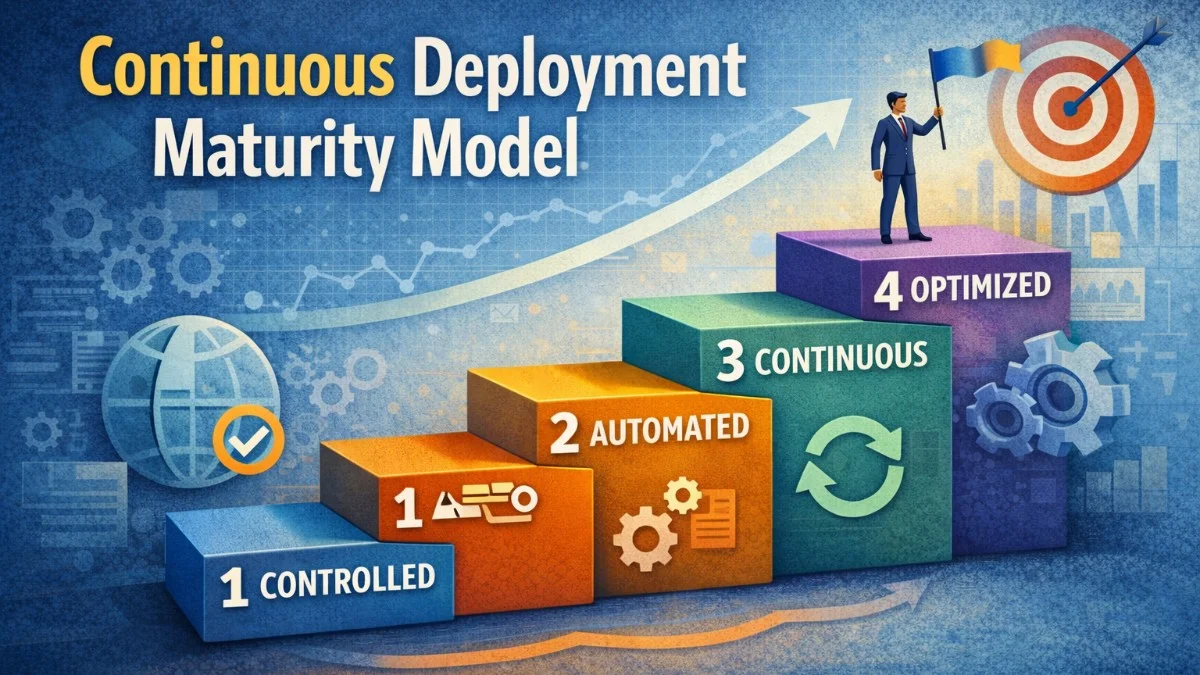
Continuous deployment represents the culmination of automation in software delivery. Every change that passes automated tests deploys to production automatically. No manual approval gates. No scheduled release windows. Code flows from commit to production in minutes. This capability doesn't appear overnight; it's the result of deliberate investment in practices, tooling, and culture.
The path to continuous deployment passes through stages of maturity. Organizations typically progress from manual deployments, to continuous integration, to continuous delivery, and finally to continuous deployment. Each stage builds capabilities that enable the next.
Maturity Levels
Understanding where you are helps chart a path forward. Most organizations underestimate their current level or attempt to skip stages, leading to fragile deployments and incidents.
Level 1 represents manual deployments. Engineers run deployment scripts by hand. Deployments are infrequent, often batched monthly or quarterly. Each deployment is an event requiring coordination and overtime. Rollbacks are difficult; recovery often means debugging in production.
Level 2 introduces continuous integration. Developers integrate code frequently; at least daily. Automated builds and tests run on every commit. The build is always in a deployable state, though deployment remains manual. This level catches integration issues early but doesn't address deployment pain.
Level 3 achieves continuous delivery. The pipeline automates everything except the final production deployment, which requires manual approval. Deployments become routine; one-click operations that can happen any time. Feature flags decouple deployment from release. The team could deploy at any time but chooses when.
Level 4 reaches continuous deployment. Production deployment is fully automated. Every commit that passes tests goes live. The team focuses on building features rather than managing releases. Deployment is a non-event that happens dozens of times daily.
Prerequisites for Continuous Deployment
Continuous deployment requires capabilities that many organizations lack. Without these foundations, automated deployments cause more problems than they solve.
Comprehensive automated testing is non-negotiable. If tests don't catch bugs, production catches them instead. Test coverage must be extensive enough that passing tests provides confidence to deploy. This includes unit tests, integration tests, contract tests, and end-to-end tests.
The following pipeline configuration demonstrates a comprehensive test strategy. Each test type serves a different purpose, and all must pass before deployment proceeds.
# Pipeline with comprehensive testing
stages:
  - test
  - build
  - deploy

unit_tests:
  stage: test
  script:
    - npm test
  coverage: '/All files[^|]*\|[^|]*\s+([\d\.]+)/'

integration_tests:
  stage: test
  services:
    - postgres:14
    - redis:7
  script:
    - npm run test:integration

contract_tests:
  stage: test
  script:
    - npm run test:contracts

e2e_tests:
  stage: test
  script:
    - npm run test:e2e

deploy_production:
  stage: deploy
  script:
    - ./deploy.sh production
  only:
    - main
  when: on_success  # Only if all tests pass
Notice that integration tests spin up real database and cache containers. Contract tests verify API compatibility between services. End-to-end tests exercise the full user journey.
Monitoring and observability enable rapid detection of problems that tests miss. If you can't see that a deployment caused issues, you can't respond. Metrics, logs, and traces must provide visibility within minutes of deployment.
Fast, safe rollback is essential. When problems occur; and they will; rolling back must be trivial. If rollback requires database migrations, configuration changes, or manual intervention, continuous deployment is dangerous.
Feature flags separate deployment from release. Code can be deployed but disabled. This allows incomplete features to be deployed without affecting users, and problematic features to be disabled without deployment.
Building the Pipeline
A continuous deployment pipeline transforms code changes into production deployments through automated stages. Each stage provides confidence that the change is safe to proceed.
The pipeline should fail fast. Quick checks run first; linting, type checking, unit tests. Slower checks run later. If linting fails, there's no point running the full test suite. This minimizes feedback time for common issues.
The following configuration shows an optimized pipeline structure with parallel execution where possible and clear dependencies between stages.
# Optimized pipeline structure
stages:
  - quick_checks
  - build
  - unit_tests
  - integration_tests
  - security_scan
  - staging_deploy
  - staging_tests
  - production_deploy
  - production_verification

lint_and_types:
  stage: quick_checks
  script:
    - npm run lint
    - npm run typecheck
  timeout: 5m

build:
  stage: build
  script:
    - npm run build
    - docker build -t app:$CI_COMMIT_SHA .
  artifacts:
    paths:
      - dist/

unit_tests:
  stage: unit_tests
  script:
    - npm test -- --coverage --maxWorkers=4
  needs: [build]
  parallel: 4

production_deploy:
  stage: production_deploy
  script:
    - kubectl set image deployment/app app=app:$CI_COMMIT_SHA
    - kubectl rollout status deployment/app --timeout=10m
  needs: [staging_tests]
  only:
    - main

production_smoke_tests:
  stage: production_verification
  script:
    - ./scripts/smoke-tests.sh production
  needs: [production_deploy]
The needs keyword creates explicit dependencies, enabling parallel execution of unrelated stages. Unit tests can run in parallel across multiple workers. Production deployment only proceeds after staging tests pass.
Deployment Strategies
How you deploy affects risk. Strategies that gradually roll out changes limit the blast radius of problems.
Rolling deployments replace instances incrementally. New versions start serving traffic while old versions are still running. If problems appear, the rollout stops. This provides natural canary behavior without explicit configuration.
Blue-green deployments maintain two identical environments. One serves production traffic; the other receives the new deployment. After deployment and testing, traffic switches to the new environment. Rollback is instant; just switch traffic back.
Canary deployments route a small percentage of traffic to the new version. If metrics look good, the percentage increases. If problems appear, the canary is killed before most users are affected.
This Argo Rollouts configuration demonstrates automated canary analysis. Traffic shifts progressively, and the rollout aborts if success rate drops below the threshold.
# Canary deployment with Argo Rollouts
apiVersion: argoproj.io/v1alpha1
kind: Rollout
metadata:
  name: api
spec:
  strategy:
    canary:
      steps:
        - setWeight: 5
        - pause: { duration: 5m }
        - setWeight: 20
        - pause: { duration: 5m }
        - setWeight: 50
        - pause: { duration: 10m }
        - setWeight: 100
      analysis:
        templates:
          - templateName: success-rate
        startingStep: 1
        args:
          - name: service-name
            value: api
---
apiVersion: argoproj.io/v1alpha1
kind: AnalysisTemplate
metadata:
  name: success-rate
spec:
  metrics:
    - name: success-rate
      interval: 1m
      successCondition: result[0] >= 0.99
      provider:
        prometheus:
          address: http://prometheus:9090
          query: |
            sum(rate(http_requests_total{service="{{args.service-name}}",status=~"2.."}[5m])) /
            sum(rate(http_requests_total{service="{{args.service-name}}"}[5m]))
The analysis runs continuously during the rollout. If success rate drops below 99%, Argo automatically rolls back. The progressive weight increase (5%, 20%, 50%, 100%) limits exposure at each stage.
Handling Database Changes
Database changes complicate continuous deployment. Schema changes can break running application code. Data migrations can take hours. Incompatibilities between old code and new schema cause failures.
The expand-contract pattern handles schema changes safely. First, expand the schema to support both old and new code. Deploy application changes. Then contract by removing old schema elements. Each step is independently deployable and reversible.
This example walks through renaming a column from name to full_name. Each phase is a separate deployment.
// Phase 1: Expand - add new column, keep old
Schema::table('users', function (Blueprint $table) {
    $table->string('full_name')->nullable();
});

// Application writes to both columns
$user->name = $fullName;
$user->full_name = $fullName;

// Phase 2: Migrate data (can be async)
DB::table('users')
    ->whereNull('full_name')
    ->update(['full_name' => DB::raw('name')]);

// Phase 3: Application reads from new, writes to both
$displayName = $user->full_name ?? $user->name;

// Phase 4: Contract - application uses only new column
// Phase 5: Remove old column
Schema::table('users', function (Blueprint $table) {
    $table->dropColumn('name');
});
The key insight is that both old and new application versions can run simultaneously during the transition. Phase 1 deploys without breaking existing code. Phase 5 only runs after all instances use the new column.
Cultural Aspects
Technical capabilities alone don't create continuous deployment. Culture must support it. Teams need psychological safety to deploy frequently. Blame-free incident reviews encourage transparency. Shared ownership means everyone can deploy; there's no dedicated release team.
Small, frequent changes are safer than large, infrequent ones. A change that modifies three files is easy to understand and debug. A change that modifies three hundred files is risky regardless of testing. Continuous deployment encourages small changes by making deployment trivial.
Metrics build confidence. Track deployment frequency, change lead time, failure rate, and recovery time. These DORA metrics indicate deployment health. Improving these metrics drives continuous deployment adoption.
Conclusion
Continuous deployment is not just automated deployment; it's a capability that emerges from investment in testing, monitoring, deployment strategies, and culture. The journey through maturity levels builds foundations that make automatic deployment safe.
Start by understanding your current level. Build comprehensive tests. Add monitoring that detects problems quickly. Implement safe deployment strategies. Create a culture that embraces frequent, small changes. Continuous deployment isn't a destination; it's an ongoing practice of making deployment safer and faster.