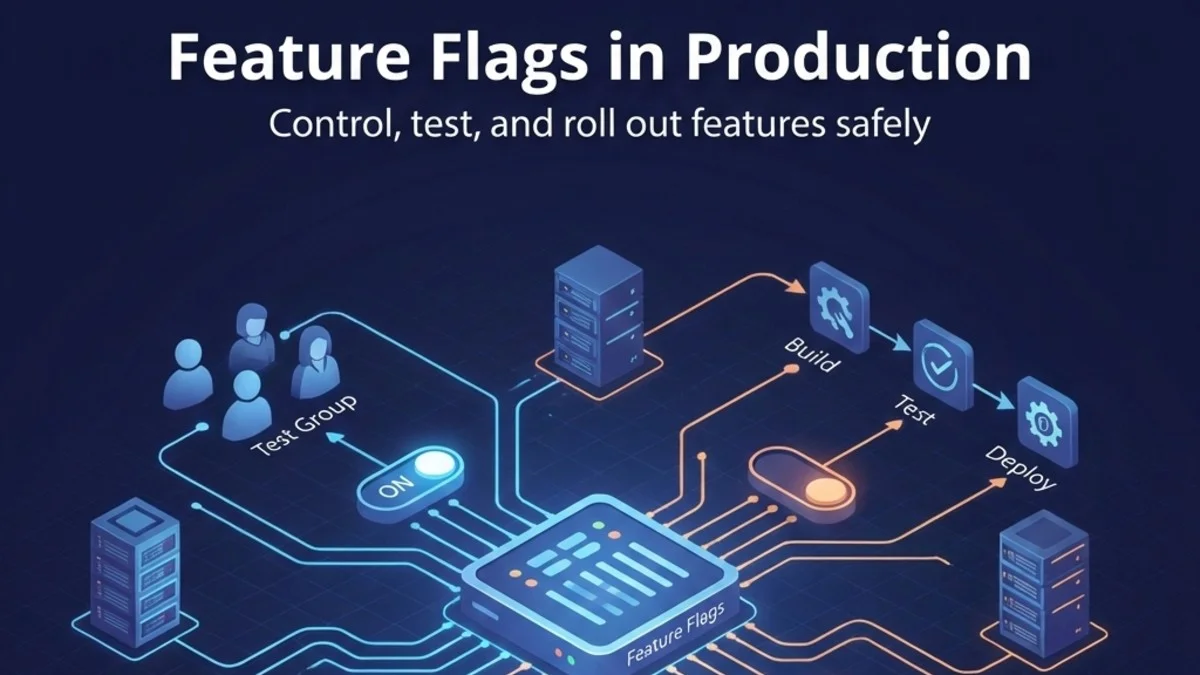
Feature flags (also called feature toggles) separate code deployment from feature release. You can deploy code to production without exposing it to users, then gradually roll out features, run A/B tests, and quickly disable problematic features. This guide covers implementation patterns and best practices.
Why Feature Flags?
Traditional Deployment
In the traditional model, deployment and release are the same event. Everyone sees new features the moment code is deployed.
Code Complete -> Deploy -> All Users See Feature
If something goes wrong, you redeploy or rollback.
With Feature Flags
Feature flags decouple deployment from release, giving you fine-grained control over who sees what and when.
Code Complete -> Deploy (hidden) -> Enable for 1% -> 10% -> 50% -> 100%
You can:
- Test in production with real data
- Roll back instantly without deployment
- Enable features for specific users
- Run A/B experiments
Types of Feature Flags
Release Flags
Short-lived flags for deploying incomplete features. Use these when you want to merge work-in-progress to main without exposing it to users.
if (Feature::active('new-checkout')) {
    return $this->newCheckoutProcess();
}
return $this->legacyCheckout();
Remove after feature is stable and fully rolled out.
Experiment Flags
For A/B testing where you need to measure the impact of changes before committing to them.
if (Feature::active('pricing-experiment-b')) {
    return view('pricing.variant-b');
}
return view('pricing.control');
Track conversion rates, then remove after experiment concludes.
Operational Flags
Long-lived flags for controlling system behavior. These act as runtime configuration switches that operators can adjust without deployments.
if (Feature::active('maintenance-mode')) {
    return response()->view('maintenance', [], 503);
}

if (Feature::active('enable-caching')) {
    return Cache::remember($key, 3600, fn() => $this->fetch());
}
May stay in codebase indefinitely.
Permission Flags
Control access to premium features based on user attributes or subscription level. These tie feature availability to business rules.
if (Feature::for($user)->active('advanced-analytics')) {
    return view('analytics.advanced');
}
return view('analytics.basic');
Implementation
Simple Database-Backed Flags
Start with a straightforward database implementation. This gives you a UI for managing flags without external dependencies and keeps everything in your existing infrastructure.
// Migration
Schema::create('feature_flags', function (Blueprint $table) {
    $table->id();
    $table->string('name')->unique();
    $table->boolean('enabled')->default(false);
    $table->integer('percentage')->default(100);
    $table->json('rules')->nullable();
    $table->timestamps();
});

// Model
class FeatureFlag extends Model
{
    protected $casts = [
        'enabled' => 'boolean',
        'rules' => 'array',
    ];

    public function isActive(?User $user = null): bool
    {
        if (!$this->enabled) {
            return false;
        }

        if ($this->percentage < 100) {
            return $this->rolloutCheck($user);
        }

        if ($this->rules && $user) {
            return $this->evaluateRules($user);
        }

        return true;
    }

    private function rolloutCheck(?User $user): bool
    {
        $identifier = $user?->id ?? request()->ip();
        $hash = crc32($this->name . $identifier);
        return ($hash % 100) < $this->percentage;
    }
}
The rolloutCheck method uses a hash to ensure consistent assignment. The same user always gets the same result, which is essential for a good user experience during gradual rollouts. Without this, users would randomly see different versions on each page load.
Service Class
Wrap the flag lookup in a service class with caching to avoid database queries on every check. Flags are checked frequently, so performance matters.
class Feature
{
    private static ?User $user = null;
    private static array $cache = [];

    public static function for(User $user): static
    {
        static::$user = $user;
        return new static;
    }

    public static function active(string $name): bool
    {
        if (!isset(static::$cache[$name])) {
            $flag = FeatureFlag::where('name', $name)->first();
            static::$cache[$name] = $flag?->isActive(static::$user) ?? false;
        }

        return static::$cache[$name];
    }

    public static function clearCache(): void
    {
        static::$cache = [];
        static::$user = null;
    }
}
Call Feature::clearCache() after updating flags to ensure changes take effect immediately. You might also want to clear this cache at the end of each request.
Laravel Pennant
Laravel's official feature flag package provides a more robust solution with built-in storage drivers and Blade directives. It handles many edge cases for you.
composer require laravel/pennant
php artisan vendor:publish --provider="Laravel\Pennant\PennantServiceProvider"
php artisan migrate
Define features using closures that receive the user context. This keeps your feature definitions close to your application logic.
// Define features
// app/Providers/AppServiceProvider.php
use Laravel\Pennant\Feature;

public function boot(): void
{
    Feature::define('new-checkout', function (User $user) {
        return $user->is_beta_tester;
    });

    Feature::define('redesigned-dashboard', function (User $user) {
        return match(true) {
            $user->isAdmin() => true,
            $user->created_at->gt(now()->subMonth()) => false,
            default => Lottery::odds(1, 10)->choose(),
        };
    });
}

// Check features
if (Feature::active('new-checkout')) {
    // ...
}

// For specific user
if (Feature::for($user)->active('new-checkout')) {
    // ...
}

// In Blade
@feature('new-checkout')
    <x-new-checkout />
@else
    <x-legacy-checkout />
@endfeature
The Lottery::odds(1, 10) syntax provides a clean way to enable features for a random subset of users, perfect for gradual rollouts. The match expression shows how you can combine multiple conditions elegantly.
Gradual Rollout
Percentage-Based
Roll out to a percentage of users while ensuring consistent assignment. Users should not flip between variants randomly.
Feature::define('new-search', function (User $user) {
    // Consistent assignment based on user ID
    return crc32('new-search' . $user->id) % 100 < 25; // 25%
});
The hash ensures users do not flip between variants on different requests, which would create a confusing experience. Increase the percentage as you gain confidence.
User Segment Rollout
Roll out in phases, starting with the lowest-risk users and expanding over time. This gives you progressively larger feedback loops.
Feature::define('new-feature', function (User $user) {
    // Phase 1: Internal users
    if ($user->email_domain === 'company.com') {
        return true;
    }

    // Phase 2: Beta testers
    if ($user->is_beta_tester) {
        return true;
    }

    // Phase 3: New users
    if ($user->created_at->gt(now()->subWeek())) {
        return true;
    }

    // Phase 4: Everyone
    return false;
});
This pattern lets you validate with internal users first, then beta testers, then new users (who have less muscle memory), and finally everyone. Each phase catches different types of issues.
Time-Based Rollout
Enable features based on date for seasonal or scheduled releases. This is useful for marketing campaigns or holiday features.
Feature::define('holiday-theme', function () {
    $now = now();
    return $now->month === 12 && $now->day >= 15;
});
A/B Testing Integration
Tracking Variants
When running experiments, track which variant each user sees to correlate with conversion data later.
Feature::define('pricing-experiment', function (User $user) {
    $variant = crc32('pricing' . $user->id) % 3;

    // Track assignment
    Analytics::track('experiment_assigned', [
        'experiment' => 'pricing',
        'variant' => $variant,
        'user_id' => $user->id,
    ]);

    return $variant; // 0, 1, or 2
});

// Usage
$variant = Feature::value('pricing-experiment');
return view("pricing.variant-{$variant}");
Use Feature::value() instead of Feature::active() when you need the actual variant value rather than a boolean. Track assignment only once to avoid skewing your data.
Conversion Tracking
Track conversions alongside the variant to measure experiment impact. This data forms the basis of your analysis.
// When user converts
public function subscribe(Request $request)
{
    $user = $request->user();
    $variant = Feature::value('pricing-experiment');

    Analytics::track('subscription_created', [
        'experiment' => 'pricing',
        'variant' => $variant,
        'user_id' => $user->id,
        'plan' => $request->plan,
    ]);

    // ... create subscription
}
Analyze this data to determine which variant performs best before rolling out the winner to everyone. Ensure you have statistical significance before drawing conclusions.
Operational Patterns
Circuit Breaker
Use a feature flag as an automatic circuit breaker that disables functionality when failures accumulate. This protects your system from cascading failures.
Feature::define('external-api-enabled', function () {
    $failures = Cache::get('external-api-failures', 0);
    return $failures < 5;
});

// Usage
if (Feature::active('external-api-enabled')) {
    try {
        return $this->callExternalApi();
    } catch (Exception $e) {
        Cache::increment('external-api-failures');
        Cache::put('external-api-failures', Cache::get('external-api-failures'), 300);
        throw $e;
    }
}
return $this->fallbackResponse();
The 5-minute cache TTL allows the circuit to reset automatically, providing self-healing behavior. The system will try the API again after failures age out.
Kill Switch
For emergency disabling of critical functionality. These need to work fast and reliably.
// For emergency disabling
Feature::define('payments-enabled', function () {
    return Cache::get('payments-kill-switch', true);
});

// Emergency disable
Cache::put('payments-kill-switch', false);
Using cache instead of database provides faster propagation and works even if your database is under stress. Consider having multiple team members know how to operate kill switches.
Maintenance Mode
Implement read-only mode for maintenance windows. This keeps the site partially available while you perform updates.
Feature::define('read-only-mode', function () {
    return config('app.read_only');
});

// Middleware
public function handle($request, Closure $next)
{
    if (Feature::active('read-only-mode') && $request->isMethod('POST')) {
        return response()->json([
            'error' => 'System is in read-only mode for maintenance'
        ], 503);
    }
    return $next($request);
}
This pattern lets you deploy database migrations or perform other maintenance while keeping the site partially available for read operations.
Admin Interface
Build an interface for non-technical team members to manage flags. Product managers and operators should be able to control rollouts without developer intervention.
// Controller for managing flags
class FeatureFlagController extends Controller
{
    public function index()
    {
        $flags = FeatureFlag::all();
        return view('admin.features.index', compact('flags'));
    }

    public function update(Request $request, FeatureFlag $flag)
    {
        $flag->update($request->validate([
            'enabled' => 'boolean',
            'percentage' => 'integer|min:0|max:100',
        ]));

        Feature::clearCache();

        return back()->with('success', 'Feature flag updated');
    }
}
Consider adding audit logging to track who changed what and when. This is invaluable for debugging unexpected behavior changes.
Testing
Unit Tests
Test both enabled and disabled states for each feature. Your code needs to work correctly in both scenarios.
use Laravel\Pennant\Feature;

public function test_new_checkout_for_beta_users()
{
    $user = User::factory()->betaTester()->create();

    Feature::for($user)->activate('new-checkout');

    $this->actingAs($user)
        ->get('/checkout')
        ->assertSee('New Checkout Experience');
}

public function test_legacy_checkout_for_regular_users()
{
    $user = User::factory()->create();

    Feature::for($user)->deactivate('new-checkout');

    $this->actingAs($user)
        ->get('/checkout')
        ->assertSee('Standard Checkout');
}
Feature Test Helpers
Test all variants to ensure each code path works correctly. Untested code paths lead to production surprises.
// Test all variants
public function test_pricing_page_variants()
{
    collect(['control', 'variant-a', 'variant-b'])->each(function ($variant) {
        Feature::define('pricing-variant', fn() => $variant);

        $response = $this->get('/pricing');
        $response->assertViewIs("pricing.{$variant}");
    });
}
This ensures you do not break less-traveled code paths that only run for specific variants. Every variant should have test coverage.
Best Practices
Naming Conventions
Use descriptive, consistent naming that indicates the flag's purpose and lifecycle.
// Good - descriptive and consistent
'enable-new-checkout-flow'
'experiment-pricing-2024-q1'
'ops-enable-redis-cache'

// Bad - vague or inconsistent
'flag1'
'new_thing'
'test'
Prefixes like enable-, experiment-, and ops- help categorize flags and indicate their lifecycle. This makes it easier to identify stale flags later.
Flag Lifecycle
Follow a consistent lifecycle to prevent flag accumulation. Flags without owners tend to live forever.
- Create: Add flag, default off
- Deploy: Ship code behind flag
- Test: Enable for internal users
- Rollout: Gradual percentage increase
- Cleanup: Remove flag and dead code
Avoid Flag Debt
Track flag age and alert on stale flags that should be removed. Old flags clutter your codebase and slow down new developers.
// Track flag age
class FeatureFlag extends Model
{
    public function isStale(): bool
    {
        return $this->created_at->lt(now()->subMonths(3));
    }
}

// Alert on old flags
// In scheduled command
FeatureFlag::where('created_at', '<', now()->subMonths(3))
    ->get()
    ->each(fn($flag) => Log::warning("Stale feature flag: {$flag->name}"));
Feature flags that live forever become technical debt. Set a reminder to clean them up, and make cleanup part of your definition of done.
Documentation
Document each flag's purpose, owner, and expected removal date. Future developers will thank you.
Feature::define('new-checkout', function (User $user) {
    // FEATURE: New checkout flow with Apple Pay support
    // OWNER: payments-team@company.com
    // CREATED: 2024-01-15
    // EXPECTED REMOVAL: 2024-03-01
    // ROLLOUT STATUS: 50% of users
    return $user->is_beta_tester || Lottery::odds(1, 2)->choose();
});
This metadata helps future developers understand the flag's context and prevents orphaned flags from living indefinitely.
Conclusion
Feature flags are a powerful tool for safe, gradual deployments. Start simple with database-backed flags or Laravel Pennant, add percentage rollouts for risk management, and integrate with analytics for A/B testing. Remember to clean up old flags;the goal is controlled releases, not permanent complexity.