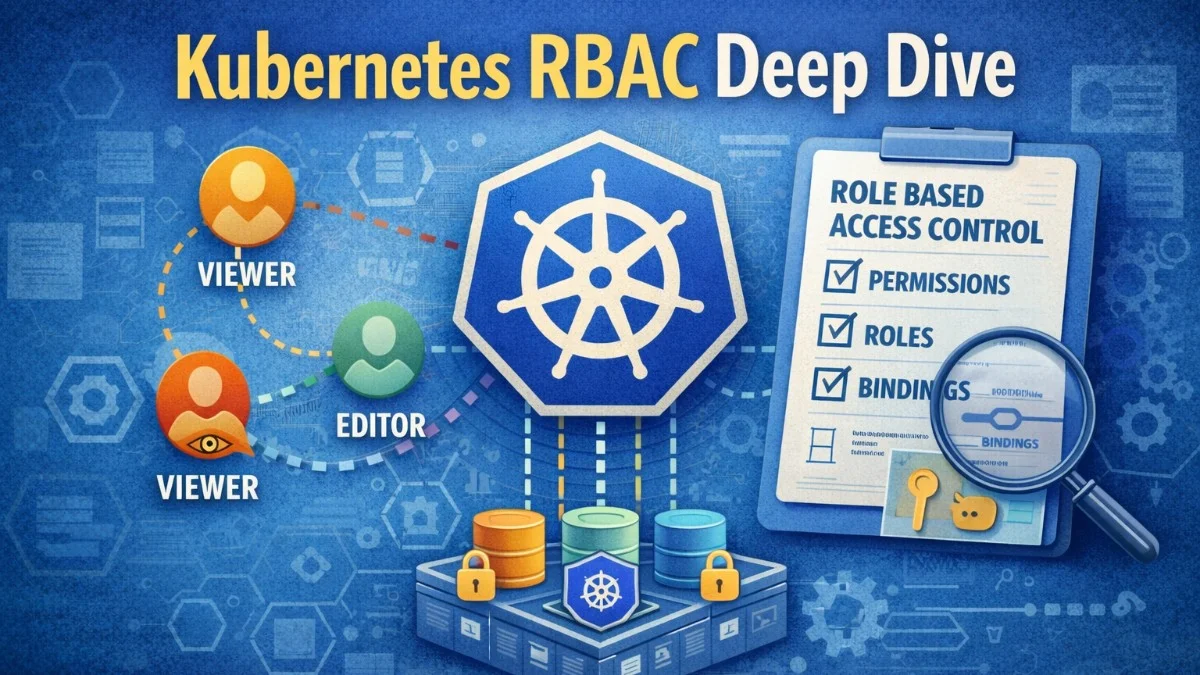
Kubernetes Role-Based Access Control (RBAC) determines who can do what within a cluster. As clusters grow and more teams share them, proper access control becomes essential for security and operational sanity. Without RBAC, anyone with cluster access can do anything; delete production workloads, read secrets, modify configurations. RBAC provides the granular permissions that multi-tenant and production clusters require.
Understanding RBAC requires grasping four primary concepts: Roles and ClusterRoles define what actions are allowed, while RoleBindings and ClusterRoleBindings connect those permissions to users or service accounts. The distinction between namespaced (Role/RoleBinding) and cluster-scoped (ClusterRole/ClusterRoleBinding) resources determines the scope of permissions.
Roles and ClusterRoles
A Role defines permissions within a specific namespace. It lists which resources can be accessed and what actions (verbs) are permitted. A ClusterRole is similar but applies cluster-wide or to non-namespaced resources. You'll use Roles when you want to restrict access to a single namespace, and ClusterRoles when you need permissions across the entire cluster or for cluster-scoped resources like nodes.
The following Role grants permission to manage deployments and view pods within the production namespace. This is a typical pattern for giving developers the access they need without granting broader cluster permissions.
# Role: permissions within a specific namespace
apiVersion: rbac.authorization.k8s.io/v1
kind: Role
metadata:
  name: deployment-manager
  namespace: production
rules:
  - apiGroups: ["apps"]
    resources: ["deployments"]
    verbs: ["get", "list", "watch", "create", "update", "patch"]
  - apiGroups: [""]
    resources: ["pods"]
    verbs: ["get", "list", "watch"]
  - apiGroups: [""]
    resources: ["pods/log"]
    verbs: ["get"]
The apiGroups field specifies which API group contains the resources. The core API group uses an empty string "". Extensions use their group names like apps, batch, or networking.k8s.io.
Verbs define allowed actions: get, list, watch, create, update, patch, delete. The verb * allows all actions, but using specific verbs is safer and clearer.
When you need to grant access to cluster-scoped resources like nodes or persistent volumes, you'll need a ClusterRole. The following example shows how to create read-only access to node and persistent volume information, which is useful for monitoring tools or dashboards.
# ClusterRole: cluster-wide permissions
apiVersion: rbac.authorization.k8s.io/v1
kind: ClusterRole
metadata:
  name: node-reader
rules:
  - apiGroups: [""]
    resources: ["nodes"]
    verbs: ["get", "list", "watch"]
  - apiGroups: [""]
    resources: ["persistentvolumes"]
    verbs: ["get", "list"]
ClusterRoles can grant permissions to cluster-scoped resources (nodes, persistent volumes, namespaces) that Roles cannot. ClusterRoles can also be bound within a namespace using RoleBinding, making them useful for defining reusable permission sets.
Bindings
Bindings connect Roles or ClusterRoles to subjects: users, groups, or service accounts. A RoleBinding grants permissions within its namespace. A ClusterRoleBinding grants permissions cluster-wide. Think of bindings as the glue that connects "who" (subjects) to "what they can do" (roles).
This RoleBinding example shows how to grant the deployment-manager permissions to multiple subjects: a specific user, a group, and a service account. In practice, you'll often bind to groups rather than individual users for easier management.
# RoleBinding: grants Role within a namespace
apiVersion: rbac.authorization.k8s.io/v1
kind: RoleBinding
metadata:
  name: deployment-manager-binding
  namespace: production
subjects:
  - kind: User
    name: developer@example.com
    apiGroup: rbac.authorization.k8s.io
  - kind: Group
    name: developers
    apiGroup: rbac.authorization.k8s.io
  - kind: ServiceAccount
    name: ci-deployer
    namespace: production
roleRef:
  kind: Role
  name: deployment-manager
  apiGroup: rbac.authorization.k8s.io
RoleBindings can reference ClusterRoles, granting those permissions only within the binding's namespace. This pattern allows defining common permission sets as ClusterRoles while limiting their scope through RoleBindings.
A powerful pattern is using RoleBinding with a ClusterRole to grant namespace-scoped access using built-in roles. This gives you the convenience of pre-defined roles with the security of namespace isolation.
# Using ClusterRole with RoleBinding for namespace-scoped permissions
apiVersion: rbac.authorization.k8s.io/v1
kind: RoleBinding
metadata:
  name: admin-binding
  namespace: team-a
subjects:
  - kind: Group
    name: team-a-admins
    apiGroup: rbac.authorization.k8s.io
roleRef:
  kind: ClusterRole
  name: admin  # Built-in ClusterRole
  apiGroup: rbac.authorization.k8s.io
Service Account Permissions
Service accounts provide identity for pods. When applications need to interact with the Kubernetes API, they use service account tokens. By default, pods use the default service account in their namespace, which typically has no permissions. For any non-trivial API access, you should create a dedicated service account with precisely the permissions your application needs.
The following example demonstrates the complete pattern: creating a service account, defining a role with minimal permissions, binding them together, and using the service account in a pod. This is the recommended approach for any application that needs to interact with the Kubernetes API.
# Create dedicated service account
apiVersion: v1
kind: ServiceAccount
metadata:
  name: api-service
  namespace: production
---
# Grant specific permissions
apiVersion: rbac.authorization.k8s.io/v1
kind: Role
metadata:
  name: configmap-reader
  namespace: production
rules:
  - apiGroups: [""]
    resources: ["configmaps"]
    verbs: ["get", "watch"]
---
apiVersion: rbac.authorization.k8s.io/v1
kind: RoleBinding
metadata:
  name: api-service-configmap-reader
  namespace: production
subjects:
  - kind: ServiceAccount
    name: api-service
    namespace: production
roleRef:
  kind: Role
  name: configmap-reader
  apiGroup: rbac.authorization.k8s.io
---
# Pod using the service account
apiVersion: v1
kind: Pod
metadata:
  name: api-pod
  namespace: production
spec:
  serviceAccountName: api-service
  containers:
    - name: api
      image: myapp/api:latest
Follow the principle of least privilege. Service accounts should have only the permissions their workloads actually need. A deployment that reads ConfigMaps shouldn't have permission to create Deployments or read Secrets.
Aggregated ClusterRoles
Aggregated ClusterRoles combine permissions from multiple ClusterRoles automatically. Label selectors specify which ClusterRoles to aggregate. This enables extending built-in roles without modifying them directly. You'll find this pattern useful when building operator permissions or extending monitoring capabilities.
In this example, you can see how aggregation rules work. The parent ClusterRole uses a selector to automatically include all ClusterRoles with matching labels. When you add new component ClusterRoles with the appropriate label, their permissions are automatically included.
# Aggregation rule
apiVersion: rbac.authorization.k8s.io/v1
kind: ClusterRole
metadata:
  name: monitoring-aggregate
  labels:
    rbac.authorization.k8s.io/aggregate-to-monitoring: "true"
aggregationRule:
  clusterRoleSelectors:
    - matchLabels:
        rbac.authorization.k8s.io/aggregate-to-monitoring: "true"
rules: []  # Populated automatically by aggregation
---
# Component ClusterRoles that aggregate into monitoring-aggregate
apiVersion: rbac.authorization.k8s.io/v1
kind: ClusterRole
metadata:
  name: prometheus-permissions
  labels:
    rbac.authorization.k8s.io/aggregate-to-monitoring: "true"
rules:
  - apiGroups: [""]
    resources: ["pods", "services", "endpoints"]
    verbs: ["get", "list", "watch"]
The power of aggregation becomes clear when multiple teams need to extend monitoring capabilities. Each team can add their own ClusterRole with the appropriate label, and the permissions are automatically combined.
Common Patterns
Team isolation gives each team full access to their namespace but no access to others. Each team gets a namespace and admin permissions within it. This is the foundation of multi-tenant cluster design.
# For each team namespace
apiVersion: rbac.authorization.k8s.io/v1
kind: RoleBinding
metadata:
  name: team-admins
  namespace: team-a-namespace
subjects:
  - kind: Group
    name: team-a
    apiGroup: rbac.authorization.k8s.io
roleRef:
  kind: ClusterRole
  name: admin
  apiGroup: rbac.authorization.k8s.io
Read-only access allows viewing resources without modification. Useful for dashboards, debugging access, or auditors. The built-in view ClusterRole provides comprehensive read-only access to most resources.
apiVersion: rbac.authorization.k8s.io/v1
kind: ClusterRoleBinding
metadata:
  name: cluster-readers
subjects:
  - kind: Group
    name: developers
    apiGroup: rbac.authorization.k8s.io
roleRef:
  kind: ClusterRole
  name: view  # Built-in read-only ClusterRole
  apiGroup: rbac.authorization.k8s.io
CI/CD permissions grant just enough access for deployment pipelines to update specific resources. Notice the use of resourceNames to restrict access to specific deployments and ConfigMaps rather than all resources of that type.
apiVersion: rbac.authorization.k8s.io/v1
kind: Role
metadata:
  name: ci-deployer
  namespace: production
rules:
  - apiGroups: ["apps"]
    resources: ["deployments"]
    verbs: ["get", "list", "patch", "update"]
    resourceNames: ["api", "worker"]  # Only specific deployments
  - apiGroups: [""]
    resources: ["configmaps"]
    verbs: ["get", "create", "update"]
    resourceNames: ["api-config"]  # Only specific ConfigMap
The resourceNames field is a powerful security feature that restricts access to named resources rather than all resources of a type. Use it whenever you can to minimize the blast radius of compromised credentials.
Debugging RBAC
When permissions don't work as expected, kubectl auth can-i helps diagnose issues. You can check permissions for yourself, impersonate other users or service accounts, and list all available permissions. These commands are invaluable when troubleshooting access problems.
# Check if current user can create deployments in production
kubectl auth can-i create deployments -n production

# Check if service account can read secrets
kubectl auth can-i get secrets -n production \
  --as=system:serviceaccount:production:api-service

# List all permissions for a user
kubectl auth can-i --list -n production --as=developer@example.com
Audit logs reveal what RBAC decisions were made and why requests were denied. Enable audit logging to track authorization decisions.
Security Considerations
Avoid cluster-admin bindings except where absolutely necessary. The cluster-admin ClusterRole grants unrestricted access to everything. Each binding should be justified and documented.
Be cautious with permissions that enable privilege escalation. Permission to create RoleBindings in a namespace effectively grants all permissions in that namespace. Permission to create pods can lead to privilege escalation through mounted service account tokens.
Regularly audit RBAC configurations. Remove unused service accounts and bindings. Review who has access to sensitive namespaces. Tools like rbac-lookup and kubectl-who-can help audit permissions. The following commands demonstrate how to use these tools to investigate access patterns in your cluster.
# Find all subjects who can delete deployments in production
kubectl-who-can delete deployments -n production

# Find all roles/clusterroles bound to a user
rbac-lookup developer@example.com
These audit tools should be part of your regular security review process. Schedule periodic reviews to ensure permissions remain aligned with actual needs.
Conclusion
Kubernetes RBAC provides fine-grained access control for cluster resources. Roles and ClusterRoles define permissions. Bindings connect those permissions to users, groups, and service accounts. The principle of least privilege guides configuration: grant only what's necessary for each workload and user.
Effective RBAC requires ongoing attention. Audit configurations regularly. Remove unnecessary permissions. Test that service accounts have appropriate access before deploying. Well-configured RBAC enables secure multi-tenant clusters where teams can work independently without risking each other's workloads.