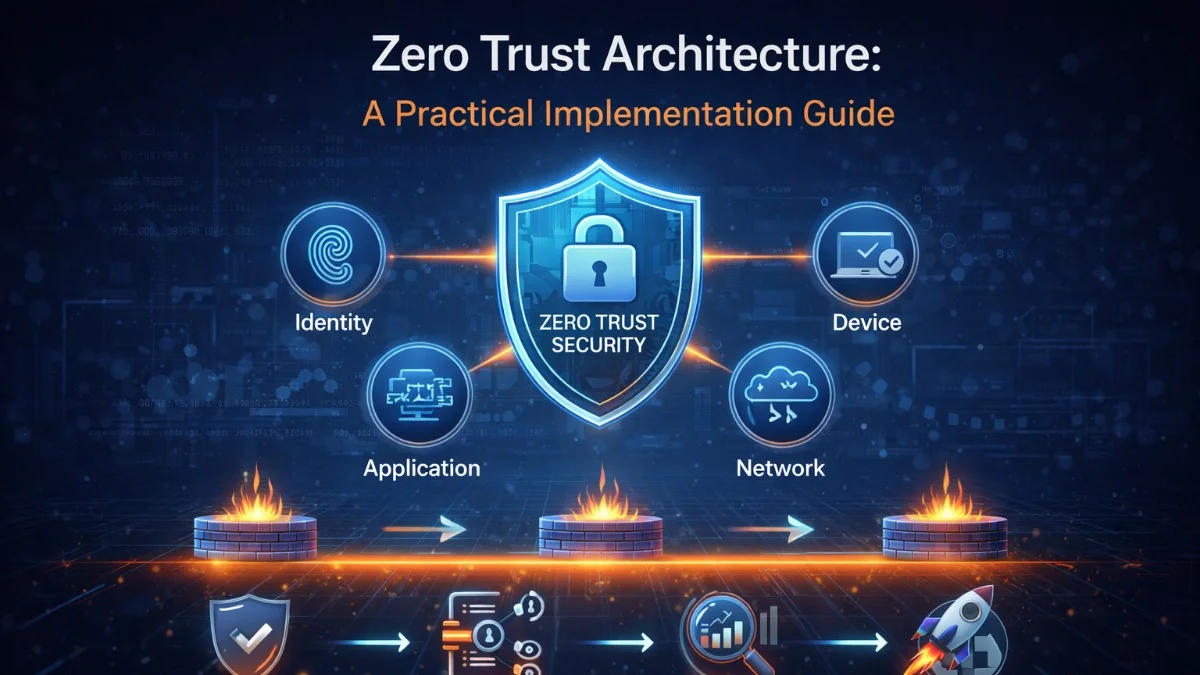
"Never trust, always verify" sounds great on a slide. But translating that principle into an actual system — with real services, real users, and real network infrastructure — requires concrete decisions about authentication, authorization, network segmentation, and continuous verification. This guide walks through what Zero Trust actually looks like when implemented.
The Problem With Perimeter Security
Traditional security draws a hard boundary around a trusted network. Everything inside is trusted; everything outside is not. This made sense when applications lived entirely in a corporate data center and employees worked on-site.
It fails today because:
- Users work from home, coffee shops, and airports — outside the perimeter
- Cloud services, SaaS tools, and APIs exist outside the perimeter
- An attacker who compromises a single endpoint inside the network now has trusted access to everything
- Lateral movement inside a flat trusted network is trivial
The 2020 SolarWinds attack illustrated this perfectly. Attackers entered the network legitimately — through a software update — and then moved freely because internal traffic was implicitly trusted.
The Five Pillars of Zero Trust
Zero Trust is not a product you buy; it is a set of principles applied across multiple layers:
- Identity: Verify who every user and service is before granting access
- Device: Verify the health and compliance of the device making the request
- Network: Encrypt everything, segment aggressively, assume the network is hostile
- Application: Authorize at the application layer, not just at the network edge
- Data: Classify and protect data based on sensitivity, log all access
Start With Strong Identity
Every request must carry a verified identity. No anonymous internal calls.
For user-facing applications, this means enforcing multi-factor authentication without exception:
// Middleware to enforce MFA for sensitive operations
class RequireMfaMiddleware
{
    public function handle(Request $request, Closure $next): Response
    {
        $user = $request->user();

        if (!$user->mfa_verified_at || $user->mfa_verified_at->diffInMinutes() > 60) {
            return response()->json([
                'error' => 'MFA verification required',
                'mfa_required' => true,
            ], 403);
        }

        return $next($request);
    }
}
For service-to-service calls, every service should authenticate with a short-lived credential — not a shared static secret:
class ServiceTokenProvider
{
    public function getToken(string $targetService): string
    {
        // Tokens are scoped to a specific target service and expire in 15 minutes
        return JWT::encode([
            'iss' => config('app.service_name'),
            'aud' => $targetService,
            'sub' => config('app.service_name'),
            'iat' => time(),
            'exp' => time() + 900,
            'jti' => Str::uuid()->toString(),
        ], config('services.jwt.private_key'), 'RS256');
    }
}

class ServiceHttpClient
{
    public function __construct(
        private ServiceTokenProvider $tokenProvider,
        private string $targetService
    ) {}

    public function get(string $path, array $query = []): Response
    {
        return Http::withToken($this->tokenProvider->getToken($this->targetService))
            ->get("https://{$this->targetService}.internal/{$path}", $query);
    }
}
Implement Least-Privilege Authorization
Authentication answers "who are you?" — authorization answers "what are you allowed to do?". In a Zero Trust model, authorization is checked at every hop, not just at the entry point.
// Authorization policy with explicit resource ownership check
class ProjectPolicy
{
    public function view(User $user, Project $project): bool
    {
        // Admin can view any project
        if ($user->isAdmin()) {
            return true;
        }

        // Client can only view projects belonging to their organization
        return $user->clients()
            ->where('clients.id', $project->client_id)
            ->exists();
    }

    public function update(User $user, Project $project): bool
    {
        // Clients can never update projects — read only access
        if ($user->isClient()) {
            return false;
        }

        // Admins can only update projects assigned to them
        // unless they have the super-admin role
        return $user->hasRole('super-admin')
            || $project->assigned_user_id === $user->id;
    }
}
For APIs, scope tokens to exactly what is needed:
class ApiKeyController
{
    public function store(CreateApiKeyRequest $request): JsonResponse
    {
        $allowedScopes = [
            'projects:read',
            'projects:write',
            'invoices:read',
            'invoices:write',
            'files:read',
            'files:write',
        ];

        // Validate that requested scopes are a subset of allowed scopes
        $requestedScopes = $request->validated('scopes');
        $invalidScopes = array_diff($requestedScopes, $allowedScopes);

        if (!empty($invalidScopes)) {
            return response()->json(['error' => 'Invalid scopes: ' . implode(', ', $invalidScopes)], 422);
        }

        $key = ApiKey::create([
            'user_id' => $request->user()->id,
            'scopes' => $requestedScopes,
            'expires_at' => now()->addDays(90),
        ]);

        return response()->json(['key' => $key->plainTextToken], 201);
    }
}
Verify Device Posture
Knowing who the user is is not enough — you also need to know the state of the device they are using. A compromised device with valid credentials is still a threat.
Device posture checks can validate:
- Is the device managed by your organization?
- Is the OS up to date with security patches?
- Is disk encryption enabled?
- Is the device running approved endpoint security software?
For web applications, you can implement lightweight posture hints through request analysis:
class DevicePostureService
{
    public function assessRequest(Request $request): DevicePosture
    {
        return new DevicePosture(
            ipReputation: $this->checkIpReputation($request->ip()),
            isVpnOrProxy: $this->detectVpnOrProxy($request->ip()),
            userAgent: $this->parseUserAgent($request->userAgent()),
            requestedFromKnownLocation: $this->isKnownLocation($request->user(), $request->ip()),
        );
    }

    public function requiresStepUp(DevicePosture $posture): bool
    {
        // Require additional verification for suspicious signals
        return $posture->ipReputation === 'suspicious'
            || $posture->isVpnOrProxy
            || !$posture->requestedFromKnownLocation;
    }
}
For enterprise applications, integrate with your identity provider's device compliance signals. Okta, Azure AD, and Google Workspace all expose device compliance as part of the authentication flow.
Encrypt All Internal Traffic
Zero Trust treats the internal network as hostile. Every communication should be encrypted, even service-to-service calls that never leave your VPC.
The practical way to enforce this without manually configuring TLS for every service is a service mesh:
# Istio PeerAuthentication — require mTLS for all workloads in the namespace
apiVersion: security.istio.io/v1beta1
kind: PeerAuthentication
metadata:
  name: default
  namespace: production
spec:
  mtls:
    mode: STRICT
# AuthorizationPolicy — only allow the payments service to call the invoices service
apiVersion: security.istio.io/v1beta1
kind: AuthorizationPolicy
metadata:
  name: invoices-access
  namespace: production
spec:
  selector:
    matchLabels:
      app: invoices-service
  rules:
    - from:
        - source:
            principals:
              - cluster.local/ns/production/sa/payments-service
      to:
        - operation:
            methods: ["POST"]
            paths: ["/api/invoices/*"]
With a service mesh, mTLS and authorization policies are enforced at the network level — services themselves don't need to implement this logic.
Segment Aggressively
Flat networks enable lateral movement. Segment your infrastructure so that a compromise in one area cannot easily spread.
# Terraform: Separate subnets with explicit routing
resource "aws_subnet" "app_tier" {
  vpc_id            = aws_vpc.main.id
  cidr_block        = "10.0.1.0/24"
  availability_zone = "us-east-1a"

  tags = { Name = "app-tier", Tier = "application" }
}

resource "aws_subnet" "data_tier" {
  vpc_id            = aws_vpc.main.id
  cidr_block        = "10.0.2.0/24"
  availability_zone = "us-east-1a"

  tags = { Name = "data-tier", Tier = "database" }
}

# Security group for database — only accepts connections from app tier
resource "aws_security_group" "database" {
  name   = "database-sg"
  vpc_id = aws_vpc.main.id

  ingress {
    from_port       = 3306
    to_port         = 3306
    protocol        = "tcp"
    security_groups = [aws_security_group.application.id]
  }

  # No egress needed for a database
  egress {
    from_port = 0
    to_port   = 0
    protocol  = "-1"
    # Only allow return traffic to the app tier
    security_groups = [aws_security_group.application.id]
  }
}
Log Everything, Trust Nothing
Zero Trust assumes breach. Comprehensive logging lets you detect and investigate when that assumption proves correct.
Every authentication event, every authorization decision, and every sensitive data access should be logged:
class AuditLogger
{
    public function logAuthorizationDecision(
        User $user,
        string $resource,
        string $action,
        bool $allowed,
        array $context = []
    ): void {
        Log::channel('audit')->info('Authorization decision', [
            'user_id' => $user->id,
            'user_email' => $user->email,
            'resource' => $resource,
            'action' => $action,
            'allowed' => $allowed,
            'ip' => request()->ip(),
            'user_agent' => request()->userAgent(),
            'session_id' => session()->getId(),
            'timestamp' => now()->toIso8601String(),
            'context' => $context,
        ]);
    }
}
Ship these logs to a centralized SIEM (Splunk, Datadog, or the AWS Security Hub) where you can write detection rules for anomalous patterns: unusual access hours, access from new locations, bulk data exports, repeated authorization failures.
Adopting Zero Trust Incrementally
You do not implement Zero Trust in a sprint. A realistic roadmap looks like this:
Phase 1 (Months 1-3): Enforce MFA for all users. Inventory all service-to-service communication. Enable detailed authentication and authorization logging.
Phase 2 (Months 3-6): Replace static service credentials with short-lived tokens. Implement scoped API keys. Add device posture signals to high-risk operations.
Phase 3 (Months 6-12): Deploy service mesh with mTLS enforcement. Implement network micro-segmentation. Build anomaly detection on top of your audit logs.
Phase 4 (Ongoing): Continuous access evaluation — revoke sessions when risk signals change. Regular entitlement reviews. Automated policy enforcement.
Start with identity. Everything else builds on knowing, verifiably, who and what is making every request.
Building secure, reliable systems? We help teams deliver software they can trust. scopeforged.com