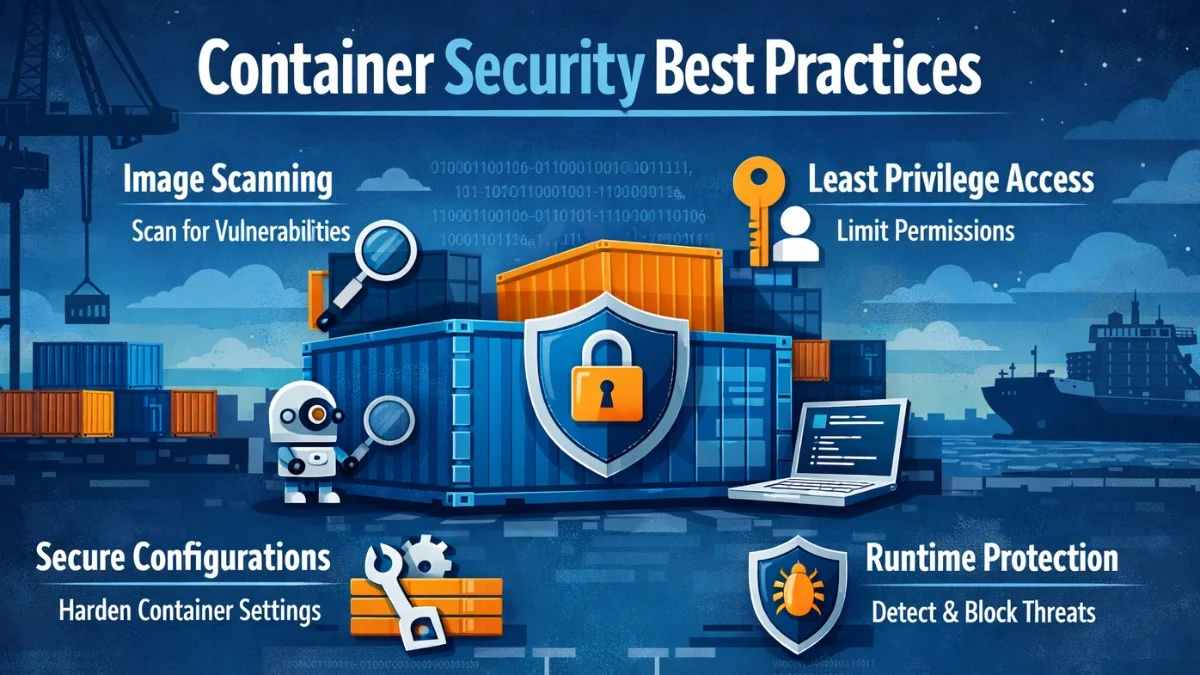
Containers have transformed how we deploy applications, but they introduce new security considerations. A compromised container can lead to data breaches, cryptomining, or lateral movement to other systems. This guide covers security practices from building images to running containers in production.
The Container Security Lifecycle
Security must be addressed at every stage:
- Build: Secure base images, minimal dependencies
- Ship: Image scanning, signed images, secure registries
- Run: Runtime protection, least privilege, network policies
Secure Base Images
Use Minimal Base Images
The base image you choose significantly impacts your security posture. Larger images contain more packages, which means more potential vulnerabilities and a broader attack surface. Every additional binary is a potential exploit vector.
# Bad: Full OS with unnecessary packages
FROM ubuntu:22.04

# Better: Minimal distribution
FROM alpine:3.19

# Best for compiled languages: Distroless
FROM gcr.io/distroless/static-debian12
Size comparison:
- Ubuntu: ~77MB
- Alpine: ~7MB
- Distroless: ~2MB
Smaller images = smaller attack surface. Distroless images contain only your application and its runtime dependencies, nothing else. There's no shell, no package manager, and no tools an attacker could use.
Pin Image Versions
Using latest or major version tags introduces unpredictability. An image can change between builds, potentially introducing vulnerabilities or breaking changes without your knowledge.
# Bad: Mutable tag
FROM node:latest
FROM php:8

# Good: Specific version
FROM node:20.11.0-alpine3.19
FROM php:8.3.2-fpm-alpine3.19

# Best: SHA256 digest
FROM node@sha256:abc123...
SHA256 digests guarantee you're using the exact same image every time, eliminating supply chain risks from tag mutation. Someone can push a new image to the same tag, but they can't change a digest.
Keep Images Updated
Automate dependency updates to catch security patches quickly. Dependabot can monitor your Dockerfile and alert you when base images have updates, keeping your images current with minimal effort.
# Dependabot for Docker
# .github/dependabot.yml
version: 2
updates:
  - package-ecosystem: docker
    directory: "/"
    schedule:
      interval: weekly
Build Security
Don't Run as Root
Running containers as root is one of the most common security mistakes. If an attacker compromises your application, they gain root privileges inside the container, making escape attempts easier and more damaging.
# Create non-root user
FROM node:20-alpine

RUN addgroup -g 1001 appgroup && \
    adduser -u 1001 -G appgroup -D appuser

WORKDIR /app
COPY --chown=appuser:appgroup . .

USER appuser

CMD ["node", "server.js"]
The --chown flag ensures files are owned by the application user, not root. Always place the USER directive near the end so earlier commands can install packages with root privileges if needed.
Multi-stage Builds
Build tools, compilers, and package managers shouldn't exist in production images. Multi-stage builds let you use a full development environment for building while shipping only what's needed to run your application.
# Build stage
FROM composer:2 AS builder
WORKDIR /app
COPY composer.* ./
RUN composer install --no-dev --optimize-autoloader
COPY . .

# Production stage
FROM php:8.3-fpm-alpine
COPY --from=builder /app /var/www/html
# No composer, git, or build tools in final image
This pattern dramatically reduces image size and eliminates tools that attackers could exploit. Your production image contains only the runtime and your application code.
Don't Embed Secrets
Secrets baked into images persist in layer history. Anyone with access to the image can extract them, even if you delete the files in a later layer. Docker images are like an onion; every layer is preserved.
# Bad: Secret in image layer
ENV DATABASE_PASSWORD=secret123
COPY .env /app/.env

# Good: Inject at runtime
# No secrets in Dockerfile
# Pass via environment or secrets manager
Secrets should always be injected at runtime through environment variables, mounted volumes, or secrets management tools. Never commit secrets to your Dockerfile or source code.
Use .dockerignore
Prevent sensitive and unnecessary files from being copied into your build context. This improves build speed and avoids accidentally including secrets or large files.
# .dockerignore
.git
.env
.env.*
node_modules
vendor
tests
*.log
docker-compose*.yml
Image Scanning
Automated Vulnerability Scanning
Integrate vulnerability scanning into your CI/CD pipeline to catch issues before they reach production. This GitHub Actions workflow uses Trivy to scan images and uploads results to GitHub Security for visibility.
# GitHub Actions with Trivy
- name: Scan image
  uses: aquasecurity/trivy-action@master
  with:
    image-ref: 'myapp:${{ github.sha }}'
    format: 'sarif'
    output: 'trivy-results.sarif'
    severity: 'CRITICAL,HIGH'

- name: Upload results
  uses: github/codeql-action/upload-sarif@v3
  with:
    sarif_file: 'trivy-results.sarif'
Consider failing the build when critical vulnerabilities are found to prevent deploying known-vulnerable images. The earlier you catch issues, the cheaper they are to fix.
Local Scanning
Scan images during development to catch issues early before they enter your CI pipeline. Multiple tools provide local scanning capabilities with different strengths.
# Trivy
trivy image myapp:latest

# Snyk
snyk container test myapp:latest

# Docker Scout
docker scout cves myapp:latest
Registry Scanning
Enable scanning in your registry:
- Docker Hub: Docker Scout
- AWS ECR: Enhanced scanning
- Google GCR: Container Analysis
- Azure ACR: Defender for Containers
Image Signing
Cosign for Image Signatures
Image signing creates a cryptographic proof that an image came from your organization. This prevents attackers from injecting malicious images into your supply chain by pushing to your registry.
# Generate key pair
cosign generate-key-pair

# Sign image
cosign sign --key cosign.key myregistry/myapp:v1.0.0

# Verify signature
cosign verify --key cosign.pub myregistry/myapp:v1.0.0
Store the private key securely in a secrets manager. The public key can be distributed to anyone who needs to verify your images, including your Kubernetes clusters.
Kubernetes Admission Control
Enforce signature verification at deployment time with admission controllers like Kyverno. This policy rejects any pod using an unsigned image, ensuring only verified images run in your cluster.
# Require signed images with Kyverno
apiVersion: kyverno.io/v1
kind: ClusterPolicy
metadata:
  name: verify-image-signature
spec:
  validationFailureAction: Enforce
  rules:
    - name: verify-signature
      match:
        resources:
          kinds:
            - Pod
      verifyImages:
        - image: "myregistry/*"
          key: |-
            -----BEGIN PUBLIC KEY-----
            ...
            -----END PUBLIC KEY-----
With this policy in place, only images signed with your private key can run in the cluster. Unsigned or tampered images are rejected before they ever start.
Runtime Security
Read-Only File System
Preventing containers from writing to their filesystem stops many attack techniques. Attackers can't drop malware, modify configurations, or create persistence mechanisms if they can't write files.
# Kubernetes
securityContext:
  readOnlyRootFilesystem: true

# Docker
docker run --read-only myapp

# For apps needing temp files
volumes:
  - name: tmp
    emptyDir: {}
volumeMounts:
  - name: tmp
    mountPath: /tmp
Use emptyDir volumes for applications that need to write temporary files. These are isolated and ephemeral, destroyed when the pod terminates.
Drop Capabilities
Linux capabilities grant specific privileges. By default, containers get more capabilities than most applications need. Drop all capabilities and add back only what's required for your specific workload.
# Kubernetes Pod spec
securityContext:
  capabilities:
    drop:
      - ALL
    add:
      - NET_BIND_SERVICE  # Only if needed
Most applications need no special capabilities. NET_BIND_SERVICE lets non-root processes bind to ports below 1024, which is one of the few commonly needed capabilities.
No Privilege Escalation
Prevent processes from gaining more privileges than they started with. This blocks common privilege escalation attacks like setuid binaries.
securityContext:
  allowPrivilegeEscalation: false
  runAsNonRoot: true
  runAsUser: 1001
The runAsNonRoot setting makes Kubernetes reject pods that try to run as root, even if the image uses USER root. This provides defense in depth against misconfigured images.
Resource Limits
Resource limits prevent denial-of-service attacks where a compromised container consumes all available CPU or memory, starving other workloads on the same node.
resources:
  requests:
    memory: "128Mi"
    cpu: "100m"
  limits:
    memory: "256Mi"
    cpu: "500m"
Always set limits. Without them, a single misbehaving container can starve other workloads. Requests ensure your container gets the resources it needs; limits cap how much it can use.
Network Security
Network Policies
By default, Kubernetes allows all pods to communicate with each other. Network policies implement zero-trust networking by denying all traffic and explicitly allowing only what's needed.
# Default deny all ingress
apiVersion: networking.k8s.io/v1
kind: NetworkPolicy
metadata:
  name: default-deny-ingress
spec:
  podSelector: {}
  policyTypes:
    - Ingress

---
# Allow specific traffic
apiVersion: networking.k8s.io/v1
kind: NetworkPolicy
metadata:
  name: allow-web-traffic
spec:
  podSelector:
    matchLabels:
      app: web
  ingress:
    - from:
        - podSelector:
            matchLabels:
              app: ingress
      ports:
        - port: 8080
Start with a default deny policy, then add specific allow rules. This limits the blast radius of any compromise; attackers can only reach services the compromised pod was allowed to contact.
Service Mesh mTLS
Service meshes like Istio can encrypt all service-to-service communication with mutual TLS. This prevents eavesdropping and ensures services authenticate each other cryptographically.
# Istio PeerAuthentication
apiVersion: security.istio.io/v1beta1
kind: PeerAuthentication
metadata:
  name: default
  namespace: production
spec:
  mtls:
    mode: STRICT
STRICT mode requires mTLS for all traffic. Services without proper certificates are rejected, preventing unauthorized access even from within the cluster.
Secrets Management
Kubernetes Secrets
Kubernetes secrets store sensitive data like credentials and API keys. While base64 encoding isn't encryption, secrets are stored separately from pod specs and can be encrypted at rest with proper cluster configuration.
# Create secret
kubectl create secret generic db-credentials \
  --from-literal=username=admin \
  --from-literal=password=secretpass

# Mount in pod
volumes:
  - name: secrets
    secret:
      secretName: db-credentials
volumeMounts:
  - name: secrets
    mountPath: /etc/secrets
    readOnly: true
Mount secrets as volumes rather than environment variables when possible. Mounted secrets update automatically when changed, and they're less likely to be accidentally logged.
External Secrets Operator
For enterprise deployments, integrate with external secrets managers like AWS Secrets Manager, HashiCorp Vault, or Azure Key Vault. The External Secrets Operator synchronizes external secrets into Kubernetes automatically.
apiVersion: external-secrets.io/v1beta1
kind: ExternalSecret
metadata:
  name: db-credentials
spec:
  refreshInterval: 1h
  secretStoreRef:
    name: aws-secrets-manager
    kind: SecretStore
  target:
    name: db-credentials
  data:
    - secretKey: password
      remoteRef:
        key: production/db
        property: password
The refreshInterval ensures secrets rotate automatically. Your application receives updated credentials without redeployment, enabling zero-downtime secret rotation.
Pod Security Standards
Restricted Policy
Pod Security Standards provide built-in security profiles. The restricted profile enforces best practices like non-root users and dropped capabilities without requiring custom policies.
apiVersion: v1
kind: Namespace
metadata:
  name: production
  labels:
    pod-security.kubernetes.io/enforce: restricted
    pod-security.kubernetes.io/warn: restricted
Apply this to production namespaces. Pods that violate the policy are rejected, ensuring a baseline security posture across your cluster.
Secure Pod Template
Here's a comprehensive example combining all the security settings discussed. Use this as a template for your production workloads and customize as needed.
apiVersion: v1
kind: Pod
metadata:
  name: secure-pod
spec:
  securityContext:
    runAsNonRoot: true
    runAsUser: 1001
    fsGroup: 1001
    seccompProfile:
      type: RuntimeDefault
  containers:
    - name: app
      image: myapp:v1.0.0
      securityContext:
        allowPrivilegeEscalation: false
        readOnlyRootFilesystem: true
        capabilities:
          drop:
            - ALL
      resources:
        limits:
          memory: "256Mi"
          cpu: "500m"
The seccomp profile restricts which system calls the container can make, adding another layer of defense. RuntimeDefault applies a sensible set of restrictions for most applications.
Monitoring and Audit
Runtime Monitoring with Falco
Falco detects suspicious behavior at runtime, like shells being spawned or sensitive files being accessed. This rule alerts when someone gets a shell inside a container, which is almost always suspicious in production.
# Falco rule for suspicious activity
- rule: Shell Spawned in Container
  desc: Detect shell spawned in container
  condition: >
    spawned_process and container and
    shell_procs and proc.pname != entrypoint
  output: >
    Shell spawned in container
    (user=%user.name container=%container.name shell=%proc.name)
  priority: WARNING
Falco can alert your security team or automatically terminate suspicious containers. It's the runtime detection layer that catches attacks your other defenses missed.
Kubernetes Audit Logs
Audit logs track who did what in your cluster. Enable auditing to detect unauthorized access attempts and maintain compliance with security requirements.
# Audit policy
apiVersion: audit.k8s.io/v1
kind: Policy
rules:
  - level: RequestResponse
    resources:
      - group: ""
        resources: ["secrets", "configmaps"]
  - level: Metadata
    resources:
      - group: ""
        resources: ["pods", "deployments"]
Request/Response level logging for secrets captures the full request body, helping investigate potential breaches. Use Metadata level for high-volume resources to balance detail with storage costs.
Security Checklist
Build Time
- Use minimal base images
- Pin image versions
- Multi-stage builds
- No secrets in images
- Non-root user
- Scan for vulnerabilities
Deploy Time
- Sign images
- Verify signatures
- Private registry
Runtime
- Read-only filesystem
- Drop capabilities
- Resource limits
- Network policies
- Secret management
- Runtime monitoring
Conclusion
Container security requires attention at every stage of the lifecycle. Start with secure base images and build practices, implement scanning and signing in your pipeline, and enforce security policies at runtime. Kubernetes provides powerful primitives for security;use Pod Security Standards, Network Policies, and proper secrets management to build defense in depth.