Why Logs and Metrics Aren't Enough
Logs answer "what happened." Metrics answer "how often and how much." Neither tells you "why is this request slow?"
When a user complains that generating their invoice takes 8 seconds, you have a problem to debug across multiple systems. The web server received the request. An API call went to the billing service. The billing service queried a database. A PDF generation job was queued. A worker picked it up and called an external PDF rendering API. Along the way, the time was spent somewhere.
Logs show you individual events in each system. Metrics show you aggregate latency distributions. Neither connects them into a single view of what one request actually did.
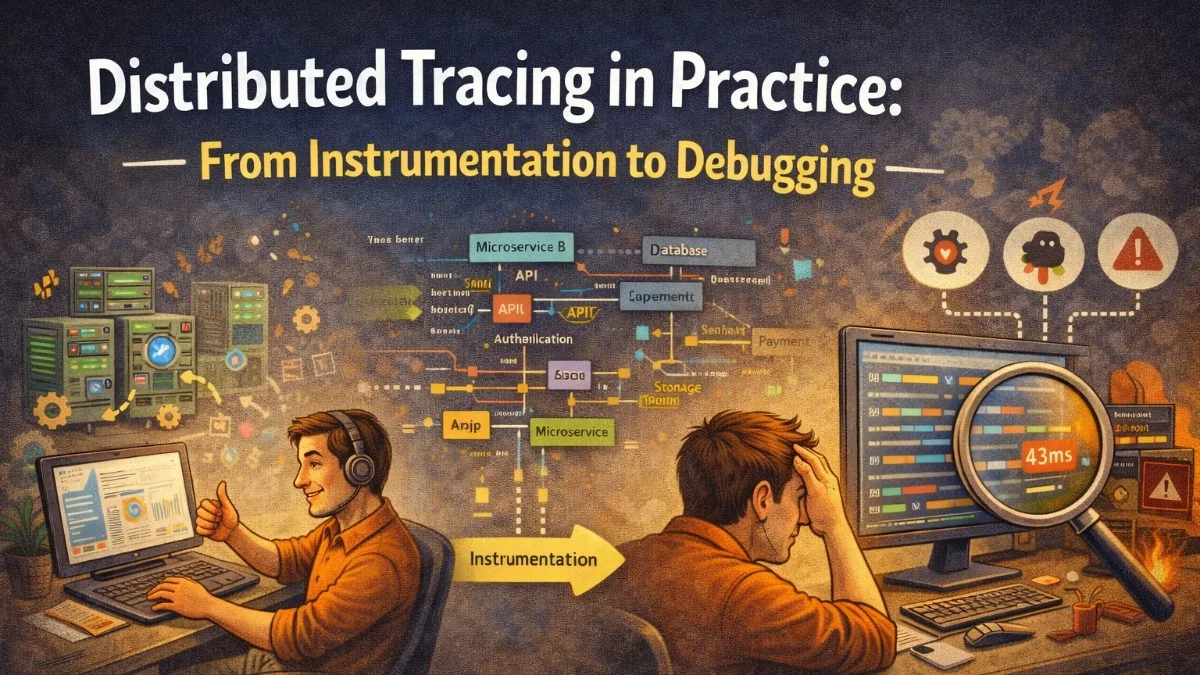
Distributed tracing does. It records the full journey of a request as a tree of operations called spans, each with its timing and context. You can see that 6 of those 8 seconds were spent in the PDF rendering API, which is throttling requests from your IP.
Core Concepts
Trace: The complete record of a single request's journey through your system. Identified by a trace ID.
Span: A single operation within a trace. A span has a name, start time, duration, and optional attributes. Spans can be nested: an HTTP request span contains a database query span.
Parent-child relationships: Spans form a tree. The root span is the initial request. Child spans represent work done to fulfill that request, possibly in other services.
Context propagation: To connect spans across service boundaries, a trace ID is passed in request headers. Each service reads the trace ID, creates a child span, and passes the trace ID to any downstream calls it makes.
OpenTelemetry: The Standard
OpenTelemetry (OTel) is the vendor-neutral standard for distributed tracing (and metrics and logs). Instrument once with OTel and send data to any compatible backend: Jaeger, Zipkin, Datadog, Honeycomb, Grafana Tempo.
The PHP OpenTelemetry SDK:
composer require open-telemetry/sdk open-telemetry/exporter-otlp
Configure in your application bootstrap:
use OpenTelemetry\API\Globals;
use OpenTelemetry\SDK\Trace\TracerProvider;
use OpenTelemetry\SDK\Trace\SpanProcessor\BatchSpanProcessor;
use OpenTelemetry\Contrib\Otlp\SpanExporter;

$exporter = new SpanExporter(
    new OtlpHttpTransport(
        'http://otel-collector:4318/v1/traces'
    )
);

$tracerProvider = TracerProvider::builder()
    ->addSpanProcessor(BatchSpanProcessor::builder($exporter)->build())
    ->build();

Globals::registerInitializer(function (Configurator $configurator) use ($tracerProvider) {
    return $configurator->withTracerProvider($tracerProvider);
});
Auto-Instrumentation vs. Manual Instrumentation
OpenTelemetry supports auto-instrumentation for common frameworks. With the Laravel auto-instrumentation package, HTTP requests, database queries, Redis calls, and queue jobs are traced automatically:
composer require open-telemetry/opentelemetry-auto-laravel
After installation, every incoming HTTP request creates a root span. Every Eloquent query creates a child span with the SQL. Every queued job creates a span. You get significant observability with minimal code changes.
For business-level operations that auto-instrumentation doesn't cover, add manual spans:
use OpenTelemetry\API\Globals;

class InvoiceGenerationService
{
    public function generate(Invoice $invoice): GeneratedInvoice
    {
        $tracer = Globals::tracerProvider()->getTracer('invoice-service');

        $span = $tracer->spanBuilder('invoice.generate')
            ->startSpan();

        $span->setAttributes([
            'invoice.id'     => $invoice->id,
            'invoice.total'  => $invoice->total,
            'client.id'      => $invoice->client_id,
        ]);

        try {
            $result = $this->doGenerate($invoice);

            $span->setAttributes([
                'invoice.page_count' => $result->pageCount,
                'invoice.file_size'  => $result->fileSize,
            ]);

            $span->setStatus(StatusCode::STATUS_OK);
            return $result;

        } catch (\Exception $e) {
            $span->recordException($e);
            $span->setStatus(StatusCode::STATUS_ERROR, $e->getMessage());
            throw $e;

        } finally {
            $span->end();
        }
    }
}
The span captures the invoice ID, total, and page count as attributes. When you look up a trace in Jaeger, you'll see the full context for the generation operation.
Propagating Context Across Service Boundaries
For tracing to connect across services, each service must extract the trace context from incoming requests and inject it into outgoing requests.
OpenTelemetry handles this automatically for HTTP calls made with Guzzle when the auto-instrumentation is active. But if you're using Laravel's Http facade, add the propagation manually:
use OpenTelemetry\API\Globals;
use OpenTelemetry\API\Propagation\TextMapPropagator;

class TracingHttpMiddleware
{
    public function __invoke(callable $handler): callable
    {
        return function (RequestInterface $request, array $options) use ($handler) {
            $headers = [];

            // Inject trace context into outgoing request headers
            Globals::propagator()->inject($headers, HeadersPropagator::instance());

            foreach ($headers as $name => $value) {
                $request = $request->withHeader($name, $value);
            }

            return $handler($request, $options);
        };
    }
}
With W3C Trace Context propagation, outgoing requests carry traceparent and tracestate headers. The downstream service reads these headers and creates child spans under the same trace.
Reading a Trace in Jaeger
Jaeger is the most common open-source trace backend. A trace view shows:
- The root span at the top (the HTTP request)
- Nested child spans below (database queries, service calls)
- Timing bars showing when each span started and how long it took
- Attributes and events on each span
For the 8-second invoice generation request, a trace might show:
POST /api/invoices/42/generate    8.2s
├── Auth middleware                12ms
├── InvoiceRepository.find         45ms
│   └── SELECT invoices WHERE...   43ms
├── InvoiceGenerationService        8.1s
│   ├── LineItemQuery               82ms
│   │   └── SELECT line_items...    80ms
│   ├── TemplateRenderer            55ms
│   └── PDFRenderingAPI.render      7.9s  ← HERE
└── InvoiceRepository.save          38ms
The bottleneck is immediately obvious: the external PDF rendering API is taking 7.9 seconds. Without tracing, you'd have to correlate logs from multiple services and do time arithmetic.
Sampling Strategies
Tracing every request at high throughput is expensive. Sampling strategies reduce volume while maintaining observability:
Head-based sampling decides at the start of a request whether to sample it. The decision is made before any downstream spans are created.
// Sample 10% of requests uniformly
$sampler = new ParentBased(
    new TraceIdRatioBasedSampler(0.1)
);
Tail-based sampling collects all spans but only exports traces that meet certain criteria (slow requests, errors). This is more powerful but requires more infrastructure (a trace collector that buffers before making the sampling decision).
# OpenTelemetry Collector tail sampling config
processors:
  tail_sampling:
    decision_wait: 10s
    policies:
      - name: errors
        type: status_code
        status_code: {status_codes: [ERROR]}
      - name: slow-requests
        type: latency
        latency: {threshold_ms: 1000}
      - name: probabilistic-sample
        type: probabilistic
        probabilistic: {sampling_percentage: 5}
With tail sampling, you keep 100% of error traces, 100% of slow traces, and 5% of everything else. This gives you full visibility into problems without storing every routine request.
Trace-Based Testing
Traces aren't just for production debugging. In staging, you can write assertions against trace data to verify that your application instruments correctly and that performance hasn't regressed:
public function test_invoice_generation_completes_within_slo(): void
{
    $invoice = Invoice::factory()->create();

    $traceCapture = new InMemorySpanExporter();
    // Configure tracer to use in-memory exporter for this test

    (new InvoiceGenerationService())->generate($invoice);

    $spans = $traceCapture->getFinishedSpans();

    $generationSpan = collect($spans)
        ->first(fn($s) => $s->getName() === 'invoice.generate');

    $this->assertNotNull($generationSpan);
    $this->assertLessThan(
        2_000_000_000, // 2 seconds in nanoseconds
        $generationSpan->getEndEpochNanos() - $generationSpan->getStartEpochNanos()
    );
}
Practical Takeaways
- Distributed tracing shows the complete path of a request through your system as a tree of timed spans
- OpenTelemetry is the vendor-neutral standard; instrument once, export to any backend
- Auto-instrumentation covers HTTP, database, Redis, and queue spans; add manual spans for business operations
- Propagate trace context in outgoing HTTP headers using W3C Trace Context
- Use tail-based sampling to keep 100% of error and slow traces while sampling routine traffic at a lower rate
- Start with Jaeger for self-hosted tracing; Honeycomb or Datadog APM for managed options with better query capabilities
Need help building reliable systems? We help teams architect software that scales. scopeforged.com