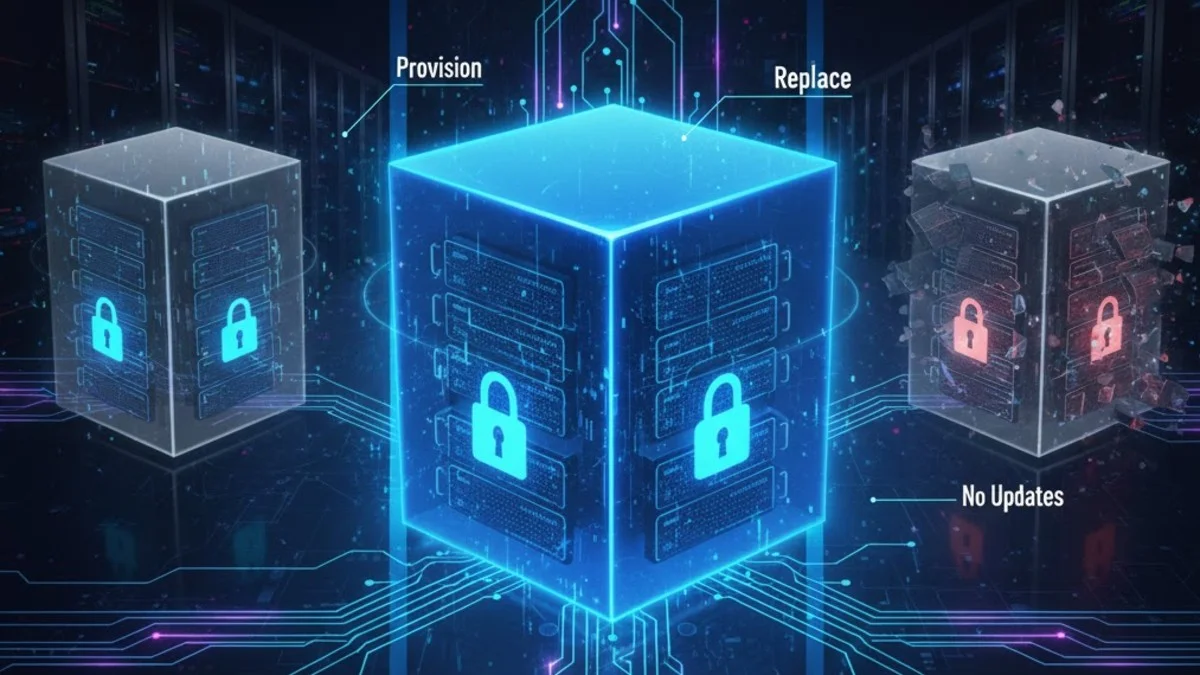
Immutable infrastructure replaces servers rather than updating them. Instead of patching a running system, you build a new image with the changes and deploy it. This approach eliminates configuration drift and makes deployments predictable.
Mutable vs Immutable
Mutable Infrastructure
With mutable infrastructure, servers accumulate changes over time. Each modification leaves the system in a slightly different state from its initial configuration.
This timeline shows how servers drift from their original state. Each manual change adds uncertainty about the actual configuration.
Deploy app version 1.0
  ↓
SSH into server, update code
  ↓
Install new dependency
  ↓
Modify config file
  ↓
Server now in unknown state (what version? what configs?)
Problems:
- Configuration drift between servers
- "Works on my machine" / "Works on server A"
- Difficult to reproduce issues
- Rollbacks are risky
Immutable Infrastructure
Immutable infrastructure treats servers as disposable. Every change creates a new image, and you replace servers entirely rather than modifying them.
With immutable infrastructure, the server configuration is always known because it comes directly from a versioned image.
Build image with app v1.0 → Deploy image → Running server
Build image with app v1.1 → Deploy new image → Old server terminated

Server configuration is known because it came from the image.
Benefits:
- Reproducible deployments
- Easy rollbacks (deploy previous image)
- No configuration drift
- Simplified debugging
The key insight is that images are artifacts you can version, test, and store, just like your application code.
Building Images
Packer for AMIs
Packer automates the creation of machine images for multiple platforms. This example creates an AWS AMI with your application pre-installed.
This Packer template creates an AWS AMI with your application baked in. The resulting image contains everything needed to run your application.
# packer/app-server.pkr.hcl
packer {
  required_plugins {
    amazon = {
      version = ">= 1.0.0"
      source  = "github.com/hashicorp/amazon"
    }
  }
}

source "amazon-ebs" "app" {
  ami_name      = "app-server-${var.version}-${formatdate("YYYYMMDD-hhmm", timestamp())}"
  instance_type = "t3.medium"
  region        = "us-west-2"

  source_ami_filter {
    filters = {
      name                = "ubuntu/images/hvm-ssd/ubuntu-22.04-amd64-server-*"
      root-device-type    = "ebs"
      virtualization-type = "hvm"
    }
    owners      = ["099720109477"] # Canonical
    most_recent = true
  }

  ssh_username = "ubuntu"
}

build {
  sources = ["source.amazon-ebs.app"]

  # Install system dependencies
  provisioner "shell" {
    inline = [
      "sudo apt-get update",
      "sudo apt-get install -y nginx php8.2-fpm php8.2-mysql",
      "sudo systemctl enable nginx php8.2-fpm",
    ]
  }

  # Copy application code
  provisioner "file" {
    source      = "../dist/"
    destination = "/tmp/app"
  }

  provisioner "shell" {
    inline = [
      "sudo mv /tmp/app /var/www/app",
      "sudo chown -R www-data:www-data /var/www/app",
    ]
  }

  # Copy configuration
  provisioner "file" {
    source      = "configs/nginx.conf"
    destination = "/tmp/nginx.conf"
  }

  provisioner "shell" {
    inline = [
      "sudo mv /tmp/nginx.conf /etc/nginx/sites-available/app",
      "sudo ln -s /etc/nginx/sites-available/app /etc/nginx/sites-enabled/",
    ]
  }
}
The resulting AMI contains everything needed to run your application. Launching a new instance from this AMI gives you a fully configured server immediately.
Docker Images
Docker provides immutability at the container level. This Dockerfile creates a self-contained image with your PHP application.
This Dockerfile packages your Laravel application with all its dependencies. The resulting image is completely self-contained and portable.
# Dockerfile
FROM php:8.2-fpm-alpine

# Install dependencies
RUN apk add --no-cache \
    nginx \
    supervisor \
    && docker-php-ext-install pdo_mysql opcache

# Copy application
COPY --chown=www-data:www-data . /var/www/app

# Copy configuration
COPY docker/nginx.conf /etc/nginx/nginx.conf
COPY docker/php.ini /usr/local/etc/php/php.ini
COPY docker/supervisord.conf /etc/supervisor/conf.d/

# Build assets
RUN cd /var/www/app && \
    composer install --no-dev --optimize-autoloader && \
    php artisan config:cache && \
    php artisan route:cache && \
    php artisan view:cache

EXPOSE 80

CMD ["/usr/bin/supervisord", "-c", "/etc/supervisor/conf.d/supervisord.conf"]
The multi-stage build pattern (not shown in full here) can further reduce image size by separating build-time dependencies from runtime dependencies.
CI/CD Pipeline for Image Building
Automate image building in your CI/CD pipeline. This GitHub Actions workflow builds a Docker image on every push to main and deploys it to ECS.
This GitHub Actions workflow automates the entire build and deploy process. Every push to main triggers a new immutable deployment.
# .github/workflows/build-image.yml
name: Build and Deploy

on:
  push:
    branches: [main]

jobs:
  build:
    runs-on: ubuntu-latest
    outputs:
      image_tag: ${{ steps.meta.outputs.tags }}

    steps:
      - uses: actions/checkout@v4

      - name: Set up Docker Buildx
        uses: docker/setup-buildx-action@v3

      - name: Login to ECR
        uses: aws-actions/amazon-ecr-login@v2

      - name: Build and push
        uses: docker/build-push-action@v5
        with:
          context: .
          push: true
          tags: |
            ${{ env.ECR_REGISTRY }}/app:${{ github.sha }}
            ${{ env.ECR_REGISTRY }}/app:latest
          cache-from: type=gha
          cache-to: type=gha,mode=max

  deploy:
    needs: build
    runs-on: ubuntu-latest

    steps:
      - name: Deploy to ECS
        run: |
          aws ecs update-service \
            --cluster production \
            --service app \
            --force-new-deployment
The git commit SHA as the image tag creates a direct link between code changes and deployed artifacts, making debugging easier.
Deployment Patterns
Blue-Green with Immutable Infrastructure
Blue-green deployments work naturally with immutable infrastructure. You're always deploying new instances rather than updating existing ones.
This Terraform configuration manages blue-green deployments with immutable AMIs. The instance refresh ensures gradual rollout with maintained capacity.
# terraform/main.tf
resource "aws_launch_template" "app" {
  name_prefix   = "app-"
  image_id      = var.ami_id  # New AMI for each deployment
  instance_type = "t3.medium"

  user_data = base64encode(<<-EOF
    #!/bin/bash
    # Minimal bootstrap - app already baked into image
    aws s3 cp s3://configs/app.env /var/www/app/.env
    systemctl start app
  EOF
  )
}

resource "aws_autoscaling_group" "app" {
  name                = "app-${var.version}"
  desired_capacity    = 3
  max_size           = 6
  min_size           = 3
  target_group_arns  = [aws_lb_target_group.app.arn]

  launch_template {
    id      = aws_launch_template.app.id
    version = "$Latest"
  }

  instance_refresh {
    strategy = "Rolling"
    preferences {
      min_healthy_percentage = 75
    }
  }
}
The instance refresh configuration ensures that deployments happen gradually, maintaining capacity throughout the update.
Kubernetes Deployments
Kubernetes is built around immutable infrastructure principles. Deployments automatically manage the transition from old to new container images.
Kubernetes deployments natively support immutable infrastructure. The rolling update strategy ensures zero-downtime transitions between versions.
# k8s/deployment.yaml
apiVersion: apps/v1
kind: Deployment
metadata:
  name: app
spec:
  replicas: 3
  strategy:
    type: RollingUpdate
    rollingUpdate:
      maxSurge: 1
      maxUnavailable: 0
  selector:
    matchLabels:
      app: myapp
  template:
    metadata:
      labels:
        app: myapp
    spec:
      containers:
        - name: app
          image: myregistry/app:v1.2.3  # Immutable tag
          ports:
            - containerPort: 80
          env:
            - name: APP_VERSION
              value: "v1.2.3"
          readinessProbe:
            httpGet:
              path: /health
              port: 80
            initialDelaySeconds: 5
            periodSeconds: 5
The readiness probe ensures traffic only flows to containers that are fully initialized and healthy.
Configuration Management
External Configuration
Secrets and environment-specific configuration shouldn't be baked into images. Inject them at runtime through environment variables.
Keep your images environment-agnostic by injecting configuration at runtime. The same image can run in development, staging, and production.
// Don't bake secrets into images
// Inject at runtime via environment variables

// config/database.php
return [
    'default' => env('DB_CONNECTION', 'mysql'),
    'connections' => [
        'mysql' => [
            'host' => env('DB_HOST'),
            'database' => env('DB_DATABASE'),
            'username' => env('DB_USERNAME'),
            'password' => env('DB_PASSWORD'),
        ],
    ],
];
This separation means the same image can run in development, staging, and production with different configurations.
AWS Parameter Store / Secrets Manager
For AWS deployments, Parameter Store and Secrets Manager provide secure, centralized secret storage that integrates well with immutable infrastructure.
This service provider loads secrets from AWS at application boot. Secrets are never baked into the image and can be rotated without rebuilding.
// app/Providers/ConfigServiceProvider.php
class ConfigServiceProvider extends ServiceProvider
{
    public function boot(): void
    {
        if (app()->environment('production')) {
            $this->loadSecretsFromAws();
        }
    }

    private function loadSecretsFromAws(): void
    {
        $ssm = new SsmClient(['region' => 'us-west-2']);

        $result = $ssm->getParameters([
            'Names' => [
                '/app/production/db_password',
                '/app/production/api_key',
            ],
            'WithDecryption' => true,
        ]);

        foreach ($result['Parameters'] as $param) {
            $key = basename($param['Name']);
            putenv("{$key}={$param['Value']}");
        }
    }
}
Secrets can be rotated without rebuilding images, and access can be controlled through IAM policies.
Config Maps in Kubernetes
Kubernetes separates configuration from images using ConfigMaps for non-sensitive data and Secrets for sensitive data.
ConfigMaps and Secrets let you inject configuration into containers without modifying images. Changes can trigger rolling updates automatically.
apiVersion: v1
kind: ConfigMap
metadata:
  name: app-config
data:
  APP_ENV: production
  LOG_LEVEL: info
  CACHE_DRIVER: redis
---
apiVersion: v1
kind: Secret
metadata:
  name: app-secrets
type: Opaque
stringData:
  DB_PASSWORD: supersecret
  API_KEY: sk_live_xxx
---
apiVersion: apps/v1
kind: Deployment
spec:
  template:
    spec:
      containers:
        - name: app
          envFrom:
            - configMapRef:
                name: app-config
            - secretRef:
                name: app-secrets
Changes to ConfigMaps can trigger rolling updates, ensuring configuration changes are applied through the same immutable deployment process.
Handling Persistent Data
Separate Data from Compute
The key to immutable infrastructure is separating stateless compute from stateful data. Compute resources are disposable; data is not.
This separation is fundamental to immutable infrastructure. Compute is disposable and replaceable; data must persist across deployments.
Immutable:
- Application code
- System configuration
- Dependencies

Mutable (external):
- Database (RDS, managed DB)
- File storage (S3, EFS)
- Cache (ElastiCache)
- Session storage (Redis)
Managed services handle the complexity of persistent data, letting you focus on immutable application deployment.
Ephemeral Local Storage
For temporary files and caches, use ephemeral storage that doesn't survive container restarts. This reinforces immutability.
Use emptyDir volumes for temporary storage that doesn't need to persist. Memory-backed volumes provide fast performance for caches.
# Kubernetes: Use emptyDir for temp files
apiVersion: apps/v1
kind: Deployment
spec:
  template:
    spec:
      containers:
        - name: app
          volumeMounts:
            - name: temp
              mountPath: /tmp
            - name: cache
              mountPath: /var/cache/app
      volumes:
        - name: temp
          emptyDir: {}
        - name: cache
          emptyDir:
            medium: Memory  # RAM-based for speed
Memory-backed emptyDir volumes provide fast temporary storage without disk I/O overhead.
Rollbacks
Instant Rollbacks
With immutable infrastructure, rollbacks are just deployments of previous images. There's no need to reverse changes or restore backups.
Rollbacks are simply deployments of a previous image version. You can roll back in seconds because the old image still exists.
# Docker/Kubernetes: Deploy previous image tag
kubectl set image deployment/app app=myregistry/app:v1.2.2

# AWS: Switch back to previous AMI
aws autoscaling update-auto-scaling-group \
  --auto-scaling-group-name app \
  --launch-template LaunchTemplateId=lt-xxx,Version=5  # Previous version
Because images are immutable and versioned, you know exactly what you're rolling back to.
Keeping Old Images
Maintain a retention policy for old images to enable rollbacks while controlling storage costs.
This ECR lifecycle policy automatically cleans up old images while retaining enough history for rollbacks.
# ECR lifecycle policy: Keep last 10 images
{
  "rules": [
    {
      "rulePriority": 1,
      "description": "Keep last 10 images",
      "selection": {
        "tagStatus": "tagged",
        "tagPrefixList": ["v"],
        "countType": "imageCountMoreThan",
        "countNumber": 10
      },
      "action": {
        "type": "expire"
      }
    }
  ]
}
This policy automatically cleans up old images while keeping enough history for rollbacks.
Testing Images
Image Validation
Test images before they reach production. This script validates that an image starts correctly and passes basic health checks.
Run this validation script in CI before promoting images to production. It verifies the image starts correctly and passes health checks.
# Test image before deployment
#!/bin/bash

IMAGE=$1

# Start container
CONTAINER_ID=$(docker run -d -p 8080:80 $IMAGE)

# Wait for startup
sleep 10

# Health check
curl -f http://localhost:8080/health || exit 1

# Run smoke tests
./scripts/smoke-tests.sh http://localhost:8080 || exit 1

# Cleanup
docker stop $CONTAINER_ID

echo "Image $IMAGE passed validation"
Run this validation in CI before pushing to production registries.
Infrastructure Tests
InSpec and similar tools let you verify that images meet your requirements before deployment.
Use InSpec to verify your images meet infrastructure requirements. These tests catch configuration issues before deployment.
# InSpec tests for AMI
describe package('nginx') do
  it { should be_installed }
end

describe service('nginx') do
  it { should be_enabled }
  it { should be_running }
end

describe file('/var/www/app/public/index.php') do
  it { should exist }
  its('owner') { should eq 'www-data' }
end

describe port(80) do
  it { should be_listening }
end
These tests catch configuration errors before images reach production, reducing deployment failures.
Best Practices
Image Tagging
Use immutable, meaningful tags that create an audit trail. Avoid tags that can be overwritten.
Choose immutable tags that provide traceability. Avoid mutable tags like "latest" in production environments.
# Use immutable tags
myapp:v1.2.3              # Semantic version
myapp:abc123def           # Git commit SHA
myapp:2024.01.15-1423     # Timestamp

# Avoid mutable tags in production
myapp:latest              # Don't use - changes over time
myapp:production          # Don't use - ambiguous
The combination of semantic version and commit SHA gives you both human-readable versions and precise traceability.
Small Images
Smaller images deploy faster and have less attack surface. Multi-stage builds help separate build tools from runtime dependencies.
Multi-stage builds separate build dependencies from runtime dependencies, resulting in smaller, more secure images.
# Multi-stage build for smaller images
FROM composer:2 AS builder
WORKDIR /app
COPY composer.json composer.lock ./
RUN composer install --no-dev --no-scripts

FROM php:8.2-fpm-alpine
COPY --from=builder /app/vendor /var/www/app/vendor
COPY . /var/www/app

# Result: Only runtime dependencies, no build tools
Alpine-based images are significantly smaller than Debian or Ubuntu-based alternatives.
Security Scanning
Scan images for known vulnerabilities before deployment. Fail the pipeline if critical issues are found.
Add vulnerability scanning to your CI pipeline. This catches security issues in base images and dependencies before production.
# Scan images for vulnerabilities
- name: Scan image
  uses: aquasecurity/trivy-action@master
  with:
    image-ref: ${{ env.IMAGE }}
    format: 'table'
    exit-code: '1'
    severity: 'CRITICAL,HIGH'
Regular scanning catches vulnerabilities in base images and dependencies before they reach production.
Conclusion
Immutable infrastructure eliminates configuration drift by treating servers as disposable. Build new images for every change, deploy them, and terminate old instances. Store configuration externally, keep data in managed services, and maintain previous images for instant rollbacks. The result is predictable, reproducible deployments that are easier to debug and scale.