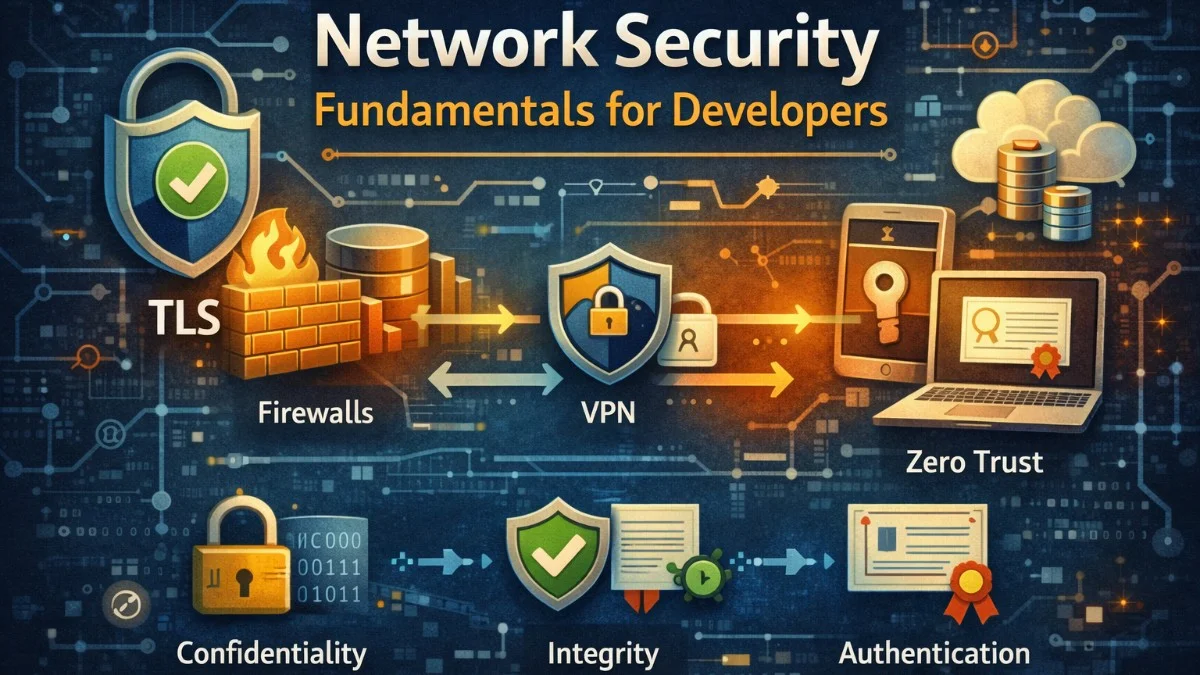
Network security protects data as it moves between systems. In distributed applications, data travels across networks constantly: between services, to databases, to caches, to external APIs. Each network hop is an opportunity for interception, tampering, or impersonation. Understanding network security fundamentals helps you build systems that protect data in transit.
The three pillars of network security are confidentiality (preventing unauthorized reading), integrity (detecting tampering), and authentication (verifying identity). These properties are achieved through encryption, hashing, and certificate-based trust.
TLS: The Foundation
Transport Layer Security (TLS) provides encrypted communication over networks. When you see HTTPS, you're using TLS. It encrypts data so eavesdroppers can't read it, detects tampering through message authentication codes, and verifies server identity through certificates.
TLS negotiation establishes a secure channel. The client sends supported cipher suites. The server responds with its chosen suite and certificate. The client verifies the certificate and both parties derive session keys through key exchange.
When making HTTP requests to external services, you should configure your client to enforce TLS security. This Guzzle configuration enables certificate verification, provides client certificates for mutual authentication, and enforces a minimum TLS version.
// Configure TLS for HTTP clients
$client = new GuzzleHttp\Client([
    'verify' => true,  // Verify server certificate
    'cert' => ['/path/to/client-cert.pem', 'password'],  // Client certificate
    'ssl_key' => ['/path/to/client-key.pem', 'password'],
    'curl' => [
        CURLOPT_SSLVERSION => CURL_SSLVERSION_TLSv1_2,  // Minimum TLS 1.2
    ],
]);
Certificate verification ensures you're talking to the intended server, not an impostor. Never disable certificate verification in production; it defeats TLS's authentication purpose.
Certificate Management
Certificates are signed by Certificate Authorities (CAs) that browsers and operating systems trust. When a server presents a certificate, clients verify the signature chain back to a trusted CA.
For internal services, you can run your own CA. This requires careful key management but avoids depending on external CAs for internal communication.
Creating your own certificate authority involves generating a root key and certificate, then using that CA to sign certificates for your services. The following commands walk you through creating a CA and issuing a server certificate.
# Create a CA certificate
openssl genrsa -out ca.key 4096
openssl req -new -x509 -days 3650 -key ca.key -out ca.crt

# Create a server certificate signed by your CA
openssl genrsa -out server.key 2048
openssl req -new -key server.key -out server.csr
openssl x509 -req -days 365 -in server.csr -CA ca.crt -CAkey ca.key -CAcreateserial -out server.crt
Certificate expiration is a common cause of outages. Certificates have limited validity (typically 90 days to 2 years). Automate renewal with tools like cert-manager for Kubernetes or ACME clients for Let's Encrypt.
Cert-manager in Kubernetes automates the entire certificate lifecycle. You define your certificate requirements declaratively, and cert-manager handles issuance, renewal, and secret management automatically.
# Kubernetes cert-manager for automatic certificate management
apiVersion: cert-manager.io/v1
kind: Certificate
metadata:
  name: api-tls
spec:
  secretName: api-tls-secret
  duration: 2160h  # 90 days
  renewBefore: 360h  # Renew 15 days before expiry
  issuerRef:
    name: letsencrypt-prod
    kind: ClusterIssuer
  dnsNames:
    - api.example.com
Mutual TLS (mTLS)
Standard TLS authenticates only the server. The client verifies the server's certificate, but the server accepts any client. Mutual TLS requires clients to present certificates too, providing bidirectional authentication.
mTLS is valuable for service-to-service communication. Instead of relying on network segmentation or API keys, services prove their identity cryptographically.
Setting up mTLS requires configuring both the server to require client certificates and the client to present its certificate. This configuration shows how to establish bidirectional trust between services.
// Server requiring client certificate
$server = new React\Socket\SecureServer($loop, [
    'local_cert' => '/path/to/server.pem',
    'local_pk' => '/path/to/server-key.pem',
    'verify_peer' => true,
    'verify_peer_name' => true,
    'allow_self_signed' => false,
    'cafile' => '/path/to/ca.pem',
]);

// Client presenting certificate
$client = new GuzzleHttp\Client([
    'cert' => '/path/to/client.pem',
    'ssl_key' => '/path/to/client-key.pem',
]);
Service mesh implementations like Istio and Linkerd automate mTLS between services. Sidecar proxies handle certificate provisioning, rotation, and mTLS termination without application changes.
Network Segmentation
Network segmentation limits lateral movement. Even if attackers compromise one system, segmentation prevents easy access to others. Defense in depth means multiple layers of protection.
Virtual Private Clouds (VPCs) provide network isolation. Public subnets contain load balancers and bastion hosts. Private subnets contain application servers and databases. Security groups control traffic between subnets.
AWS security groups act as virtual firewalls, controlling inbound and outbound traffic at the instance level. By referencing other security groups rather than IP addresses, you create rules that automatically adapt as instances scale.
# AWS security group rules
# Application servers: allow traffic from load balancer only
ApplicationSecurityGroup:
  Ingress:
    - SourceSecurityGroupId: !Ref LoadBalancerSecurityGroup
      FromPort: 8080
      ToPort: 8080
      Protocol: tcp

# Database: allow traffic from application servers only
DatabaseSecurityGroup:
  Ingress:
    - SourceSecurityGroupId: !Ref ApplicationSecurityGroup
      FromPort: 5432
      ToPort: 5432
      Protocol: tcp
Zero trust networking assumes no implicit trust based on network location. Every request is authenticated and authorized regardless of source. This approach protects against compromised internal hosts.
Firewall Configuration
Firewalls filter traffic based on rules. Default-deny policies block all traffic except explicitly allowed flows. This prevents accidental exposure and limits attack surface.
These iptables rules demonstrate a secure web server configuration. You'll notice the explicit allowances for HTTP, HTTPS, and SSH from a restricted IP range, followed by a default policy that drops everything else.
# iptables rules for a web server
# Allow established connections
iptables -A INPUT -m state --state ESTABLISHED,RELATED -j ACCEPT

# Allow HTTP/HTTPS from anywhere
iptables -A INPUT -p tcp --dport 80 -j ACCEPT
iptables -A INPUT -p tcp --dport 443 -j ACCEPT

# Allow SSH from specific IP
iptables -A INPUT -p tcp --dport 22 -s 10.0.0.0/8 -j ACCEPT

# Drop everything else
iptables -P INPUT DROP
The order of rules matters in iptables. Rules are evaluated top to bottom, and the first match wins. The ESTABLISHED,RELATED rule at the top ensures that response packets for outbound connections are allowed through.
Web Application Firewalls (WAFs) inspect HTTP traffic for attacks like SQL injection and cross-site scripting. They operate at the application layer, understanding HTTP semantics rather than just IP addresses and ports.
DNS Security
DNS converts hostnames to IP addresses, but traditional DNS is unencrypted and unauthenticated. Attackers can intercept and modify DNS responses, redirecting traffic to malicious servers.
DNSSEC adds cryptographic signatures to DNS records, preventing tampering. DNS over HTTPS (DoH) and DNS over TLS (DoT) encrypt DNS queries, preventing eavesdropping.
For internal services, control your DNS infrastructure. Private DNS zones resolve internal hostnames without exposing them publicly.
A private hosted zone in AWS Route 53 allows your VPC resources to resolve internal DNS names that aren't visible from the public internet. This keeps your internal service topology hidden while providing convenient name resolution.
# AWS Route 53 private hosted zone
PrivateHostedZone:
  Type: AWS::Route53::HostedZone
  Properties:
    Name: internal.example.com
    VPCs:
      - VPCId: !Ref VPC
        VPCRegion: !Ref AWS::Region
Secrets in Transit
Secrets like API keys and tokens require special protection. Never transmit secrets in URLs; they're logged and visible in browser history. Use request headers or POST bodies instead.
The difference between passing secrets in URLs versus headers might seem minor, but URLs end up in server logs, browser history, and referrer headers. Always use secure headers for authentication credentials.
// Bad: API key in URL
$response = $client->get("https://api.example.com/data?api_key={$secret}");

// Good: API key in header
$response = $client->get('https://api.example.com/data', [
    'headers' => ['Authorization' => "Bearer {$secret}"],
]);
Encrypt sensitive data before transmission when TLS isn't sufficient. Field-level encryption protects specific values even if TLS is compromised.
For highly sensitive data like payment card numbers, you can add field-level encryption on top of TLS. This provides defense in depth by ensuring the data remains protected even if TLS is somehow compromised or if the data passes through intermediate systems.
class SensitiveDataTransmitter
{
    public function sendPayment(array $payment): void
    {
        // Encrypt card number before transmission
        $payment['card_number'] = $this->encrypt(
            $payment['card_number'],
            $this->paymentProcessorPublicKey
        );

        $this->client->post('/payments', [
            'json' => $payment,
        ]);
    }
}
Monitoring and Detection
Network monitoring detects attacks and policy violations. Intrusion detection systems (IDS) analyze traffic patterns for suspicious activity. Flow logs record network connections for forensic analysis.
VPC Flow Logs capture metadata about network traffic flowing through your VPC. While they don't capture packet contents, they provide valuable information about who is communicating with whom, which is essential for security analysis and troubleshooting.
# VPC Flow Logs for network monitoring
VPCFlowLog:
  Type: AWS::EC2::FlowLog
  Properties:
    ResourceId: !Ref VPC
    ResourceType: VPC
    TrafficType: ALL
    LogDestinationType: cloud-watch-logs
    LogGroupName: /vpc/flow-logs
Alert on anomalies: unexpected outbound connections, unusual traffic volumes, connections to known malicious IPs. These patterns may indicate compromised systems or data exfiltration.
Conclusion
Network security protects data as it traverses networks. TLS provides encryption, integrity, and server authentication. Mutual TLS adds client authentication for service-to-service communication. Network segmentation limits lateral movement. Firewalls enforce traffic policies.
Defense in depth layers these protections. Don't rely on any single mechanism. Assume each layer might fail and ensure others catch what it misses. Monitor network traffic for anomalies and respond to detected threats quickly.