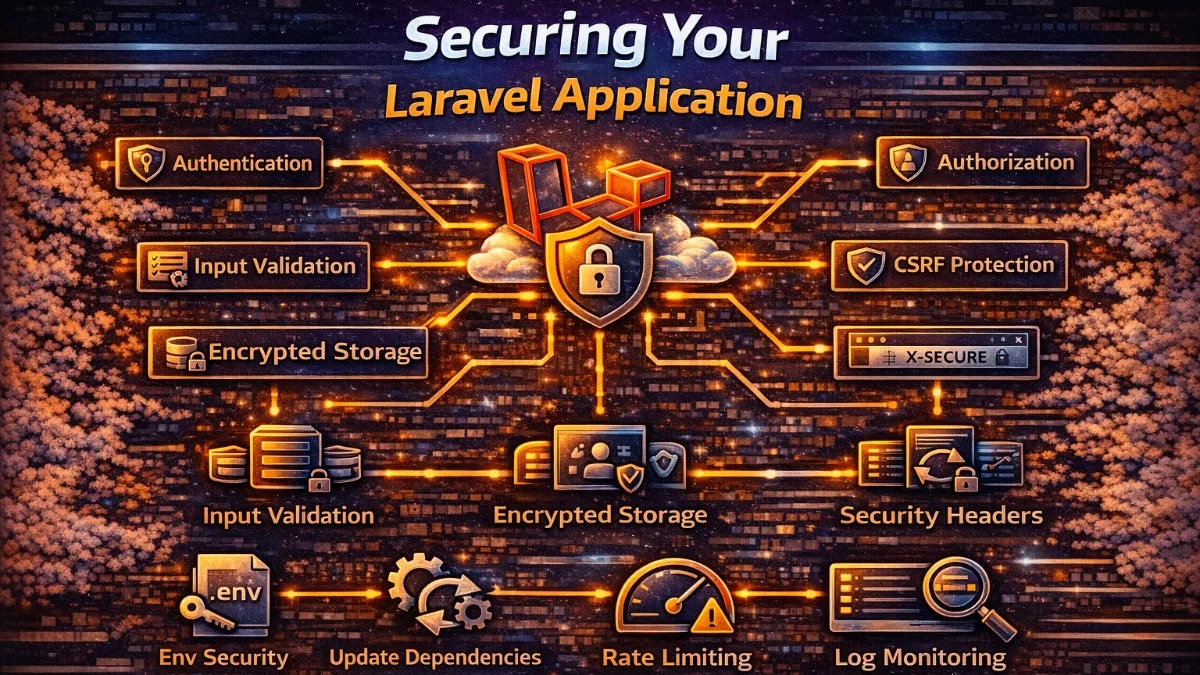
Security vulnerabilities in web applications make headlines regularly. Data breaches damage reputations, invite lawsuits, and destroy user trust. Laravel provides excellent security foundations, but they only work if you use them correctly. Here's how to secure your Laravel application against common attacks.
Security as a Foundation
Security isn't a feature you add at the end;it's a mindset that influences every decision. The cost of addressing security early is minimal. The cost of a breach is enormous.
This guide covers the most common vulnerabilities and Laravel's built-in protections. Following these practices won't make your application invulnerable, but it will protect against the attacks that compromise most applications.
Authentication Best Practices
Authentication verifies identity. Get it wrong, and attackers access your users' accounts.
Password Handling
Never store passwords in plain text. Laravel uses bcrypt by default, which is excellent. Don't change it to something faster;password hashing should be slow to resist brute-force attacks.
When creating users, you can either explicitly hash the password or rely on Laravel's automatic hashing if you've configured your User model correctly. Here's the explicit approach, which gives you clear visibility into what's happening:
// Laravel handles this automatically with User model
$user = User::create([
    'password' => Hash::make($request->password), // or just pass plain, it's auto-hashed
]);
If you've set up a password mutator on your User model, you can pass the plain password directly and Laravel will hash it automatically.
Enforce minimum password requirements. Weak passwords remain the most common vulnerability, so make it harder for users to choose guessable ones. Laravel's validation rules let you set these requirements declaratively:
$request->validate([
    'password' => ['required', 'min:12', 'confirmed', Password::defaults()],
]);
Laravel's Password::defaults() rule enforces reasonable complexity. Configure it in a service provider to set application-wide standards. The uncompromised() method checks against the Have I Been Pwned database of breached passwords, which contains billions of compromised credentials:
Password::defaults(function () {
    return Password::min(12)
        ->mixedCase()
        ->numbers()
        ->uncompromised(); // Checks against known breached passwords
});
This configuration ensures that all password validation throughout your application enforces consistent, strong requirements.
Multi-Factor Authentication
Passwords alone are insufficient for sensitive applications. Implement MFA using Laravel Fortify or a package like pragmarx/google2fa-laravel. Here's the basic flow for TOTP-based authentication, which generates time-based one-time passwords:
// Generate secret for user
$secret = Google2FA::generateSecretKey();

// Verify code during login
if (Google2FA::verifyKey($user->google2fa_secret, $request->otp)) {
    // Code is valid
}
Store the secret securely and display the QR code only once during setup. Users should save backup codes in case they lose access to their authenticator app.
Session Security
Configure sessions securely in config/session.php. Each of these settings addresses a specific attack vector, and you should understand what each one protects against:
'secure' => true,           // Only send over HTTPS
'http_only' => true,        // Prevent JavaScript access
'same_site' => 'lax',       // Mitigate CSRF attacks
The secure flag prevents session cookies from being transmitted over unencrypted connections, while http_only blocks client-side scripts from reading the session cookie.
Regenerate session IDs after authentication to prevent session fixation attacks, where an attacker sets a known session ID before the user logs in:
// Laravel does this automatically in the authentication flow
$request->session()->regenerate();
If you're building custom authentication logic, always remember to call this method after successful login.
Authorization with Policies and Gates
Authentication asks "who are you?" Authorization asks "what can you do?"
Define policies for each model. Policies centralize authorization logic and make it easy to audit who can do what. This example shows both simple ownership checks and team-based permissions, demonstrating how you can layer different access rules:
class ProjectPolicy
{
    public function view(User $user, Project $project): bool
    {
        return $user->id === $project->user_id
            || $user->belongsToTeam($project->team_id);
    }

    public function delete(User $user, Project $project): bool
    {
        return $user->id === $project->user_id;
    }
}
Notice how view allows team members to see the project, but delete requires ownership. This pattern lets you express nuanced permission rules clearly.
Use policies in controllers. The authorize method throws an exception if the check fails, preventing accidental data exposure. This approach ensures you never forget to check permissions:
public function show(Project $project)
{
    $this->authorize('view', $project);
    return view('projects.show', compact('project'));
}
Never assume authorization based on URL obscurity. Just because someone can't guess a URL doesn't mean they're authorized. Always check permissions explicitly.
Input Validation and Sanitization
Never trust user input. Validate everything that comes from outside your application.
Use Form Requests for validation. They keep controllers clean and provide a dedicated place for authorization and validation logic. Here's a comprehensive example that validates different data types:
class StoreProjectRequest extends FormRequest
{
    public function rules(): array
    {
        return [
            'name' => ['required', 'string', 'max:255'],
            'description' => ['nullable', 'string', 'max:5000'],
            'budget' => ['required', 'numeric', 'min:0', 'max:999999.99'],
            'client_id' => ['required', 'exists:clients,id'],
        ];
    }
}
The exists rule on client_id prevents users from associating projects with clients that don't exist. Consider adding authorization checks in the Form Request's authorize() method to verify the user can actually access the specified client.
Sanitize output when displaying user-generated content. Blade provides two syntaxes with different security implications. Understanding when to use each is critical for preventing XSS attacks:
{{-- This is escaped by default - XSS safe --}}
{{ $project->name }}

{{-- This is NOT escaped - dangerous with user input --}}
{!! $project->description !!}
Only use {!! !!} when you've explicitly sanitized the content or it's from a trusted source.
CSRF Protection
Cross-Site Request Forgery tricks users into submitting unintended requests. Laravel protects against this automatically.
Include the CSRF token in forms. The @csrf directive generates a hidden input field with the token that Laravel validates on every POST, PUT, PATCH, or DELETE request:
<form method="POST" action="/projects">
    @csrf
    <!-- form fields -->
</form>
For AJAX requests, include the token in headers. Laravel's default bootstrap.js sets this up for Axios automatically, but here's the manual approach if you're using a different HTTP client:
axios.defaults.headers.common['X-CSRF-TOKEN'] = document
    .querySelector('meta[name="csrf-token"]')
    .getAttribute('content');
Don't disable CSRF protection. If you're tempted to disable it because something isn't working, find the real solution instead.
SQL Injection Prevention
SQL injection lets attackers execute arbitrary database queries. Laravel's query builder and Eloquent protect against this when used correctly.
These examples are safe because Laravel automatically parameterizes the values, treating user input as data rather than SQL code:
User::where('email', $request->email)->first();
DB::table('users')->where('email', '=', $request->email)->first();
This is dangerous because it concatenates user input directly into the SQL string, allowing attackers to modify the query structure:
// NEVER DO THIS
DB::select("SELECT * FROM users WHERE email = '" . $request->email . "'");
An attacker could submit ' OR '1'='1 as the email, returning all users.
When raw SQL is necessary, use parameter binding. The question mark is replaced with the safely escaped value, preventing injection:
DB::select('SELECT * FROM users WHERE email = ?', [$request->email]);
XSS Protection
Cross-Site Scripting injects malicious scripts into pages viewed by other users.
Blade's {{ }} syntax escapes output by default. This is your primary defense, converting characters like < and > to harmless HTML entities that render as text rather than executing as code:
{{-- Safe: HTML entities are escaped --}}
<h1>{{ $project->name }}</h1>
Configure Content Security Policy headers to limit what scripts can execute. CSP provides defense in depth by restricting script sources even if XSS gets through your other defenses:
// In middleware or config
return $response->withHeaders([
    'Content-Security-Policy' => "default-src 'self'; script-src 'self'",
]);
This policy only allows scripts from your own domain, blocking inline scripts and external sources.
Security Headers
HTTP security headers instruct browsers to enable additional protections. Add these in middleware for consistent application across all responses. Each header serves a distinct purpose:
// Add to middleware
return $next($request)->withHeaders([
    'X-Content-Type-Options' => 'nosniff',
    'X-Frame-Options' => 'DENY',
    'X-XSS-Protection' => '1; mode=block',
    'Strict-Transport-Security' => 'max-age=31536000; includeSubDomains',
    'Referrer-Policy' => 'strict-origin-when-cross-origin',
]);
Each header serves a specific purpose: preventing MIME sniffing, blocking clickjacking, enabling browser XSS filters, enforcing HTTPS, and controlling referrer information. The HSTS header is particularly important as it tells browsers to only connect via HTTPS for the next year.
Or use a package like spatie/laravel-csp for comprehensive Content Security Policy management.
HTTPS Everywhere
Always use HTTPS in production. Force HTTPS redirects in your application code to ensure all traffic is encrypted:
// In AppServiceProvider boot method
if (app()->environment('production')) {
    URL::forceScheme('https');
}
Configure your web server to redirect HTTP to HTTPS at the server level for better performance.
File Upload Security
File uploads are a common attack vector. Validate thoroughly to prevent malicious file execution or storage exhaustion. Always specify allowed file types and maximum sizes:
$request->validate([
    'document' => [
        'required',
        'file',
        'mimes:pdf,doc,docx',
        'max:10240', // 10MB
    ],
]);
The mimes rule checks both extension and MIME type, but determined attackers can spoof these. Never trust uploaded files completely.
Store uploads outside the web root and serve them through a controller that checks authorization. This prevents direct access and ensures users can only download files they're permitted to see:
public function download(Document $document)
{
    $this->authorize('download', $document);

    return Storage::download($document->path, $document->original_name);
}
This pattern ensures every file access goes through your authorization system.
Never execute uploaded files or trust user-provided filenames.
Security Audits Checklist
Regularly review your application's security:
- Dependencies are up to date (
composer audit) - Debug mode is disabled in production
- Error details are not exposed to users
- Sensitive data is encrypted at rest
- Database credentials are not in version control
- Admin routes require authentication and authorization
- Rate limiting is in place for authentication endpoints
- Logs don't contain sensitive data (passwords, tokens)
- Old user sessions are invalidated on password change
- Two-factor authentication is available for sensitive accounts
Conclusion
Laravel provides robust security features, but they require correct implementation. The framework can't protect you from disabling CSRF protection, using raw queries with user input, or forgetting to check authorization.
Security is an ongoing practice. Stay updated on Laravel security releases. Subscribe to security mailing lists. Periodically audit your application. The effort you invest in security protects your users and your business from increasingly sophisticated attacks.
Most security breaches exploit known vulnerabilities with known solutions. By following established practices, you defend against the vast majority of attacks. Perfect security doesn't exist, but good security is achievable with consistent attention.