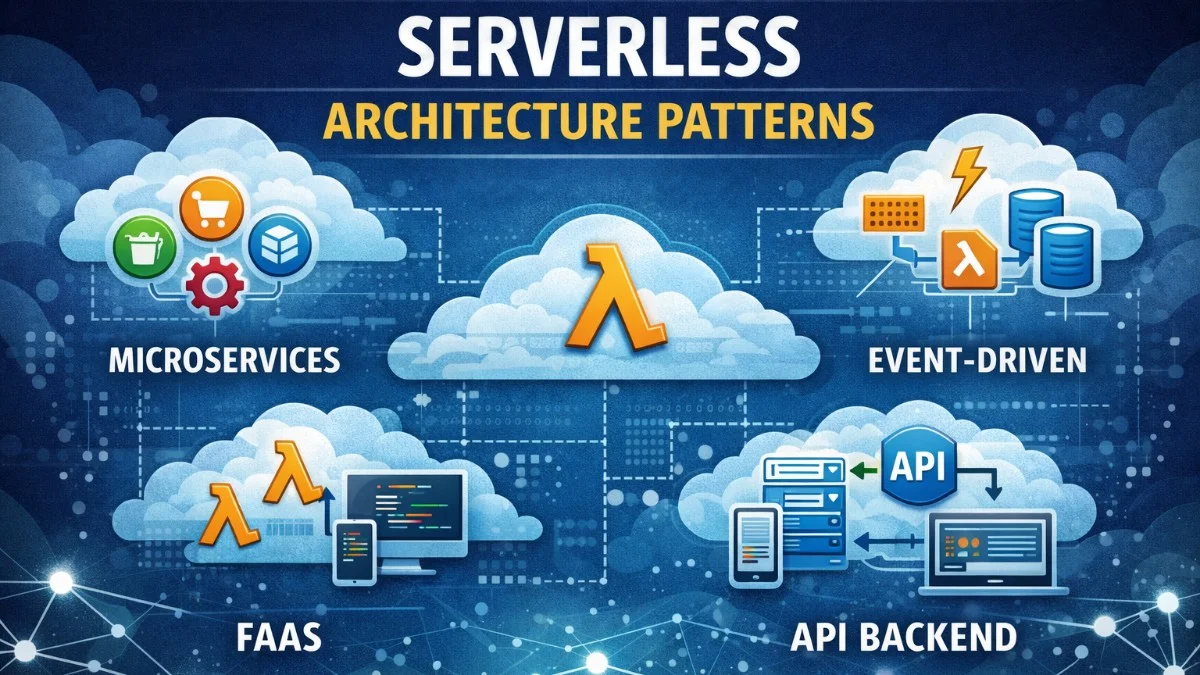
Serverless computing abstracts infrastructure management, letting you focus on code. But "serverless" doesn't mean "no architecture." This guide covers patterns for building robust serverless applications on platforms like AWS Lambda.
Understanding Serverless
What Serverless Actually Means
Serverless doesn't mean no servers;it means you don't manage them:
- No provisioning: Cloud provider handles capacity
- Pay per use: Charged only when code runs
- Auto-scaling: Scales from zero to thousands automatically
- Event-driven: Functions triggered by events
Function-as-a-Service (FaaS)
The fundamental model of serverless is straightforward: an event triggers your function, the function processes the event statelessly, and returns a response. This simplicity is both its strength and its constraint.
Event → Function → Response
        (stateless)
Each function invocation is independent, stateless, and short-lived.
Core Patterns
Single-Purpose Functions
Each function does one thing. This pattern keeps your functions focused, testable, and independently deployable. When a function has a single responsibility, you can scale, monitor, and debug it in isolation.
The following example demonstrates the single-purpose pattern. Each function handles exactly one type of event, making the code easy to understand and test.
# Good: Single purpose
def handle_order_created(event, context):
    order = parse_order(event)
    send_confirmation_email(order)
    return {"statusCode": 200}

def handle_payment_received(event, context):
    payment = parse_payment(event)
    update_order_status(payment.order_id, "paid")
    return {"statusCode": 200}
In contrast, the following anti-pattern combines multiple responsibilities into one function. This approach becomes harder to maintain and makes it difficult to trace issues when something goes wrong.
# Bad: Multiple responsibilities
def handle_order(event, context):
    if event["type"] == "created":
        # handle creation
    elif event["type"] == "paid":
        # handle payment
    elif event["type"] == "shipped":
        # handle shipping
The multi-responsibility approach also means you cannot scale different operations independently, and a bug in one handler could affect all order processing.
API Gateway Pattern
When building REST APIs with serverless, you define your routes declaratively. The following configuration maps HTTP endpoints to individual Lambda handlers, creating a clean separation between your API surface and your function implementations.
# serverless.yml
functions:
  getUsers:
    handler: handlers/users.list
    events:
      - http:
          path: /users
          method: get
          cors: true

  createUser:
    handler: handlers/users.create
    events:
      - http:
          path: /users
          method: post
          cors: true
Notice how CORS is enabled at the function level. This configuration gives you fine-grained control over which endpoints allow cross-origin requests.
Event-Driven Processing
One of serverless's greatest strengths is handling asynchronous workflows triggered by events. You can chain services together, with each step triggering the next. The diagram below illustrates a typical image processing pipeline where an S3 upload triggers Lambda processing.
S3 Upload → Lambda → Process Image → Save to DynamoDB
                  ↓
            SNS Notification → Email Lambda
Here is how you might implement the image processing function. It iterates through S3 event records, processes each uploaded image, and notifies downstream consumers via SNS.
def process_image(event, context):
    for record in event['Records']:
        bucket = record['s3']['bucket']['name']
        key = record['s3']['object']['key']

        # Download and process
        image = download_from_s3(bucket, key)
        thumbnail = create_thumbnail(image)

        # Save result
        upload_to_s3(bucket, f"thumbnails/{key}", thumbnail)

        # Notify
        sns.publish(
            TopicArn=TOPIC_ARN,
            Message=json.dumps({"key": key, "status": "processed"})
        )
The key insight here is that your function handles multiple records in a single invocation when processing S3 events in batch. Always iterate through event['Records'] rather than assuming a single record.
Cold Starts
Understanding Cold Starts
Cold starts occur when AWS needs to provision a new container to run your function. Understanding this lifecycle helps you optimize for latency-sensitive workloads. The timeline below shows the difference between cold and warm invocations.
First request:  Container Init → Runtime Init → Handler
                (cold start: 100ms - 2s)

Subsequent:     Handler only
                (warm: 1-10ms)
Mitigation Strategies
Provisioned Concurrency:
When you need consistent low-latency responses, provisioned concurrency keeps a specified number of function instances warm and ready to respond immediately. This configuration maintains five warm instances at all times.
functions:
  api:
    handler: handler.main
    provisionedConcurrency: 5  # Keep 5 instances warm
Smaller Packages:
The size of your deployment package directly impacts cold start time. Import only what you need to minimize initialization overhead. Compare these two import approaches.
# Bad: Import everything
import boto3
import pandas
import numpy
import tensorflow

# Good: Import only what's needed
import boto3.dynamodb
Heavy dependencies like TensorFlow can add seconds to your cold start time. Consider whether you truly need them in your Lambda function.
Keep Functions Warm:
A simple scheduled event can keep your function warm by invoking it periodically with a special marker that triggers an early return. The following configuration pings your function every five minutes.
functions:
  api:
    handler: handler.main
    events:
      - schedule:
          rate: rate(5 minutes)
          input:
            warmer: true
Your handler then checks for this marker and returns immediately without performing real work. This pattern avoids running your full business logic on warming requests.
def handler(event, context):
    if event.get("warmer"):
        return {"statusCode": 200, "body": "warm"}
    # Normal processing
This approach is cost-effective but only keeps a single instance warm. For higher concurrency needs, use provisioned concurrency instead.
State Management
Externalize State
Functions are stateless;store state externally. DynamoDB is the natural choice for serverless applications due to its pay-per-request pricing and seamless scaling. The following example shows basic session management with DynamoDB.
# DynamoDB for state
def get_user_session(user_id):
    response = dynamodb.get_item(
        TableName='sessions',
        Key={'user_id': {'S': user_id}}
    )
    return response.get('Item')

def save_user_session(user_id, session_data):
    dynamodb.put_item(
        TableName='sessions',
        Item={
            'user_id': {'S': user_id},
            'data': {'S': json.dumps(session_data)},
            'ttl': {'N': str(int(time.time()) + 3600)}
        }
    )
Notice the TTL attribute, which automatically expires old sessions without requiring cleanup logic in your application.
Step Functions for Workflows
When you need to orchestrate multiple Lambda functions with conditional logic, retries, and error handling, AWS Step Functions provide a visual workflow definition. This YAML defines a state machine that coordinates order processing across multiple services.
# Complex workflow with AWS Step Functions
StartAt: ValidateOrder
States:
  ValidateOrder:
    Type: Task
    Resource: arn:aws:lambda:...:validateOrder
    Next: CheckInventory

  CheckInventory:
    Type: Task
    Resource: arn:aws:lambda:...:checkInventory
    Next: ProcessPayment
    Catch:
      - ErrorEquals: ["OutOfStock"]
        Next: NotifyOutOfStock

  ProcessPayment:
    Type: Task
    Resource: arn:aws:lambda:...:processPayment
    Next: FulfillOrder

  FulfillOrder:
    Type: Task
    Resource: arn:aws:lambda:...:fulfillOrder
    End: true
The Catch block on CheckInventory demonstrates error routing, directing out-of-stock scenarios to a notification handler rather than failing the entire workflow.
Error Handling
Retry Strategies
Lambda automatically retries asynchronous invocations, but you control how your function responds to different error types. Distinguish between transient errors that warrant retries and permanent errors that should not be retried. The following pattern shows how to handle both cases.
def handler(event, context):
    try:
        result = process_event(event)
        return {"statusCode": 200, "body": json.dumps(result)}
    except TransientError as e:
        # Will be retried automatically
        raise e
    except PermanentError as e:
        # Don't retry, send to DLQ
        return {"statusCode": 400, "body": str(e)}
By raising transient errors (like network timeouts), you allow Lambda's built-in retry mechanism to handle temporary failures. Catching permanent errors prevents wasted retry attempts.
Dead Letter Queues
Configure a dead letter queue (DLQ) to capture events that repeatedly fail processing. This prevents data loss and gives you a way to investigate and replay failed events. Add the onError property to send failed events to an SQS queue.
functions:
  processOrder:
    handler: handler.process
    events:
      - sqs:
          arn: arn:aws:sqs:...:orders
    onError: arn:aws:sqs:...:orders-dlq
Idempotency
Because functions may be invoked multiple times for the same event, you must design for idempotency. Use a unique key to track whether processing has already occurred. This pattern stores idempotency keys in DynamoDB to prevent duplicate processing.
def process_payment(event, context):
    idempotency_key = event['idempotencyKey']

    # Check if already processed
    existing = dynamodb.get_item(
        TableName='processed_payments',
        Key={'idempotency_key': {'S': idempotency_key}}
    )

    if existing.get('Item'):
        return existing['Item']['result']

    # Process payment
    result = charge_card(event['amount'])

    # Store result
    dynamodb.put_item(
        TableName='processed_payments',
        Item={
            'idempotency_key': {'S': idempotency_key},
            'result': {'S': json.dumps(result)},
            'ttl': {'N': str(int(time.time()) + 86400)}
        }
    )

    return result
The TTL on processed records ensures old idempotency keys are cleaned up automatically. Choose a TTL that exceeds your maximum retry window.
Database Connections
Connection Pooling Challenges
Lambda creates new connections each invocation. This can quickly exhaust your database's connection limit when running at scale. The following anti-pattern creates a new connection for every request.
# Bad: Connection per invocation
def handler(event, context):
    conn = psycopg2.connect(...)  # New connection each time
    # process
    conn.close()
Solutions
RDS Proxy:
RDS Proxy sits between Lambda and your database, managing connection pooling automatically. Your code connects to the proxy instead of directly to the database, and the proxy efficiently reuses connections.
# Connection pooling handled by RDS Proxy
def handler(event, context):
    conn = psycopg2.connect(
        host="my-proxy.proxy-xxx.region.rds.amazonaws.com",
        # RDS Proxy handles connection pooling
    )
Connection Reuse:
When RDS Proxy is not available, you can reuse connections across warm invocations by storing the connection outside the handler function. This takes advantage of Lambda's container reuse.
# Reuse connection across warm invocations
conn = None

def get_connection():
    global conn
    if conn is None:
        conn = psycopg2.connect(...)
    return conn

def handler(event, context):
    db = get_connection()
    # use db
Be aware that this connection may become stale if your function is not invoked for a while. Consider adding connection validation or try-except logic to handle reconnection.
Observability
Structured Logging
Structured JSON logs make it easy to search and analyze your function's behavior. Include request IDs to correlate logs across invocations. The following example demonstrates proper structured logging.
import json
import logging

logger = logging.getLogger()
logger.setLevel(logging.INFO)

def handler(event, context):
    logger.info(json.dumps({
        "event": "order_received",
        "order_id": event["orderId"],
        "request_id": context.aws_request_id
    }))

    # process...

    logger.info(json.dumps({
        "event": "order_processed",
        "order_id": event["orderId"],
        "duration_ms": duration
    }))
The aws_request_id from the context object is essential for tracing a single invocation through CloudWatch Logs.
X-Ray Tracing
AWS X-Ray provides distributed tracing across your serverless architecture. The SDK automatically instruments AWS SDK calls, and you can add custom subsegments for finer granularity. Use the decorator and context manager syntax to define trace boundaries.
from aws_xray_sdk.core import xray_recorder
from aws_xray_sdk.core import patch_all

patch_all()  # Automatically trace AWS SDK calls

@xray_recorder.capture('process_order')
def process_order(order):
    with xray_recorder.in_subsegment('validate'):
        validate(order)
    with xray_recorder.in_subsegment('save'):
        save_to_db(order)
X-Ray traces give you a service map showing how requests flow through your functions and what latency each step contributes.
Cost Optimization
Right-Size Memory
Lambda pricing depends on memory allocation and execution time. The relationship between memory and CPU is linear, so more memory means more CPU power. Here is how memory affects cost per millisecond.
Memory  | CPU Power | Cost/ms
128 MB  | 1x        | $0.0000000021
512 MB  | 4x        | $0.0000000083
1024 MB | 8x        | $0.0000000167
Sometimes more memory = faster = cheaper:
- 128MB, 1000ms = $0.0021
- 512MB, 200ms = $0.0017 (faster AND cheaper)
Experiment with different memory settings using AWS Lambda Power Tuning to find the optimal configuration for your functions.
Avoid Unnecessary Invocations
When processing messages from SQS, Lambda can batch multiple messages into a single invocation. Process all records in the batch to minimize the number of function invocations. The following loop handles up to ten messages per invocation.
# Batch process SQS messages
def handler(event, context):
    for record in event['Records']:  # Up to 10 messages per invocation
        process_message(record)
Configure your batch size based on your processing time and message volume. Larger batches are more cost-effective but increase the blast radius if your function fails.
Best Practices
- Keep functions focused - One function, one responsibility
- Minimize package size - Faster cold starts
- Use environment variables - Don't hardcode configuration
- Implement idempotency - Functions may be retried
- Handle timeouts - Set appropriate limits (default is 3s)
- Use DLQs - Don't lose failed events
- Monitor cold starts - Track and optimize startup time
- Version your functions - Safe deployments with aliases
Conclusion
Serverless simplifies operations but requires thoughtful architecture. Design for statelessness, handle cold starts appropriately, and embrace event-driven patterns. The pay-per-use model rewards efficient, well-designed functions. Start simple, measure everything, and optimize based on real usage patterns.