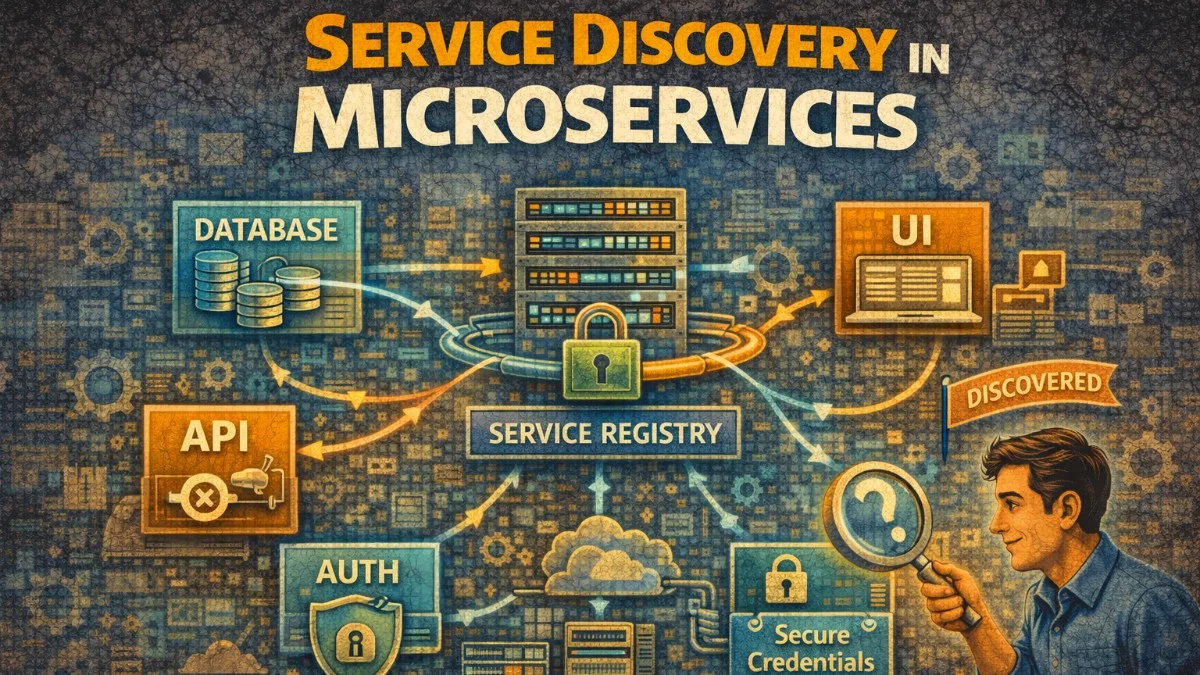
Service discovery enables services to find and communicate with each other dynamically. In distributed systems where services scale up and down, hard-coded addresses don't work. Here's how to implement service discovery effectively.
Why Service Discovery?
The Problem
In dynamic environments, services start and stop frequently. Manual configuration can't keep up with the pace of change in modern infrastructure. The contrast between traditional static configuration and service discovery illustrates why this capability is essential for modern architectures.
Without service discovery:
- Hard-coded IPs that change when services restart
- Manual configuration updates
- No automatic failover
- Can't scale dynamically

With service discovery:
- Services register themselves
- Clients discover services by name
- Automatic removal of unhealthy instances
- Dynamic scaling just works
Discovery Patterns
There are two main approaches to service discovery. Each has trade-offs in terms of complexity, performance, and client requirements. Understanding these patterns helps you choose the right approach for your architecture.
Client-side discovery:
Client → Registry → Get addresses → Client calls service directly

Server-side discovery:
Client → Load Balancer → Registry → Route to service
Client-side discovery gives you more control and eliminates the load balancer as a potential bottleneck, but requires smarter clients. Server-side discovery keeps clients simple but adds infrastructure complexity.
DNS-Based Discovery
Kubernetes DNS
Kubernetes provides built-in service discovery through DNS. When you create a Service, Kubernetes automatically creates DNS records that resolve to the service's ClusterIP. This approach is elegant because it requires no special client libraries or configuration.
The following Service definition creates DNS records that allow any pod in the cluster to reach your service by name.
# Service creates DNS records automatically
apiVersion: v1
kind: Service
metadata:
  name: user-service
  namespace: production
spec:
  selector:
    app: user-service
  ports:
    - port: 80
      targetPort: 8080

# DNS records created:
# user-service.production.svc.cluster.local → ClusterIP
# user-service.production.svc → ClusterIP
# user-service → ClusterIP (within same namespace)
Notice that Kubernetes creates multiple DNS names with varying levels of specificity. Within the same namespace, you can use just the service name for simplicity.
Your application code doesn't need to know about service discovery at all. Just use the service name, and DNS handles the resolution. This simplicity is one of Kubernetes' greatest strengths.
# Application code - just use service name
import requests

def get_user(user_id: str):
    # DNS resolves to service ClusterIP
    response = requests.get(f"http://user-service/users/{user_id}")
    return response.json()
Headless Services
For stateful workloads where you need to connect to specific pods, headless services return individual pod IPs instead of a single ClusterIP. You'll use this pattern for databases, caches, and other stateful systems where clients need to distinguish between instances.
# Headless service returns pod IPs directly
apiVersion: v1
kind: Service
metadata:
  name: database
spec:
  clusterIP: None  # Headless
  selector:
    app: postgres
  ports:
    - port: 5432

# DNS returns individual pod IPs:
# database.default.svc.cluster.local → Pod IP 1, Pod IP 2, Pod IP 3
# Useful for stateful workloads where client needs to connect to specific pods
The key difference is clusterIP: None, which tells Kubernetes not to allocate a virtual IP. Instead, DNS queries return all pod IPs directly.
Database replication and leader election scenarios often use headless services to address specific replicas directly. This allows clients to route writes to the primary and reads to replicas.
AWS Cloud Map
AWS Cloud Map integrates service discovery with ECS and other AWS services. It creates DNS records in a private hosted zone that your services query. This Terraform configuration shows how to set up Cloud Map for an ECS service.
# Terraform - AWS Cloud Map
resource "aws_service_discovery_private_dns_namespace" "main" {
  name = "internal.example.com"
  vpc  = aws_vpc.main.id
}

resource "aws_service_discovery_service" "user_service" {
  name = "user-service"

  dns_config {
    namespace_id = aws_service_discovery_private_dns_namespace.main.id

    dns_records {
      ttl  = 10
      type = "A"
    }

    routing_policy = "MULTIVALUE"  # Return all healthy instances
  }

  health_check_custom_config {
    failure_threshold = 1
  }
}

# ECS service registers automatically
resource "aws_ecs_service" "user_service" {
  name            = "user-service"
  cluster         = aws_ecs_cluster.main.id
  task_definition = aws_ecs_task_definition.user_service.arn

  service_registries {
    registry_arn = aws_service_discovery_service.user_service.arn
  }
}

# Applications use DNS:
# user-service.internal.example.com
The MULTIVALUE routing policy returns all healthy instances, enabling client-side load balancing. The short TTL ensures clients see new instances quickly. When ECS scales your service, Cloud Map automatically updates DNS records.
Consul Service Discovery
Service Registration
Consul uses agents running on each node to register services and perform health checks. This JSON configuration defines a service with an HTTP health check. You can place this file in Consul's config directory for automatic registration on agent startup.
// consul-service.json
{
  "service": {
    "name": "user-service",
    "id": "user-service-1",
    "port": 8080,
    "tags": ["v1", "production"],
    "meta": {
      "version": "1.2.3",
      "protocol": "http"
    },
    "check": {
      "http": "http://localhost:8080/health",
      "interval": "10s",
      "timeout": "5s"
    }
  }
}
The tags and meta fields let you add arbitrary metadata that clients can use for routing decisions. For example, you might route traffic based on version tags during a canary deployment.
Services can also register programmatically using the Consul API or client libraries. This is useful when service details aren't known until runtime.
# Register via API
curl -X PUT -d @consul-service.json \
  http://consul:8500/v1/agent/service/register
Service Discovery
Consul clients query the catalog or health endpoints to find available service instances. This Go example shows client-side service discovery with random load balancing. You'll typically wrap this in a client library that handles caching and connection pooling.
// Go client with Consul
import (
    "github.com/hashicorp/consul/api"
)

type ServiceDiscovery struct {
    client *api.Client
}

func (sd *ServiceDiscovery) GetHealthyInstances(serviceName string) ([]*api.ServiceEntry, error) {
    entries, _, err := sd.client.Health().Service(serviceName, "", true, nil)
    if err != nil {
        return nil, err
    }
    return entries, nil
}

func (sd *ServiceDiscovery) GetServiceURL(serviceName string) (string, error) {
    entries, err := sd.GetHealthyInstances(serviceName)
    if err != nil || len(entries) == 0 {
        return "", fmt.Errorf("no healthy instances of %s", serviceName)
    }

    // Simple round-robin (in practice, use proper load balancing)
    entry := entries[rand.Intn(len(entries))]
    return fmt.Sprintf("http://%s:%d", entry.Service.Address, entry.Service.Port), nil
}

// Usage
url, err := discovery.GetServiceURL("user-service")
if err != nil {
    return err
}
resp, err := http.Get(url + "/users/123")
Notice the true parameter in Health().Service() which filters for only passing health checks. In production, cache the service list and refresh it periodically rather than querying Consul for every request.
Consul DNS Interface
Consul also exposes service discovery through DNS, which means any application that can do DNS lookups can discover services without Consul-specific client code. This approach works well when you can't modify application code or when using off-the-shelf software.
# Consul provides DNS interface
# Query for healthy instances
dig @consul user-service.service.consul

# Query for specific tag
dig @consul v1.user-service.service.consul

# In application - just use DNS
curl http://user-service.service.consul:8080/users/123
Consul Connect (Service Mesh)
For encrypted service-to-service communication, Consul Connect provides a service mesh with automatic mTLS. Sidecar proxies handle encryption transparently. This configuration defines a service that communicates with a database through the mesh.
# Sidecar proxy for mTLS and service mesh
service {
  name = "user-service"
  port = 8080

  connect {
    sidecar_service {
      proxy {
        upstreams {
          destination_name = "database"
          local_bind_port  = 5432
        }
      }
    }
  }
}

# Application connects to localhost:5432
# Consul proxy handles routing and mTLS
Your application connects to localhost, and the sidecar proxy handles service discovery, load balancing, and encryption. This keeps your application code simple and security concerns out of your application logic.
etcd Service Discovery
Registration
etcd provides a distributed key-value store that can serve as a service registry. The lease mechanism ensures stale registrations are automatically removed. This pattern is commonly used in Kubernetes, which uses etcd as its backing store.
The following Go code demonstrates how to register a service with a lease that expires if not renewed.
// etcd-based service registration
import (
    clientv3 "go.etcd.io/etcd/client/v3"
)

type EtcdRegistry struct {
    client *clientv3.Client
    lease  clientv3.LeaseID
}

func (r *EtcdRegistry) Register(serviceName, instanceID, address string) error {
    // Create lease for TTL
    lease, err := r.client.Grant(context.Background(), 30) // 30 second TTL
    if err != nil {
        return err
    }
    r.lease = lease.ID

    // Register service with lease
    key := fmt.Sprintf("/services/%s/%s", serviceName, instanceID)
    value := fmt.Sprintf(`{"address": "%s", "port": 8080}`, address)

    _, err = r.client.Put(context.Background(), key, value, clientv3.WithLease(lease.ID))
    if err != nil {
        return err
    }

    // Keep lease alive
    ch, err := r.client.KeepAlive(context.Background(), lease.ID)
    if err != nil {
        return err
    }

    go func() {
        for range ch {
            // Lease renewed
        }
    }()

    return nil
}

func (r *EtcdRegistry) Deregister(serviceName, instanceID string) error {
    key := fmt.Sprintf("/services/%s/%s", serviceName, instanceID)
    _, err := r.client.Delete(context.Background(), key)
    return err
}
The KeepAlive goroutine renews the lease periodically. If the service crashes, the lease expires and etcd automatically removes the registration. This self-healing behavior is crucial for reliable service discovery.
Discovery with Watch
etcd's watch feature enables real-time updates when services register or deregister. This eliminates polling and ensures clients have current service lists. You'll use this pattern when service changes need to propagate immediately.
func (r *EtcdRegistry) Watch(serviceName string, callback func([]ServiceInstance)) {
    prefix := fmt.Sprintf("/services/%s/", serviceName)

    // Initial fetch
    resp, _ := r.client.Get(context.Background(), prefix, clientv3.WithPrefix())
    instances := parseInstances(resp)
    callback(instances)

    // Watch for changes
    watchCh := r.client.Watch(context.Background(), prefix, clientv3.WithPrefix())

    go func() {
        for watchResp := range watchCh {
            for _, event := range watchResp.Events {
                switch event.Type {
                case clientv3.EventTypePut:
                    // Instance added or updated
                case clientv3.EventTypeDelete:
                    // Instance removed
                }
            }

            // Refresh full list
            resp, _ := r.client.Get(context.Background(), prefix, clientv3.WithPrefix())
            instances := parseInstances(resp)
            callback(instances)
        }
    }()
}
The callback pattern lets you update a local cache whenever the service list changes. This approach provides the lowest latency for service discovery updates.
Health Checking
Active Health Checks
Health checks verify that services can actually handle requests. Return detailed status when healthy, and appropriate error codes when dependencies are down. This allows load balancers and service meshes to route around problems.
// Health check endpoint
func healthHandler(w http.ResponseWriter, r *http.Request) {
    // Check dependencies
    checks := map[string]bool{
        "database": checkDatabase(),
        "cache":    checkRedis(),
        "disk":     checkDiskSpace(),
    }

    allHealthy := true
    for _, healthy := range checks {
        if !healthy {
            allHealthy = false
            break
        }
    }

    if allHealthy {
        w.WriteHeader(http.StatusOK)
        json.NewEncoder(w).Encode(map[string]interface{}{
            "status": "healthy",
            "checks": checks,
        })
    } else {
        w.WriteHeader(http.StatusServiceUnavailable)
        json.NewEncoder(w).Encode(map[string]interface{}{
            "status": "unhealthy",
            "checks": checks,
        })
    }
}
Including individual check results in the response helps with debugging. Operations teams can quickly see which dependency is causing problems.
Kubernetes Probes
Kubernetes supports three types of probes, each serving a different purpose. Using them correctly ensures smooth deployments and reliable self-healing. Misconfiguring probes is a common source of deployment issues.
apiVersion: apps/v1
kind: Deployment
spec:
  template:
    spec:
      containers:
        - name: app
          livenessProbe:
            httpGet:
              path: /health/live
              port: 8080
            initialDelaySeconds: 10
            periodSeconds: 10
            failureThreshold: 3

          readinessProbe:
            httpGet:
              path: /health/ready
              port: 8080
            initialDelaySeconds: 5
            periodSeconds: 5
            failureThreshold: 3

          startupProbe:
            httpGet:
              path: /health/startup
              port: 8080
            failureThreshold: 30
            periodSeconds: 10
The initialDelaySeconds gives your application time to start before probes begin. The failureThreshold determines how many consecutive failures trigger action.
Implement each probe to check what it's actually asking. Liveness checks if the process is alive. Readiness checks if it can handle traffic. Startup gives slow-starting apps time to initialize. Getting these right prevents unnecessary restarts while ensuring traffic only reaches healthy instances.
// Different health endpoints for different purposes
func livenessHandler(w http.ResponseWriter, r *http.Request) {
    // Is the process alive?
    w.WriteHeader(http.StatusOK)
}

func readinessHandler(w http.ResponseWriter, r *http.Request) {
    // Can we handle traffic?
    if dbConnected && cacheConnected && !shuttingDown {
        w.WriteHeader(http.StatusOK)
    } else {
        w.WriteHeader(http.StatusServiceUnavailable)
    }
}

func startupHandler(w http.ResponseWriter, r *http.Request) {
    // Has initialization completed?
    if initialized {
        w.WriteHeader(http.StatusOK)
    } else {
        w.WriteHeader(http.StatusServiceUnavailable)
    }
}
Keep liveness checks simple. A liveness probe that checks external dependencies can cause cascading failures when those dependencies have issues.
Client-Side Load Balancing
gRPC with Consul
gRPC supports client-side load balancing natively. Register a custom resolver that queries your service registry, and gRPC handles the rest. This gives you fine-grained control over load balancing without external infrastructure.
import (
    "google.golang.org/grpc"
    "google.golang.org/grpc/resolver"
    _ "github.com/hashicorp/consul/api/grpc" // Register consul resolver
)

// Register consul resolver
resolver.Register(consulResolver)

// Connect with client-side load balancing
conn, err := grpc.Dial(
    "consul://user-service",
    grpc.WithDefaultServiceConfig(`{"loadBalancingPolicy":"round_robin"}`),
    grpc.WithInsecure(),
)

// Client automatically discovers and load balances across instances
client := pb.NewUserServiceClient(conn)
The round-robin policy distributes requests evenly. Other policies like pick_first or custom weighted algorithms are also available. The connection automatically adapts as services scale up or down.
HTTP Client with Service Discovery
For HTTP clients, wrap your HTTP client to perform service discovery before each request. Cache the service list to avoid discovery latency on every call. This pattern works with any HTTP client library.
type DiscoveryHTTPClient struct {
    discovery ServiceDiscovery
    client    *http.Client
}

func (c *DiscoveryHTTPClient) Get(serviceName, path string) (*http.Response, error) {
    // Get healthy instances
    instances, err := c.discovery.GetHealthyInstances(serviceName)
    if err != nil || len(instances) == 0 {
        return nil, fmt.Errorf("no instances available for %s", serviceName)
    }

    // Simple round-robin
    instance := instances[rand.Intn(len(instances))]
    url := fmt.Sprintf("http://%s:%d%s", instance.Address, instance.Port, path)

    return c.client.Get(url)
}

// Usage
resp, err := client.Get("user-service", "/users/123")
In production, maintain a local cache of service instances and refresh it in the background. This avoids discovery overhead on the critical path while ensuring reasonably current service information.
Graceful Shutdown
When a service shuts down, it must deregister from service discovery before stopping. This prevents other services from sending requests to a dying instance. The shutdown sequence is critical for zero-downtime deployments.
func main() {
    // Register service
    registry := NewServiceRegistry()
    registry.Register("my-service", "instance-1", "10.0.0.1:8080")

    // Start server
    server := &http.Server{Addr: ":8080"}
    go server.ListenAndServe()

    // Wait for shutdown signal
    quit := make(chan os.Signal, 1)
    signal.Notify(quit, syscall.SIGINT, syscall.SIGTERM)
    <-quit

    // Graceful shutdown
    log.Println("Shutting down...")

    // 1. Mark as not ready (stop receiving new traffic)
    isReady.Store(false)

    // 2. Deregister from service discovery
    registry.Deregister("my-service", "instance-1")

    // 3. Wait for in-flight requests
    time.Sleep(5 * time.Second)

    // 4. Shutdown server
    ctx, cancel := context.WithTimeout(context.Background(), 30*time.Second)
    defer cancel()
    server.Shutdown(ctx)

    log.Println("Shutdown complete")
}
The sleep before server shutdown gives time for service discovery caches and load balancers to remove this instance from their pools. Without this delay, you'll see connection errors during deployments.
Conclusion
Service discovery is essential for dynamic distributed systems. DNS-based discovery (Kubernetes DNS, Cloud Map) is simple and works well for most cases. Consul provides advanced features like health checking, service mesh, and cross-datacenter discovery. etcd offers strong consistency for critical coordination. Implement health checks that accurately reflect service readiness, use client-side load balancing for better resilience, and ensure graceful shutdown to prevent dropped connections. The right choice depends on your infrastructure, but all approaches share the goal of decoupling service location from service identity.