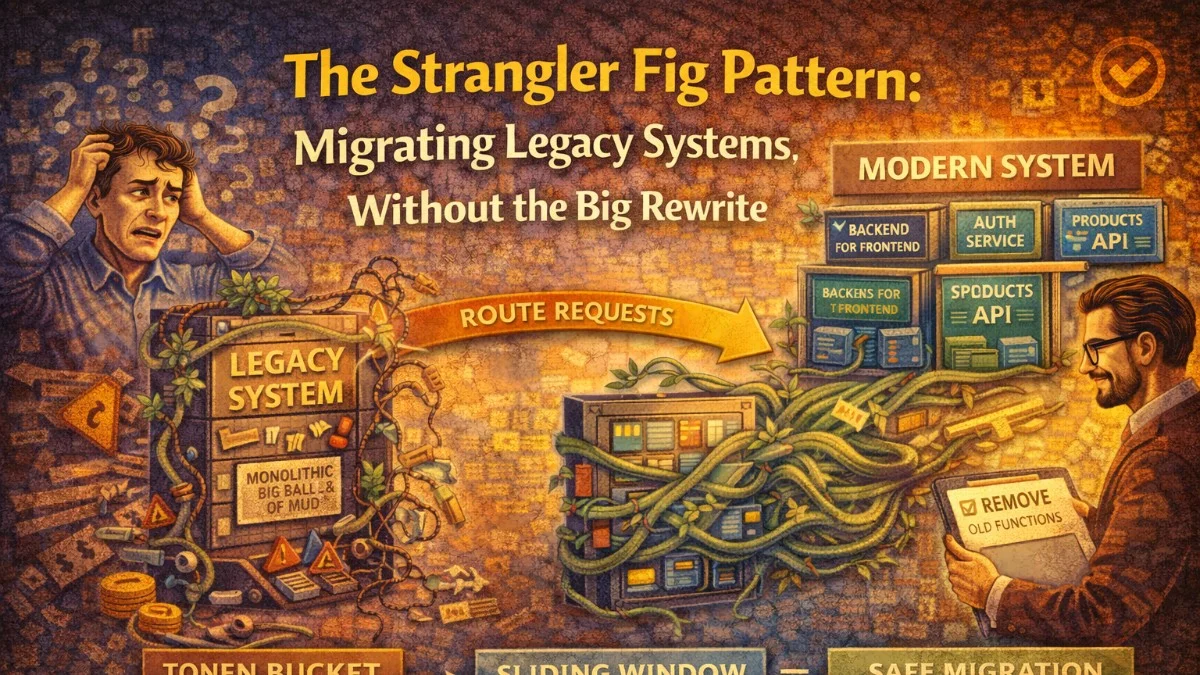
In 2001, Martin Fowler described a migration pattern inspired by the strangler fig tree, which grows around a host tree and eventually replaces it entirely. He called it the strangler fig application. More than twenty years later, it remains the most reliable approach to modernizing legacy systems.
The alternative — the "big bang" rewrite — has an ugly track record. Netscape's complete rewrite of Navigator in 1997 took three years, cost hundreds of millions of dollars, and the resulting product lost significant market share to Internet Explorer. You've probably heard similar stories from teams in your own organization.
The strangler fig pattern avoids this by making migration incremental. You run old and new systems side by side, migrating one slice of functionality at a time until the old system has no responsibilities left and can be decommissioned.
How It Works
The pattern has three recurring steps:
- Intercept: Put a facade (router/proxy) in front of the old system that can direct traffic to either the old or new implementation.
- Implement: Build the new implementation for a specific feature or domain in the modern system.
- Switch: Once the new implementation is ready and tested, route traffic for that feature to the new system.
Repeat until there's nothing left to route to the old system.
           ┌──────────────┐
  Client → │   Facade /   │ → Legacy System (handles most routes)
           │   Router     │
           │              │ → New System (handles migrated routes)
           └──────────────┘
The facade is the key. It's the seam that lets you shift traffic without the client knowing or caring which backend is responding.
Identifying the Seam
The most important architectural decision is where to put the facade. You need a point in the system where you can intercept all requests and make routing decisions.
Common seam locations:
HTTP reverse proxy: Nginx, HAProxy, or AWS ALB can route based on URL path, headers, or query parameters. This works when the legacy system is a web application.
location /api/v2/orders {
    # Migrated: route to new service
    proxy_pass http://new-order-service:8080;
}

location /api/v2/invoices {
    # Not yet migrated: route to legacy
    proxy_pass http://legacy-system:3000;
}

location /api/v2/ {
    # Default: everything else goes to legacy
    proxy_pass http://legacy-system:3000;
}
API Gateway: AWS API Gateway, Kong, or similar tools provide routing with additional capabilities like authentication, rate limiting, and monitoring.
Code-level facade: When you don't control the infrastructure or when the legacy system is an internal library, wrap it in a facade object:
interface CustomerRepository
{
    public function findById(string $id): ?Customer;
    public function findByEmail(string $email): ?Customer;
    public function save(Customer $customer): void;
}

class StranglerFigCustomerRepository implements CustomerRepository
{
    public function __construct(
        private readonly LegacyCustomerService $legacy,
        private readonly NewCustomerRepository $modern,
        private readonly MigrationFlag $flags,
    ) {}

    public function findById(string $id): ?Customer
    {
        if ($this->flags->isEnabled('customer_reads_migrated')) {
            return $this->modern->findById($id);
        }

        return $this->legacy->getCustomerById($id);
    }

    public function save(Customer $customer): void
    {
        if ($this->flags->isEnabled('customer_writes_migrated')) {
            $this->modern->save($customer);
        } else {
            $this->legacy->updateCustomer($customer->toLegacyFormat());
        }
    }
}
This facade uses feature flags to control which implementation handles each operation. It can be configured per-environment, per-user, or rolled out gradually.
Planning the Migration Sequence
Not all parts of a legacy system are equal. Some modules are stable, rarely touched, and have clear boundaries. Others are deeply coupled, change frequently, or carry significant risk.
A practical sequencing approach:
Start with the edges, not the core: Peripheral features with few dependencies are safer to migrate first. Authentication, reporting endpoints, and public read-only APIs are common starting points. They let you build experience with the pattern before tackling the messy core.
Migrate by business capability: Group functionality that belongs together from a business perspective. Don't split a workflow across old and new systems if you can avoid it; it creates complex data consistency problems.
Sort by risk and dependency:
Priority 1 (Migrate First):
  - Low coupling, low traffic, stable requirements
  - Example: Static content endpoints, public API read endpoints

Priority 2:
  - Medium coupling, moderate traffic, clear bounded context
  - Example: User profile management, notification delivery

Priority 3 (Migrate Last):
  - High coupling, high traffic, fuzzy boundaries
  - Example: Core order processing, billing logic, auth session management
Handling Data During Migration
The most common sticking point is data. Legacy systems often have a monolithic database that the new system cannot use directly. You have several options:
Option 1: Shared Database (Short-term only)
During an early migration phase, the new service reads and writes the same legacy database. This is the fastest way to get started but creates coupling you'll need to eliminate later.
// New order service reads from legacy DB
$order = DB::connection('legacy')->table('tbl_ord')
    ->where('ord_id', $id)
    ->first();

// Map to modern domain model
return new Order(
    id: OrderId::from($order->ord_id),
    customerId: CustomerId::from($order->cust_id),
    total: Money::fromCents($order->ord_total_cents, $order->currency),
);
Use the shared database as a stepping stone, not a destination.
Option 2: Event-Based Synchronization
The legacy system publishes change events (via triggers, polling, or code changes). The new system maintains its own database, kept in sync via these events.
Legacy DB → Change Data Capture → Kafka → New Service DB
                (Debezium)                  (Postgres)
Change Data Capture (CDC) tools like Debezium can read the legacy database's transaction log and publish events without requiring code changes to the legacy system. This is powerful for systems where you can't or won't modify the legacy code.
Option 3: Dual Write
During the transition, the application writes to both the legacy and new data stores. Reads come from the new store if possible, falling back to legacy.
The same expand-contract pattern used for database migrations applies here. Once the new store is verified as complete and accurate, stop writing to legacy.
public function saveOrder(Order $order): void
{
    // Always write to legacy during transition
    $this->legacyService->saveOrder($order->toLegacyFormat());

    // Also write to new DB if migration flag is active
    if ($this->flags->isEnabled('order_new_db_writes')) {
        $this->newOrderRepository->save($order);
    }
}
Feature Flags as Migration Controls
Feature flags are an essential tool in strangler fig migrations. They let you:
- Enable the new implementation for internal users first
- Roll out to 1% of traffic, then 10%, then 100%
- Instantly roll back if problems are detected
- Run both implementations in parallel and compare results
Parallel running (also called dark launching or shadow mode) is especially valuable:
public function findCustomer(string $id): ?Customer
{
    $legacyResult = $this->legacy->findCustomer($id);

    if ($this->flags->isEnabled('customer_shadow_mode')) {
        // Run new implementation in parallel but don't use the result
        try {
            $newResult = $this->modern->findById($id);
            $this->recordComparison('findCustomer', $legacyResult, $newResult);
        } catch (Throwable $e) {
            $this->logger->error('Shadow mode failure', [
                'method' => 'findCustomer',
                'error' => $e->getMessage(),
            ]);
        }
    }

    return $legacyResult; // Always return legacy result during shadow mode
}

private function recordComparison(string $method, mixed $expected, mixed $actual): void
{
    $matches = $this->compare($expected, $actual);

    $this->metrics->increment("strangler.comparison.{$method}", [
        'result' => $matches ? 'match' : 'mismatch',
    ]);

    if (!$matches) {
        $this->logger->warning('Shadow mode mismatch', [
            'method' => $method,
            'expected' => $expected,
            'actual' => $actual,
        ]);
    }
}
Shadow mode lets you validate the new implementation against 100% of real production traffic before routing any of that traffic to it. Mismatches in the logs reveal edge cases your tests didn't cover.
Monitoring the Migration
Track key metrics throughout the migration:
- Error rates: Compare error rates between legacy and new implementations per endpoint.
- Latency: Verify the new implementation doesn't regress performance.
- Parity percentage: What fraction of traffic has been migrated?
- Rollback count: How often are you rolling back? Frequent rollbacks indicate your slices are too large.
# Grafana dashboard panels for migration tracking
- panel: "Traffic by Backend"
  query: sum(rate(http_requests_total[5m])) by (backend)
  # Shows: legacy=1240/s, new=60/s (5% migrated)

- panel: "Error Rate by Backend"
  query: sum(rate(http_errors_total[5m])) by (backend)
  # Verify new is not worse than legacy

- panel: "Migration Progress"
  query: count(migrated_routes) / count(total_routes) * 100
Common Pitfalls
Slices that are too large: The more functionality you try to migrate at once, the higher the risk of each deployment. If your migration slices take more than a sprint to complete, break them down further.
Neglecting the facade: Teams sometimes treat the proxy or facade as temporary infrastructure and let it become a mess of unmaintainable routing rules. The facade is load-bearing code during the migration; keep it clean.
Forgetting the decommission: The migration isn't done until the old system is turned off. Teams often migrate 80% and then lose momentum. Pre-commit to a decommission date for each legacy component and hold to it.
Data consistency during dual writes: When both systems write, you need clear rules about which is authoritative during each phase and what happens when they disagree.
When Not to Use It
The strangler fig pattern requires that there's a viable seam to intercept. Some systems resist this:
- Deeply embedded systems where you can't put a proxy in front
- Systems with such global shared state that partial migration causes incoherence
- Very small systems where a clean rewrite would take less time than setting up the migration infrastructure
For these cases, the "branch by abstraction" pattern (introducing abstractions in the existing codebase that allow safe replacement) may be more appropriate.
Summary
The strangler fig pattern works because it never asks you to bet everything on a big rewrite. Each slice is small enough to validate and roll back if needed. The system is always running. Users see continuous improvement rather than a multi-year pause followed by a new system that may or may not be better.
The key discipline is to keep slices small, instrument everything, and treat the facade as a first-class architectural component rather than a temporary hack.
Tackling complex architecture decisions? We help teams build systems that last. scopeforged.com


