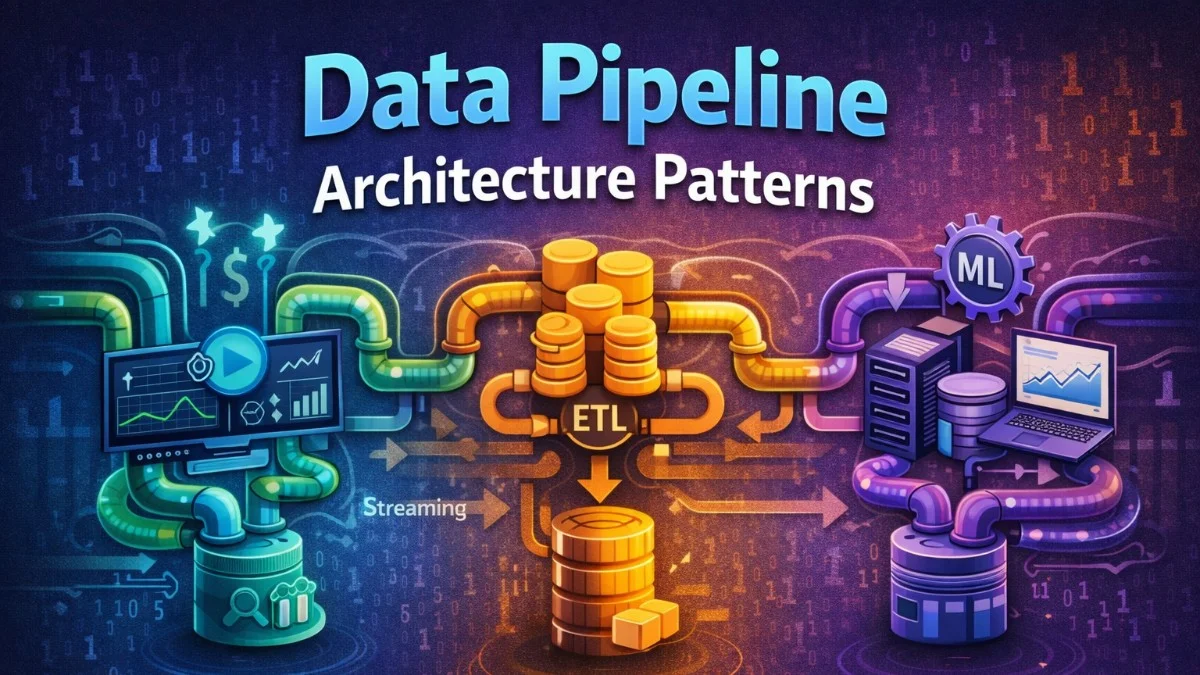
Data pipelines move and transform data between systems. Whether you're building ETL for analytics, real-time streaming, or data synchronization, robust pipeline architecture is essential for reliability and maintainability.
Pipeline Patterns
Batch vs Streaming
The choice between batch and streaming processing depends on your latency requirements and the nature of your data. Most organizations use both patterns for different use cases.
Batch Processing:
├── Process data in scheduled intervals
├── Higher latency (minutes to hours)
├── Simpler to implement
├── Better for historical analysis
└── Examples: Daily reports, data warehouse loads

Streaming Processing:
├── Process data as it arrives
├── Low latency (seconds to milliseconds)
├── More complex infrastructure
├── Better for real-time dashboards
└── Examples: Fraud detection, live metrics
ETL vs ELT
Modern data stacks have shifted from traditional ETL to ELT, where raw data lands in the warehouse first and transforms happen using the warehouse's compute power.
ETL (Extract, Transform, Load):
Source → Transform (external) → Load to destination
- Transform before loading
- Less storage needed
- Slower iteration on transformations

ELT (Extract, Load, Transform):
Source → Load to destination → Transform (in warehouse)
- Load raw data first
- Transform using warehouse compute
- Faster iteration, more flexibility
- Modern data stack approach
Orchestration with Airflow
DAG Definition
Apache Airflow orchestrates complex data workflows as directed acyclic graphs (DAGs). This example shows a daily ETL pipeline with extraction, validation, loading, and transformation stages.
The following Airflow DAG defines a complete daily sales pipeline. You'll notice the task dependencies form a chain from extraction through to final aggregation, with built-in retry logic and email alerts on failure.
# dags/daily_etl.py
from airflow import DAG
from airflow.operators.python import PythonOperator
from airflow.providers.postgres.operators.postgres import PostgresOperator
from airflow.providers.amazon.aws.transfers.s3_to_redshift import S3ToRedshiftOperator
from datetime import datetime, timedelta

default_args = {
    'owner': 'data-team',
    'depends_on_past': False,
    'email_on_failure': True,
    'email': ['data-alerts@example.com'],
    'retries': 3,
    'retry_delay': timedelta(minutes=5),
}

with DAG(
    'daily_sales_etl',
    default_args=default_args,
    description='Daily sales data pipeline',
    schedule_interval='0 6 * * *',  # 6 AM daily
    start_date=datetime(2024, 1, 1),
    catchup=False,
    tags=['etl', 'sales'],
) as dag:

    extract_orders = PythonOperator(
        task_id='extract_orders',
        python_callable=extract_orders_to_s3,
        op_kwargs={
            'date': '{{ ds }}',
            'bucket': 'data-lake-raw',
        },
    )

    validate_data = PythonOperator(
        task_id='validate_data',
        python_callable=validate_order_data,
        op_kwargs={
            'date': '{{ ds }}',
        },
    )

    load_to_staging = S3ToRedshiftOperator(
        task_id='load_to_staging',
        schema='staging',
        table='orders',
        s3_bucket='data-lake-raw',
        s3_key='orders/{{ ds }}/data.parquet',
        copy_options=['FORMAT AS PARQUET'],
    )

    transform_data = PostgresOperator(
        task_id='transform_data',
        postgres_conn_id='redshift',
        sql='sql/transform_orders.sql',
        params={'date': '{{ ds }}'},
    )

    update_aggregates = PostgresOperator(
        task_id='update_aggregates',
        postgres_conn_id='redshift',
        sql='sql/update_sales_aggregates.sql',
    )

    # Define dependencies
    extract_orders >> validate_data >> load_to_staging >> transform_data >> update_aggregates
The {{ ds }} template variable automatically substitutes the execution date. This makes it easy to backfill historical data by triggering the DAG with past dates.
Dynamic DAGs
When you have multiple similar data sources, you can generate DAGs programmatically rather than writing them by hand. This pattern keeps your codebase DRY and makes it easy to add new sources.
The following example generates separate DAGs for each data source in a configuration list. You'll add new sources by simply adding entries to the DATA_SOURCES list rather than writing new DAG files.
# dags/dynamic_source_etl.py
from airflow import DAG
from airflow.operators.python import PythonOperator

# Configuration for multiple data sources
DATA_SOURCES = [
    {'name': 'mysql_orders', 'conn_id': 'mysql_prod', 'table': 'orders'},
    {'name': 'postgres_users', 'conn_id': 'postgres_prod', 'table': 'users'},
    {'name': 'api_products', 'conn_id': 'http_product_api', 'endpoint': '/products'},
]

def create_dag(source_config):
    dag_id = f"etl_{source_config['name']}"

    with DAG(
        dag_id,
        schedule_interval='@hourly',
        start_date=datetime(2024, 1, 1),
        catchup=False,
    ) as dag:

        extract = PythonOperator(
            task_id='extract',
            python_callable=extract_from_source,
            op_kwargs={'config': source_config},
        )

        load = PythonOperator(
            task_id='load',
            python_callable=load_to_warehouse,
            op_kwargs={'source': source_config['name']},
        )

        extract >> load

    return dag

# Generate DAGs dynamically
for source in DATA_SOURCES:
    globals()[f"etl_{source['name']}"] = create_dag(source)
Adding a new data source is as simple as adding an entry to the DATA_SOURCES list. Airflow discovers all generated DAGs automatically.
Data Quality
Validation Framework
Data quality checks should fail fast and provide clear error messages. This custom validator checks schema, nulls, value ranges, and uniqueness.
The following validator class provides comprehensive data quality checks with detailed failure information. You'll catch issues early in your pipeline with clear messages about exactly what went wrong.
# data_quality/validators.py
from great_expectations.core import ExpectationSuite
from great_expectations.dataset import PandasDataset

class OrderDataValidator:
    def __init__(self, df):
        self.dataset = PandasDataset(df)

    def validate(self) -> dict:
        results = {
            'passed': True,
            'failures': [],
        }

        # Schema validation
        expected_columns = ['order_id', 'customer_id', 'total', 'created_at']
        actual_columns = list(self.dataset.columns)
        if set(expected_columns) != set(actual_columns):
            results['passed'] = False
            results['failures'].append({
                'check': 'schema',
                'expected': expected_columns,
                'actual': actual_columns,
            })

        # Null checks
        for col in ['order_id', 'customer_id', 'total']:
            null_count = self.dataset[col].isnull().sum()
            if null_count > 0:
                results['passed'] = False
                results['failures'].append({
                    'check': 'null_check',
                    'column': col,
                    'null_count': null_count,
                })

        # Value range checks
        if (self.dataset['total'] < 0).any():
            results['passed'] = False
            results['failures'].append({
                'check': 'value_range',
                'column': 'total',
                'issue': 'Negative values found',
            })

        # Uniqueness check
        duplicates = self.dataset['order_id'].duplicated().sum()
        if duplicates > 0:
            results['passed'] = False
            results['failures'].append({
                'check': 'uniqueness',
                'column': 'order_id',
                'duplicate_count': duplicates,
            })

        return results
The detailed failure information helps you quickly identify and fix data issues without digging through logs.
Great Expectations Integration
Great Expectations provides a comprehensive data quality framework with declarative expectations. You define what valid data looks like, and the framework validates it automatically.
The following example shows how to run Great Expectations checkpoints from an Airflow task. You'll define expectations in JSON and the framework handles validation, reporting, and alerting.
# dags/tasks/validate_with_ge.py
import great_expectations as gx

def validate_orders_data(date: str) -> bool:
    context = gx.get_context()

    # Load data
    batch_request = {
        'datasource_name': 's3_datasource',
        'data_asset_name': 'orders',
        'batch_identifiers': {'date': date},
    }

    # Run validation
    checkpoint_result = context.run_checkpoint(
        checkpoint_name='orders_checkpoint',
        batch_request=batch_request,
    )

    if not checkpoint_result.success:
        # Get failure details
        for result in checkpoint_result.run_results.values():
            for validation_result in result['validation_result']['results']:
                if not validation_result['success']:
                    print(f"Failed: {validation_result['expectation_config']}")

        raise ValueError(f"Data quality validation failed for {date}")

    return True

# great_expectations/expectations/orders_suite.json
{
    "expectation_suite_name": "orders_suite",
    "expectations": [
        {
            "expectation_type": "expect_column_to_exist",
            "kwargs": {"column": "order_id"}
        },
        {
            "expectation_type": "expect_column_values_to_not_be_null",
            "kwargs": {"column": "order_id"}
        },
        {
            "expectation_type": "expect_column_values_to_be_unique",
            "kwargs": {"column": "order_id"}
        },
        {
            "expectation_type": "expect_column_values_to_be_between",
            "kwargs": {
                "column": "total",
                "min_value": 0,
                "max_value": 1000000
            }
        }
    ]
}
Great Expectations generates documentation and alerts automatically. The expectation suite becomes living documentation of your data contracts.
Error Handling
Retry and Dead Letter
Network issues and transient failures are inevitable. Use retry logic with exponential backoff, and send persistent failures to a dead letter queue for investigation.
The following implementation uses the tenacity library for automatic retries with exponential backoff. You'll catch transient failures automatically while sending persistent failures to a dead letter queue for manual review.
# dags/tasks/robust_extract.py
from tenacity import retry, stop_after_attempt, wait_exponential
import boto3

@retry(
    stop=stop_after_attempt(3),
    wait=wait_exponential(multiplier=1, min=4, max=60),
)
def extract_with_retry(source_config: dict) -> str:
    """Extract data with automatic retry."""
    try:
        data = fetch_data(source_config)
        return upload_to_s3(data)
    except Exception as e:
        log_error(e, source_config)
        raise

def extract_orders_task(**context):
    """Main extraction task with dead letter handling."""
    try:
        result = extract_with_retry(context['params']['config'])
        return result
    except Exception as e:
        # Send to dead letter queue for manual review
        send_to_dlq({
            'task': 'extract_orders',
            'execution_date': context['ds'],
            'error': str(e),
            'config': context['params']['config'],
        })
        raise
The exponential backoff prevents overwhelming downstream systems during recovery. Dead letter queues preserve failed operations for later analysis.
Idempotency
Pipelines fail and get restarted. Every stage must be safe to rerun without creating duplicate or corrupt data.
The following load function uses a delete-then-insert pattern to ensure idempotency. You can safely rerun this function without worrying about duplicate data.
# Ensure pipeline can be safely re-run
def load_orders_idempotent(date: str, data_path: str):
    """Idempotent load - safe to retry."""

    # Use date partitioning for idempotency
    # Delete existing data for date, then insert
    conn = get_warehouse_connection()

    try:
        conn.execute(f"""
            DELETE FROM staging.orders
            WHERE DATE(created_at) = '{date}'
        """)

        conn.execute(f"""
            COPY staging.orders
            FROM '{data_path}'
            IAM_ROLE 'arn:aws:iam::123456789:role/RedshiftCopyRole'
            FORMAT AS PARQUET
        """)

        conn.commit()
    except Exception as e:
        conn.rollback()
        raise
The delete-then-insert pattern ensures you can rerun the load without duplicating data. Wrap both operations in a transaction for atomicity.
Monitoring and Alerting
Pipeline Metrics
Track key metrics for each pipeline stage to identify bottlenecks and failures before users notice. Time-series data helps you spot degradation trends.
The following metrics class provides a consistent interface for recording pipeline performance. You'll track duration, row counts, and failures with tags that enable filtering by pipeline and task.
# monitoring/pipeline_metrics.py
from datadog import statsd
import time

class PipelineMetrics:
    def __init__(self, pipeline_name: str):
        self.pipeline_name = pipeline_name

    def record_task_duration(self, task_name: str, duration: float):
        statsd.histogram(
            'pipeline.task.duration',
            duration,
            tags=[
                f'pipeline:{self.pipeline_name}',
                f'task:{task_name}',
            ]
        )

    def record_rows_processed(self, task_name: str, count: int):
        statsd.gauge(
            'pipeline.rows.processed',
            count,
            tags=[
                f'pipeline:{self.pipeline_name}',
                f'task:{task_name}',
            ]
        )

    def record_failure(self, task_name: str, error_type: str):
        statsd.increment(
            'pipeline.task.failures',
            tags=[
                f'pipeline:{self.pipeline_name}',
                f'task:{task_name}',
                f'error_type:{error_type}',
            ]
        )

# Usage in task
def extract_orders(**context):
    metrics = PipelineMetrics('daily_sales_etl')
    start_time = time.time()

    try:
        rows = do_extraction()
        metrics.record_rows_processed('extract_orders', rows)
    except Exception as e:
        metrics.record_failure('extract_orders', type(e).__name__)
        raise
    finally:
        duration = time.time() - start_time
        metrics.record_task_duration('extract_orders', duration)
Dashboard these metrics with thresholds for alerting. A sudden drop in row counts might indicate upstream issues.
SLA Monitoring
Set clear service level agreements and alert when pipelines miss their deadlines. This ensures stakeholders know when to expect fresh data.
The following Airflow configuration sets SLAs on tasks and triggers a callback when deadlines are missed. You'll provide actionable information in alerts so on-call engineers can quickly triage issues.
# dags/daily_etl.py
from airflow.models import DAG

with DAG(
    'daily_sales_etl',
    sla_miss_callback=notify_sla_miss,
) as dag:

    # Task must complete within 2 hours
    transform_data = PythonOperator(
        task_id='transform_data',
        python_callable=transform,
        sla=timedelta(hours=2),
    )

def notify_sla_miss(dag, task_list, blocking_task_list, slas, blocking_tis):
    """Called when SLA is missed."""
    send_alert(
        channel='#data-alerts',
        message=f"SLA missed for {dag.dag_id}",
        details={
            'tasks': [t.task_id for t in task_list],
            'blocking': [t.task_id for t in blocking_task_list],
        }
    )
Include actionable information in alerts. Which tasks are slow? Which upstream dependencies are blocking?
Streaming Pipelines
Kafka to Data Warehouse
For near-real-time analytics, stream data from Kafka to your warehouse in micro-batches. This pattern balances latency with efficiency.
The following stream processor consumes from Kafka and batches messages before loading to the warehouse. You'll buffer messages until reaching the batch size, then flush and commit offsets atomically.
# streaming/kafka_to_warehouse.py
from kafka import KafkaConsumer
from concurrent.futures import ThreadPoolExecutor
import json

class StreamProcessor:
    def __init__(self, topic: str, batch_size: int = 1000):
        self.consumer = KafkaConsumer(
            topic,
            bootstrap_servers=['kafka:9092'],
            auto_offset_reset='earliest',
            enable_auto_commit=False,
            group_id='warehouse-loader',
            value_deserializer=lambda m: json.loads(m.decode('utf-8')),
        )
        self.batch_size = batch_size
        self.buffer = []

    def process(self):
        for message in self.consumer:
            self.buffer.append(message.value)

            if len(self.buffer) >= self.batch_size:
                self.flush()
                self.consumer.commit()

    def flush(self):
        if not self.buffer:
            return

        # Validate batch
        valid_records = [r for r in self.buffer if self.validate(r)]

        # Load to warehouse
        self.load_batch(valid_records)

        # Clear buffer
        self.buffer = []

    def validate(self, record: dict) -> bool:
        required_fields = ['id', 'timestamp', 'data']
        return all(field in record for field in required_fields)

    def load_batch(self, records: list):
        # Convert to Parquet and upload
        df = pd.DataFrame(records)
        path = f"s3://data-lake/streaming/{datetime.now().isoformat()}.parquet"
        df.to_parquet(path)

        # Trigger warehouse load
        self.trigger_copy(path)
Committing offsets only after successful loads ensures at-least-once delivery. Your load logic must be idempotent to handle potential duplicates.
Flink for Complex Streaming
When you need windowed aggregations or complex event processing, Apache Flink provides powerful streaming primitives.
The following Flink job demonstrates hourly sales aggregation from a Kafka stream. You'll use event-time processing with watermarks to handle late-arriving data and window-based aggregation for time-bucketed metrics.
// Flink streaming job
StreamExecutionEnvironment env = StreamExecutionEnvironment.getExecutionEnvironment();

// Source: Kafka
DataStream<Order> orders = env
    .addSource(new FlinkKafkaConsumer<>("orders", new OrderDeserializer(), kafkaProps))
    .assignTimestampsAndWatermarks(
        WatermarkStrategy.<Order>forBoundedOutOfOrderness(Duration.ofSeconds(30))
            .withTimestampAssigner((order, ts) -> order.getTimestamp())
    );

// Windowed aggregation
DataStream<SalesMetric> hourlySales = orders
    .keyBy(Order::getProductCategory)
    .window(TumblingEventTimeWindows.of(Time.hours(1)))
    .aggregate(new SalesAggregator());

// Sink: Write to data warehouse
hourlySales.addSink(new JdbcSink<>(
    "INSERT INTO hourly_sales (category, hour, total) VALUES (?, ?, ?)",
    (ps, metric) -> {
        ps.setString(1, metric.getCategory());
        ps.setTimestamp(2, metric.getHour());
        ps.setBigDecimal(3, metric.getTotal());
    },
    jdbcOptions
));

env.execute("Hourly Sales Aggregation");
The watermark strategy handles late-arriving data. Records that arrive more than 30 seconds late are dropped, keeping your aggregations eventually consistent.
Best Practices
Design Principles
Follow these principles when designing your data pipelines for maintainability and reliability.
1. Idempotency
   - Safe to re-run any stage
   - Use date partitions for isolation

2. Incremental Processing
   - Process only new/changed data
   - Maintain watermarks/checkpoints

3. Schema Evolution
   - Handle schema changes gracefully
   - Version your schemas

4. Observability
   - Log row counts at each stage
   - Track latency and errors
   - Set up SLA monitoring

5. Data Lineage
   - Track data provenance
   - Document transformations
Conclusion
Robust data pipelines require careful attention to orchestration, data quality, error handling, and monitoring. Use Airflow or similar tools for batch orchestration, implement comprehensive data validation with Great Expectations, and ensure idempotency for safe retries. For streaming, consider Kafka with batch loading or Flink for complex event processing. Monitor pipeline health with metrics and SLA tracking. Well-designed pipelines are the foundation of reliable data infrastructure.

