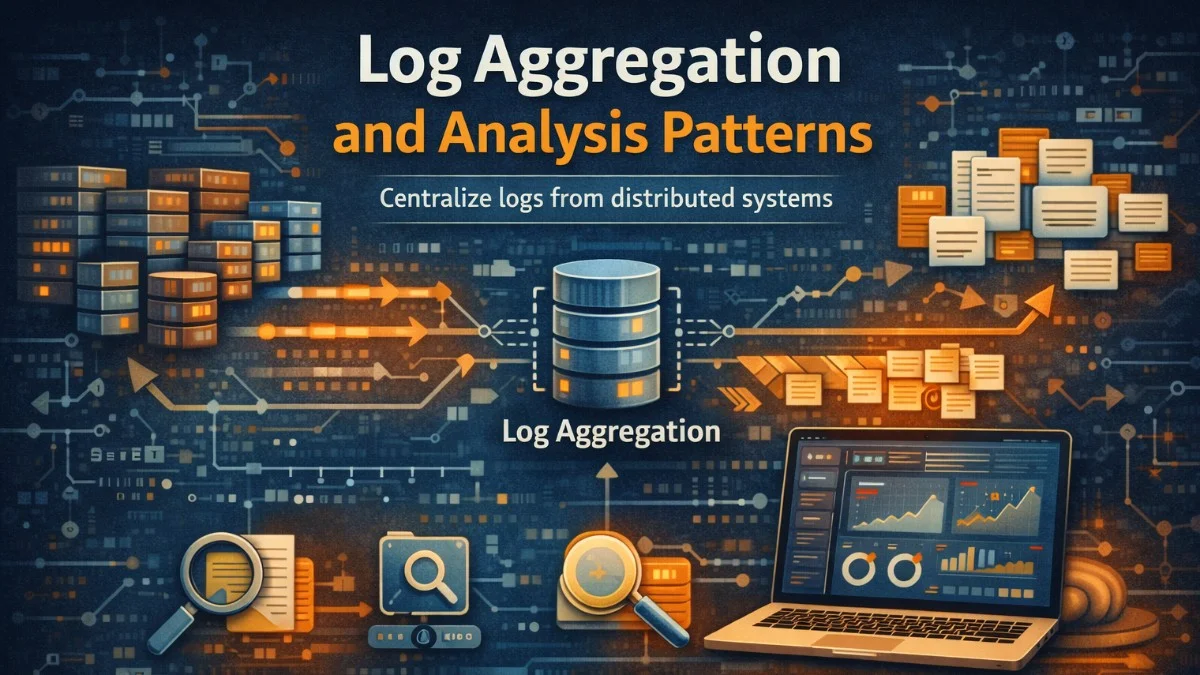
Log aggregation collects logs from distributed systems into a central location for analysis. When applications run across dozens or hundreds of instances, examining logs on individual servers is impractical. Aggregation enables searching across all logs, correlating events between services, and building dashboards that show system-wide behavior.
The challenge isn't just collecting logs; it's making them useful. Raw logs are overwhelming. Effective log aggregation includes parsing, indexing, and visualization that transforms logs from noise into insight.
Structured Logging
Structured logs are machine-readable from the start. Instead of free-form text that requires parsing, structured logs are key-value pairs or JSON objects that can be indexed and queried directly.
When you compare unstructured and structured logging side by side, the difference in queryability becomes immediately apparent. The following example shows how a simple order event can be logged in both styles.
// Unstructured logging - hard to parse and query
Log::info("User 123 placed order 456 for $99.99");

// Structured logging - queryable fields
Log::info('Order placed', [
    'user_id' => 123,
    'order_id' => 456,
    'amount' => 99.99,
    'currency' => 'USD',
    'items_count' => 3,
]);
Structured logs enable queries like "show all orders over $100" or "find all errors for user 123." With unstructured logs, these queries require regex parsing that's slow and error-prone.
Consistent field naming across services enables cross-service analysis. If one service logs user_id and another logs userId, correlating user activity requires mapping these fields. Establish naming conventions early.
To ensure consistency across your entire application, you can create a centralized log context class that automatically enriches every log entry with standard fields. This middleware-based approach ensures that request context is available in all logs without manual effort from developers.
// Standardized log context for all services
class LogContext
{
    public static function forRequest(Request $request): array
    {
        return [
            'trace_id' => $request->header('X-Trace-ID'),
            'user_id' => $request->user()?->id,
            'service' => config('app.name'),
            'environment' => config('app.env'),
            'host' => gethostname(),
            'ip' => $request->ip(),
        ];
    }
}

// Middleware adds context to all logs
class LogContextMiddleware
{
    public function handle(Request $request, Closure $next): Response
    {
        Log::shareContext(LogContext::forRequest($request));
        return $next($request);
    }
}
Notice how the shareContext method makes these fields available to all subsequent log calls within the request lifecycle. This pattern eliminates the need to manually pass context to every logging statement.
Log Shipping
Logs must move from application servers to the aggregation system. Several patterns accomplish this.
File-based shipping writes logs to files, then agents (like Filebeat or Fluentd) tail those files and forward to the aggregation system. This is simple and decouples the application from log infrastructure.
The following Filebeat configuration demonstrates how to collect JSON-formatted logs from a standard location and ship them to Elasticsearch. You can customize the paths and parsing options based on your application's log format.
# Filebeat configuration
filebeat.inputs:
  - type: log
    enabled: true
    paths:
      - /var/log/app/*.log
    json.keys_under_root: true
    json.add_error_key: true

output.elasticsearch:
  hosts: ["elasticsearch:9200"]
  index: "app-logs-%{+yyyy.MM.dd}"
Direct shipping sends logs directly to the aggregation system. The application writes to a network endpoint instead of (or in addition to) files. This reduces latency but couples the application to log infrastructure.
If you need lower latency for time-sensitive log data, you can implement a custom log handler that writes directly to Elasticsearch. This approach bypasses the file system entirely, getting logs into your search index within milliseconds.
// Direct shipping to Elasticsearch
class ElasticsearchLogHandler extends AbstractHandler
{
    public function write(array $record): void
    {
        $this->client->index([
            'index' => 'app-logs-' . date('Y.m.d'),
            'body' => [
                '@timestamp' => $record['datetime']->format('c'),
                'level' => $record['level_name'],
                'message' => $record['message'],
                'context' => $record['context'],
            ],
        ]);
    }
}
Sidecar containers in Kubernetes run alongside application containers, collecting and forwarding logs. The application writes to stdout; the sidecar handles shipping.
The ELK Stack
Elasticsearch, Logstash, and Kibana (ELK) form a popular log aggregation stack. Elasticsearch stores and indexes logs. Logstash processes and transforms logs. Kibana provides visualization and search interface.
Logstash pipelines define how logs are processed: parsing, enrichment, filtering, and routing.
This Logstash configuration shows a typical pipeline that receives logs from Filebeat, parses the JSON structure, extracts specific fields, adds geographic information from IP addresses, and routes logs to service-specific Elasticsearch indices.
# Logstash pipeline configuration
input {
  beats {
    port => 5044
  }
}

filter {
  # Parse JSON logs
  json {
    source => "message"
    target => "parsed"
  }

  # Extract fields from parsed JSON
  mutate {
    rename => {
      "[parsed][user_id]" => "user_id"
      "[parsed][order_id]" => "order_id"
      "[parsed][trace_id]" => "trace_id"
    }
  }

  # Geolocate IP addresses
  geoip {
    source => "client_ip"
  }

  # Parse timestamps
  date {
    match => ["timestamp", "ISO8601"]
    target => "@timestamp"
  }
}

output {
  elasticsearch {
    hosts => ["elasticsearch:9200"]
    index => "logs-%{service}-%{+YYYY.MM.dd}"
  }
}
The service-specific index pattern in the output section allows you to apply different retention policies and access controls to logs from different services. This becomes important as your log volume grows.
Elasticsearch queries enable powerful log analysis. Full-text search, aggregations, and filtering combine to answer complex questions about system behavior.
When investigating production issues, you'll often need to find errors within a specific time window and understand their distribution. This query finds all errors in the order-service from the last hour and provides aggregations showing which error types are most common and how they're distributed over time.
{
  "query": {
    "bool": {
      "must": [
        { "match": { "level": "error" } },
        { "range": { "@timestamp": { "gte": "now-1h" } } }
      ],
      "filter": [
        { "term": { "service": "order-service" } }
      ]
    }
  },
  "aggs": {
    "errors_by_type": {
      "terms": { "field": "error_type.keyword" }
    },
    "errors_over_time": {
      "date_histogram": {
        "field": "@timestamp",
        "fixed_interval": "5m"
      }
    }
  }
}
The combination of filtering and aggregations in a single query is powerful. You get both the matching documents and statistical summaries without making multiple round trips to Elasticsearch.
Log Levels and Filtering
Log levels indicate severity: debug, info, warning, error, critical. Filtering by level reduces noise when investigating issues.
Production systems typically log at info level and above. Debug logs are verbose and expensive; enable them temporarily for specific investigations.
Laravel's logging configuration allows you to set different levels for different channels. This example shows how to configure both local file logging and remote Elasticsearch shipping with independent log levels.
// Configure log level by environment
'channels' => [
    'stack' => [
        'driver' => 'stack',
        'channels' => ['daily', 'elasticsearch'],
        'ignore_exceptions' => false,
    ],

    'daily' => [
        'driver' => 'daily',
        'path' => storage_path('logs/laravel.log'),
        'level' => env('LOG_LEVEL', 'info'),
        'days' => 14,
    ],

    'elasticsearch' => [
        'driver' => 'monolog',
        'level' => env('ES_LOG_LEVEL', 'warning'),
        'handler' => ElasticsearchLogHandler::class,
    ],
],
Dynamic log level adjustment enables verbose logging for specific requests or users without changing deployment configuration.
Sometimes you need debug-level logging for just one user or request to diagnose a specific issue. This middleware checks for a debug header or a feature flag and temporarily enables verbose logging for qualifying requests.
class DynamicLogLevelMiddleware
{
    public function handle(Request $request, Closure $next): Response
    {
        // Enable debug logging for requests with debug header
        if ($request->header('X-Debug-Logging')) {
            config(['logging.channels.stack.level' => 'debug']);
        }

        // Enable debug for specific users (from feature flag)
        if ($this->shouldDebugUser($request->user())) {
            config(['logging.channels.stack.level' => 'debug']);
        }

        return $next($request);
    }
}
Correlation and Tracing
Correlating logs across services requires a common identifier. Trace IDs generated at the system edge propagate through all services, enabling log queries that show the complete request journey.
Including the trace ID in every log entry allows you to reconstruct the full path of a request through your distributed system. When something fails, you can query for all logs with that trace ID to see exactly what happened at each step.
// Include trace_id in all log entries
Log::info('Processing order', [
    'trace_id' => $request->header('X-Trace-ID'),
    'order_id' => $order->id,
    'step' => 'validation',
]);

// Query logs by trace ID shows complete request flow:
// [gateway] Received POST /orders
// [order-service] Processing order
// [inventory-service] Checking availability
// [payment-service] Authorizing payment
// [order-service] Order confirmed
Retention and Costs
Log storage costs grow quickly. A service logging 1KB per request handling 1000 RPS generates 86 GB daily. Retention policies balance cost against investigation needs.
Hot storage keeps recent logs (days to weeks) for fast queries. Warm storage keeps older logs (weeks to months) with slower access. Cold storage archives logs (months to years) at minimal cost.
Elasticsearch's Index Lifecycle Management (ILM) automates the transition of indices through these storage tiers. This policy keeps recent data immediately searchable while gradually moving older data to cheaper storage before eventual deletion.
# Index lifecycle policy in Elasticsearch
PUT _ilm/policy/logs-policy
{
  "policy": {
    "phases": {
      "hot": {
        "actions": {
          "rollover": {
            "max_size": "50GB",
            "max_age": "1d"
          }
        }
      },
      "warm": {
        "min_age": "7d",
        "actions": {
          "shrink": { "number_of_shards": 1 },
          "forcemerge": { "max_num_segments": 1 }
        }
      },
      "cold": {
        "min_age": "30d",
        "actions": {
          "freeze": {}
        }
      },
      "delete": {
        "min_age": "90d",
        "actions": {
          "delete": {}
        }
      }
    }
  }
}
The shrink and forcemerge actions in the warm phase reduce storage costs by consolidating data. Frozen indices in the cold phase use minimal memory while still allowing searches, though with higher latency.
Alerting on Logs
Log-based alerting triggers notifications when specific patterns appear. Error rate spikes, specific exception types, or security events can trigger alerts.
Elastalert is a popular tool for creating alerts based on Elasticsearch queries. This configuration watches for sudden spikes in error rate and sends a Slack notification when the error rate triples within a 10-minute window.
# Elastalert rule for error rate spike
name: Error Rate Spike
type: spike
index: logs-*
timeframe:
  minutes: 10
spike_height: 3
spike_type: up
filter:
  - term:
      level: error
alert:
  - slack:
      slack_webhook_url: "https://hooks.slack.com/..."
alert_text: |
  Error rate spiked {spike_height}x in {timeframe}
  Service: {service}
  Recent errors: {num_hits}
Conclusion
Log aggregation transforms distributed logs into a searchable, analyzable resource. Structured logging enables efficient queries. Consistent correlation IDs connect logs across services. Appropriate retention balances cost against investigation needs.
Invest in logging infrastructure early. Retrofitting log aggregation is harder than building it in from the start. When incidents occur, good logs are the fastest path to understanding what happened and why.

