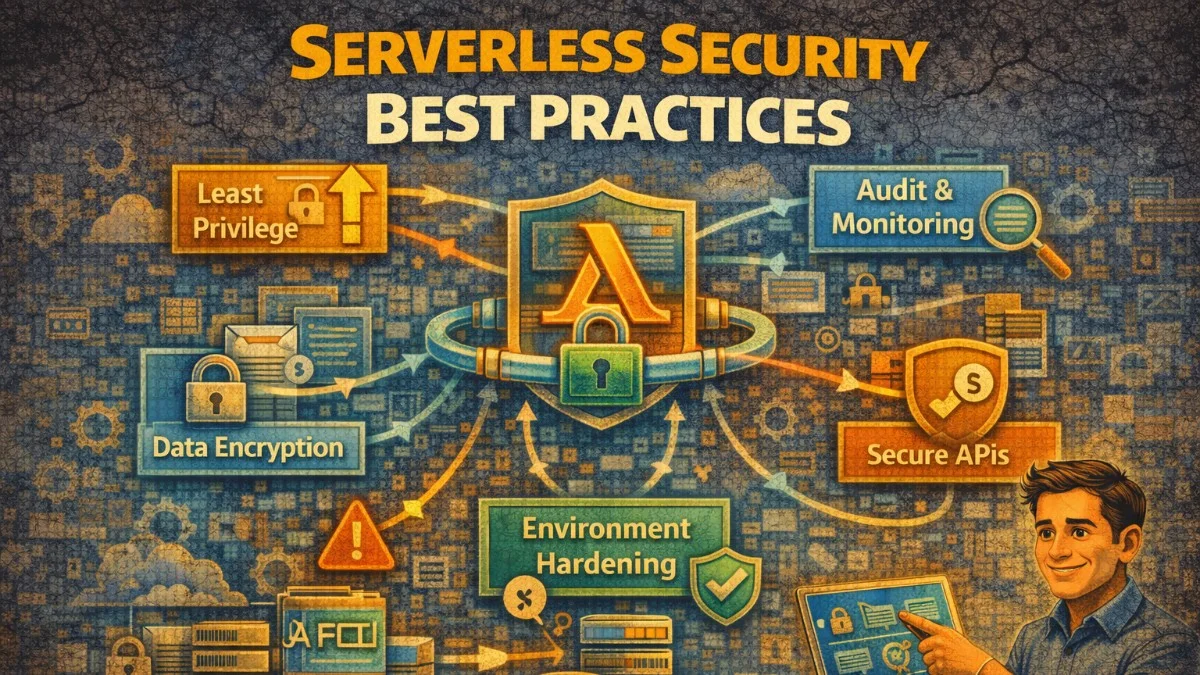
Serverless architectures introduce unique security challenges. Functions are ephemeral, permissions are granular, and the attack surface differs from traditional applications. Here's how to secure serverless applications effectively.
Serverless Security Model
Shared Responsibility
Understanding the security boundary between you and your cloud provider is essential. While the provider handles infrastructure security, you remain responsible for everything in your application code and configuration.
Cloud Provider Responsibilities:
├── Physical infrastructure
├── Hypervisor security
├── Container isolation
├── Function runtime patching
└── Network infrastructure

Your Responsibilities:
├── Function code security
├── IAM permissions
├── Input validation
├── Secrets management
├── Dependencies
└── Application logic
Unique Risks
Serverless introduces attack vectors that don't exist in traditional architectures. Understanding these risks helps you focus your security efforts appropriately.
Serverless-specific concerns:
1. Over-permissioned functions
2. Event injection attacks
3. Insecure secrets in env vars
4. Vulnerable dependencies
5. Insufficient logging
6. Function-level DoS
7. Cold start timing attacks
IAM and Least Privilege
Function-Specific Roles
One of the most common serverless security mistakes is granting broad permissions to functions. Each function should have its own IAM role with only the permissions it actually needs.
The following example contrasts a dangerously permissive IAM configuration with a properly scoped one. You'll notice the good example grants each function only the specific actions and resources it requires.
# serverless.yml - BAD: Overly permissive
provider:
  iam:
    role:
      statements:
        - Effect: Allow
          Action:
            - dynamodb:*  # Too broad!
            - s3:*        # Too broad!
          Resource: '*'   # Way too broad!

# GOOD: Specific permissions per function
functions:
  getUser:
    handler: handlers/user.get
    iamRoleStatements:
      - Effect: Allow
        Action:
          - dynamodb:GetItem
        Resource:
          - !GetAtt UsersTable.Arn

  createUser:
    handler: handlers/user.create
    iamRoleStatements:
      - Effect: Allow
        Action:
          - dynamodb:PutItem
        Resource:
          - !GetAtt UsersTable.Arn
      - Effect: Allow
        Action:
          - sqs:SendMessage
        Resource:
          - !GetAtt NewUserQueue.Arn
The read-only getUser function only needs GetItem permission, while createUser needs PutItem plus the ability to send SQS messages. This granularity limits the blast radius if either function is compromised.
Terraform IAM Example
When using Terraform, create separate roles for each function with precisely scoped permissions. This approach scales better than trying to manage a single shared role.
The following Terraform configuration creates a dedicated IAM role for a single function. Notice how the policy specifies exact resource ARNs and only the actions the function actually needs.
# Per-function IAM role
resource "aws_iam_role" "get_order_function" {
  name = "get-order-function-role"

  assume_role_policy = jsonencode({
    Version = "2012-10-17"
    Statement = [{
      Action = "sts:AssumeRole"
      Effect = "Allow"
      Principal = {
        Service = "lambda.amazonaws.com"
      }
    }]
  })
}

resource "aws_iam_role_policy" "get_order_function" {
  name = "get-order-function-policy"
  role = aws_iam_role.get_order_function.id

  policy = jsonencode({
    Version = "2012-10-17"
    Statement = [
      {
        Effect = "Allow"
        Action = [
          "dynamodb:GetItem",
          "dynamodb:Query"
        ]
        Resource = [
          aws_dynamodb_table.orders.arn,
          "${aws_dynamodb_table.orders.arn}/index/*"
        ]
      },
      {
        Effect = "Allow"
        Action = [
          "logs:CreateLogStream",
          "logs:PutLogEvents"
        ]
        Resource = "${aws_cloudwatch_log_group.lambda.arn}:*"
      }
    ]
  })
}
Note the specific resource ARNs rather than wildcards. This prevents the function from accessing other DynamoDB tables even if an attacker gains control.
Permission Boundaries
Permission boundaries set a ceiling on what any function can do, regardless of its individual policy. Use these as a safety net to prevent accidental over-permissioning.
The following boundary policy defines the maximum permissions any Lambda function can have. Even if someone mistakenly grants broader permissions, the boundary will deny those actions.
# Restrict maximum permissions any function can have
resource "aws_iam_policy" "lambda_boundary" {
  name = "lambda-permission-boundary"

  policy = jsonencode({
    Version = "2012-10-17"
    Statement = [
      {
        Effect = "Allow"
        Action = [
          "dynamodb:*",
          "s3:GetObject",
          "s3:PutObject",
          "sqs:*",
          "logs:*",
          "xray:*"
        ]
        Resource = "*"
      },
      {
        Effect = "Deny"
        Action = [
          "iam:*",
          "organizations:*",
          "ec2:*"
        ]
        Resource = "*"
      }
    ]
  })
}

# Apply boundary to function roles
resource "aws_iam_role" "function" {
  name                 = "function-role"
  permissions_boundary = aws_iam_policy.lambda_boundary.arn
  # ...
}
Even if someone mistakenly grants IAM permissions to a function, the boundary will deny those actions.
Input Validation
Event Source Validation
Never trust input from any source, including events from other AWS services. Attackers can craft malicious payloads that exploit parsing vulnerabilities or injection flaws.
The following function validates API Gateway events thoroughly. You'll check the content type, parse JSON safely, and validate the body against a schema before processing.
// API Gateway event validation
import { APIGatewayProxyEvent } from 'aws-lambda';
import Joi from 'joi';

const orderSchema = Joi.object({
  customerId: Joi.string().uuid().required(),
  items: Joi.array().items(
    Joi.object({
      productId: Joi.string().uuid().required(),
      quantity: Joi.number().integer().min(1).max(100).required(),
    })
  ).min(1).required(),
});

export async function createOrder(event: APIGatewayProxyEvent) {
  // Validate content type
  const contentType = event.headers['content-type'];
  if (!contentType?.includes('application/json')) {
    return {
      statusCode: 415,
      body: JSON.stringify({ error: 'Content-Type must be application/json' }),
    };
  }

  // Parse and validate body
  let body;
  try {
    body = JSON.parse(event.body || '{}');
  } catch {
    return {
      statusCode: 400,
      body: JSON.stringify({ error: 'Invalid JSON' }),
    };
  }

  const { error, value } = orderSchema.validate(body);
  if (error) {
    return {
      statusCode: 400,
      body: JSON.stringify({
        error: 'Validation failed',
        details: error.details,
      }),
    };
  }

  // Process validated input
  return processOrder(value);
}
This function validates content type, parses JSON safely, and uses Joi for schema validation. All three steps are necessary for defense in depth.
SNS/SQS Event Validation
Even internal events from SNS or SQS need validation. A compromised upstream service or misconfigured IAM policy could inject malicious messages into your queue.
The following example validates SQS messages including a timestamp check to prevent replay attacks. You should treat internal events with the same skepticism as external API calls.
// Validate messages from internal services too
import { SQSEvent, SQSRecord } from 'aws-lambda';

interface OrderMessage {
  orderId: string;
  action: 'process' | 'cancel' | 'refund';
  timestamp: string;
}

function validateOrderMessage(record: SQSRecord): OrderMessage {
  const body = JSON.parse(record.body);

  // Verify message structure
  if (!body.orderId || typeof body.orderId !== 'string') {
    throw new Error('Invalid orderId');
  }

  if (!['process', 'cancel', 'refund'].includes(body.action)) {
    throw new Error('Invalid action');
  }

  // Verify message isn't too old (prevent replay attacks)
  const messageAge = Date.now() - new Date(body.timestamp).getTime();
  if (messageAge > 300000) { // 5 minutes
    throw new Error('Message too old');
  }

  return body as OrderMessage;
}

export async function handler(event: SQSEvent) {
  const results = [];

  for (const record of event.Records) {
    try {
      const message = validateOrderMessage(record);
      await processMessage(message);
      results.push({ messageId: record.messageId, status: 'success' });
    } catch (error) {
      console.error('Invalid message', { record, error });
      results.push({ messageId: record.messageId, status: 'failed' });
    }
  }

  return { results };
}
The timestamp check prevents replay attacks where an attacker captures and resubmits old messages. Adjust the age threshold based on your message processing SLA.
Secrets Management
AWS Secrets Manager
Never store secrets in environment variables visible in the Lambda console. Use Secrets Manager or Parameter Store with encryption, and cache the values to minimize API calls.
The following implementation retrieves secrets from Secrets Manager with caching. You'll fetch secrets once during cold start and reuse them for subsequent invocations within the cache window.
import { SecretsManagerClient, GetSecretValueCommand } from '@aws-sdk/client-secrets-manager';

const client = new SecretsManagerClient({});

// Cache secrets to avoid repeated API calls
let cachedSecrets: Record<string, string> | null = null;
let cacheExpiry = 0;

async function getSecrets(): Promise<Record<string, string>> {
  // Return cached if valid
  if (cachedSecrets && Date.now() < cacheExpiry) {
    return cachedSecrets;
  }

  const command = new GetSecretValueCommand({
    SecretId: process.env.SECRETS_ARN,
  });

  const response = await client.send(command);
  cachedSecrets = JSON.parse(response.SecretString!);
  cacheExpiry = Date.now() + 5 * 60 * 1000; // 5 minute cache

  return cachedSecrets;
}

export async function handler(event: any) {
  const secrets = await getSecrets();
  const dbConnection = await connectDatabase(secrets.DATABASE_URL);
  // ...
}
Caching reduces cold start latency and Secrets Manager API costs. The 5-minute cache balances freshness with performance.
Parameter Store with Encryption
Parameter Store is a cost-effective alternative for simpler secrets. Use SecureString parameters with KMS encryption for sensitive values.
The following example loads parameters outside the handler so they're fetched during cold start but cached for warm invocations. This pattern optimizes both latency and cost.
import { SSMClient, GetParametersCommand } from '@aws-sdk/client-ssm';

const ssm = new SSMClient({});

async function getParameters(names: string[]): Promise<Record<string, string>> {
  const command = new GetParametersCommand({
    Names: names,
    WithDecryption: true,
  });

  const response = await ssm.send(command);

  const params: Record<string, string> = {};
  for (const param of response.Parameters || []) {
    const name = param.Name!.split('/').pop()!;
    params[name] = param.Value!;
  }

  return params;
}

// Load at cold start, outside handler
const parametersPromise = getParameters([
  '/myapp/prod/api_key',
  '/myapp/prod/db_password',
]);

export async function handler(event: any) {
  const params = await parametersPromise;
  // Use params.api_key, params.db_password
}
Loading parameters outside the handler means they're fetched during cold start but cached for subsequent warm invocations.
Avoid Environment Variables for Secrets
Environment variables are visible in the Lambda console and CloudWatch logs if you're not careful. Store only references, never actual secret values.
# BAD: Secrets in environment variables
functions:
  myFunction:
    environment:
      DB_PASSWORD: "super-secret-password"  # Visible in console!

# GOOD: Reference to Secrets Manager
functions:
  myFunction:
    environment:
      SECRETS_ARN: !Ref MySecrets
Dependency Security
Vulnerability Scanning
Your function's dependencies are a major attack vector. Automate vulnerability scanning in your CI/CD pipeline to catch issues before deployment.
The following GitHub Actions workflow runs multiple security scanners. You should use several tools since each has different vulnerability databases and detection methods.
# GitHub Actions workflow
name: Security Scan

on: [push, pull_request]

jobs:
  scan:
    runs-on: ubuntu-latest
    steps:
      - uses: actions/checkout@v4

      - name: Run Snyk
        uses: snyk/actions/node@master
        env:
          SNYK_TOKEN: ${{ secrets.SNYK_TOKEN }}
        with:
          args: --severity-threshold=high

      - name: Run npm audit
        run: npm audit --audit-level=high

      - name: Run OWASP dependency check
        uses: dependency-check/Dependency-Check_Action@main
        with:
          project: 'my-serverless-app'
          path: '.'
          format: 'HTML'
Running multiple scanners catches more vulnerabilities since each tool has different databases and detection methods.
Lock Dependencies
Use exact versions in package.json and always commit your lock file. This ensures reproducible builds and prevents supply chain attacks through version hijacking.
// package.json - Use exact versions
{
  "dependencies": {
    "aws-sdk": "2.1472.0",
    "joi": "17.11.0",
    "uuid": "9.0.1"
  }
}
When installing dependencies in CI/CD, use npm ci to respect the lock file exactly.
# Use npm ci in CI/CD (respects package-lock.json)
npm ci --production

# Regularly update and audit
npm update
npm audit fix
The npm ci command installs exactly what's in your lock file, while npm install might update minor versions.
Minimal Dependencies
Every dependency is a potential vulnerability. Use native language features when possible and import only what you need from the AWS SDK.
// BAD: Heavy dependencies for simple tasks
import _ from 'lodash';
const result = _.get(obj, 'a.b.c');

// GOOD: Native alternatives
const result = obj?.a?.b?.c;

// BAD: Full AWS SDK
import AWS from 'aws-sdk';

// GOOD: Only what you need
import { DynamoDBClient } from '@aws-sdk/client-dynamodb';
The modular AWS SDK v3 dramatically reduces bundle size compared to importing the entire v2 SDK.
Logging and Monitoring
Structured Logging
Structured logs enable security analysis and alerting. Use consistent formats with correlation IDs to trace requests across function invocations.
The following example uses AWS Lambda Powertools for structured logging. You'll add context like request IDs and user IDs to every log entry for easier debugging and security analysis.
import { Logger } from '@aws-lambda-powertools/logger';

const logger = new Logger({
  serviceName: 'order-service',
  logLevel: 'INFO',
});

export async function handler(event: any, context: any) {
  // Add correlation IDs
  logger.addContext(context);
  logger.appendKeys({
    requestId: event.requestContext?.requestId,
    userId: event.requestContext?.authorizer?.claims?.sub,
  });

  try {
    logger.info('Processing order', {
      orderId: event.pathParameters?.orderId,
    });

    const result = await processOrder(event);

    logger.info('Order processed successfully');
    return result;

  } catch (error) {
    // Log errors with context (but sanitize sensitive data)
    logger.error('Order processing failed', {
      error: error.message,
      stack: error.stack,
    });
    throw error;
  }
}
Never log sensitive data like passwords, tokens, or PII. Sanitize error messages before logging since they might contain user input.
Security Monitoring
Log security-relevant events with consistent structure to enable alerting and incident response. Create CloudWatch alarms for high-severity events.
The following helper function standardizes security event logging. You'll use consistent field names so your alerting rules can match events reliably.
// Log security-relevant events
function logSecurityEvent(event: {
  type: string;
  severity: 'low' | 'medium' | 'high' | 'critical';
  details: Record<string, any>;
}) {
  console.log(JSON.stringify({
    timestamp: new Date().toISOString(),
    eventType: 'security',
    ...event,
  }));
}

// Example: Failed authentication
logSecurityEvent({
  type: 'authentication_failed',
  severity: 'medium',
  details: {
    reason: 'invalid_token',
    sourceIp: event.requestContext.identity.sourceIp,
    userAgent: event.requestContext.identity.userAgent,
  },
});

// Example: Suspicious activity
logSecurityEvent({
  type: 'rate_limit_exceeded',
  severity: 'high',
  details: {
    userId: userId,
    endpoint: event.path,
    requestCount: count,
  },
});
The consistent format makes it easy to create CloudWatch Insights queries and alarms for specific security events.
Network Security
VPC Configuration
Place functions in a VPC when they need to access private resources. Configure security groups to limit outbound traffic to only required destinations.
The following serverless.yml configuration places functions in a VPC with a security group that restricts outbound traffic. You'll only allow HTTPS to the internet and database connections to specific security groups.
# serverless.yml - Functions in VPC
provider:
  vpc:
    securityGroupIds:
      - !Ref LambdaSecurityGroup
    subnetIds:
      - !Ref PrivateSubnet1
      - !Ref PrivateSubnet2

resources:
  Resources:
    LambdaSecurityGroup:
      Type: AWS::EC2::SecurityGroup
      Properties:
        GroupDescription: Lambda security group
        VpcId: !Ref VPC
        SecurityGroupEgress:
          - IpProtocol: tcp
            FromPort: 443
            ToPort: 443
            CidrIp: 0.0.0.0/0  # HTTPS only
          - IpProtocol: tcp
            FromPort: 5432
            ToPort: 5432
            DestinationSecurityGroupId: !Ref DatabaseSecurityGroup
VPC functions have longer cold starts due to ENI provisioning. Consider VPC endpoints for AWS services to avoid NAT gateway costs.
API Gateway Security
AWS WAF protects your API Gateway from common attacks. Enable rate limiting and use AWS managed rule sets for broad protection.
The following WAF configuration sets up rate limiting and enables the AWS Managed Rules Common Rule Set. You'll block excessive requests from single IPs and automatically block common web exploits.
# WAF integration
resources:
  Resources:
    WebACL:
      Type: AWS::WAFv2::WebACL
      Properties:
        DefaultAction:
          Allow: {}
        Rules:
          - Name: RateLimit
            Priority: 1
            Action:
              Block: {}
            Statement:
              RateBasedStatement:
                Limit: 2000
                AggregateKeyType: IP
          - Name: AWSManagedRulesCommonRuleSet
            Priority: 2
            OverrideAction:
              None: {}
            Statement:
              ManagedRuleGroupStatement:
                VendorName: AWS
                Name: AWSManagedRulesCommonRuleSet
The rate limit prevents function-level DoS attacks, while the managed rules block common web exploits like SQL injection and XSS.
Function Configuration
Timeouts and Memory
Set appropriate limits to prevent runaway functions and limit resource consumption during attacks.
# Limit blast radius
functions:
  myFunction:
    timeout: 10  # Seconds - prevent runaway functions
    memorySize: 256  # MB - limit resources
    reservedConcurrency: 100  # Max concurrent executions

    # Enable X-Ray for tracing
    tracing: Active
Reserved concurrency prevents a single function from consuming your account's entire concurrent execution limit during a DoS attack.
Dead Letter Queues
Failed invocations should go somewhere for investigation. Configure dead letter queues to capture failures without losing visibility.
functions:
  myFunction:
    onError: !GetAtt DeadLetterQueue.Arn
    # Failed invocations go to DLQ for investigation

resources:
  Resources:
    DeadLetterQueue:
      Type: AWS::SQS::Queue
      Properties:
        MessageRetentionPeriod: 1209600  # 14 days
Review DLQ messages regularly. Repeated failures might indicate configuration issues, but they could also reveal attack attempts.
Conclusion
Serverless security requires a shift in mindset from traditional applications. Apply least-privilege IAM permissions per function, validate all inputs regardless of source, use secrets management services instead of environment variables, and keep dependencies minimal and updated. Enable comprehensive logging for security monitoring, configure VPC and WAF for network security, and set appropriate limits on function resources. The ephemeral nature of serverless provides some security benefits, but the expanded attack surface requires careful attention to these serverless-specific security practices.
